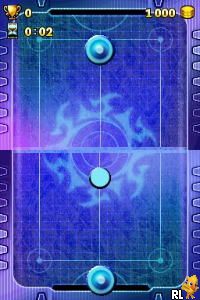
101 in 1 Explosive Megamix (USA) (En,Fr,Es)
0 1 1
101 in 1 Explosive Megamix (USA) (En,Fr,Es) is a collection of mini-games originally made for the Nintendo DS, now playable directly in your browser. This classic from the Nintendo DS era offers players a variety of quick, simple challenges across different genres, making it great for short gaming sessions or casual play. If you like trying out different mini-games without a big commitment, this compilation provides plenty of variety and instant fun.
Getting Into 101 in 1 Explosive Megamix
The main idea is choosing from a list of mini-games that usually take just a few minutes each. When you start, a menu appears where you can pick which game to try next, often with easy-to-follow instructions on-screen. The setup encourages quick, focused play, so you can jump from one challenge to another without long waits or complicated setups.
Most mini-games are simple and use basic controls, like tapping the screen or pressing a few buttons. There’s no story or progression system, but you can earn high scores or achievements by completing challenges efficiently. It’s perfect for short bursts of gameplay—whether you’re waiting around or just want to test your reflexes across different game types. The browser version mimics the original Nintendo DS experience well, making it easy to access and switch between mini-games without hassle.
Standout Features
The game keeps the pixel art style typical of the Nintendo DS, with bright, colorful graphics that are easy to read and visually appealing in their simplicity. Each mini-game has its own look, adding variety even after repeated plays. Since it’s made up of many different challenges, the visual style stays consistent, but the content is diverse enough to keep things interesting.
Replaying is rewarding because of the wide range of mini-games and the challenge of beating your high scores or mastering each one. Some games have multiple difficulty levels or bonus stages, encouraging you to come back and improve. With so many challenges included, you can spend hours trying to get better at your favorite ones or discover new ones—all without extra downloads or installations, since it runs right in your browser.
Strategy and Tips
To enjoy the game more, pick mini-games that suit your skill level and practice to boost your scores. Learning the controls early helps avoid mistakes during timed challenges.
- Read the instructions carefully—they’re usually simple but important for success.
- Try to memorize patterns or cues, especially in reflex-based games, to react faster.
- If available, use the pause feature to review instructions or take a break if needed.
- Experiment with different mini-games to see which ones you like most and improve at them.
- Pay attention to how scoring works so you can aim for higher points and achievements.
Quick Questions
How do I start playing?
The game loads instantly in your browser. Just pick a mini-game from the menu and get started.
What’s a common mistake beginners make?
Many skip the instructions and try to guess the controls, which can lead to early failures. Reading the instructions helps a lot.
Can I play this on mobile or touch devices?
Yes. Since it runs in your browser, it works with touch controls on phones and tablets, so you can play while on the go.
Overall, 101 in 1 Explosive Megamix offers a wide selection of mini-games that are easy to jump into and enjoy. Its straightforward design and quick gameplay make it perfect for casual players or anyone wanting to sample a variety of challenges without hassle. With its variety and instant accessibility, it’s easy to keep coming back for more fun or to try something new each time you play.
Related games: you can also try 10 voor Taal (Netherlands) and 101 Dino Pets (Europe) (En,Fr,De,It), or browse all other games in the Nintendo DS category.
How to Play 101 in 1 Explosive Megamix (USA) (En,Fr,Es)?
Choose a mini-game from the menu, follow the on-screen instructions, and complete the challenge as quickly and accurately as possible to earn high scores.
Game Controls
Arrow keys for movement; Enter or space for actions.
You may be interested in:
-
 Nintendo DS
♥ 1
Casper’s Scare School – Classroom Capers (USA)
Nintendo DS
♥ 1
Casper’s Scare School – Classroom Capers (USA) -
 Nintendo DS
♥ 1
Zunou Nouryoku Koujou Machine – Touch de Zunoo DS (Japan)
Nintendo DS
♥ 1
Zunou Nouryoku Koujou Machine – Touch de Zunoo DS (Japan) -
 Nintendo DS
♥ 1
Zunou ni Asekaku Game Series! Vol. 1 – Cool 104 Joker & Setline (Japan)
Nintendo DS
♥ 1
Zunou ni Asekaku Game Series! Vol. 1 – Cool 104 Joker & Setline (Japan) -
 Nintendo DS
♥ 9
Zuma’s Revenge (USA)
Nintendo DS
♥ 9
Zuma’s Revenge (USA) -
 Nintendo DS
♥ 1
Zubo (USA) (En,Fr,Es)
Nintendo DS
♥ 1
Zubo (USA) (En,Fr,Es) -
 Nintendo DS
♥ 1
Zubo (Europe) (En,Fr,De,Es,It,Nl,Sv)
Nintendo DS
♥ 1
Zubo (Europe) (En,Fr,De,Es,It,Nl,Sv) -
 Nintendo DS
♥ 1
Zorro – Quest for Justice (USA) (En,Fr,De,Es,It)
Nintendo DS
♥ 1
Zorro – Quest for Justice (USA) (En,Fr,De,Es,It) -
 Nintendo DS
♥ 1
Zorro – Quest for Justice (Europe) (En,Fr,De,Es,It)
Nintendo DS
♥ 1
Zorro – Quest for Justice (Europe) (En,Fr,De,Es,It)
Comments (0)
No comments yet. Be the first to comment!