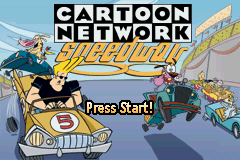
2 in 1 – Cartoon Network – Block Party & Cartoon Network – Speedway (U)(Trashman)
0 18 2
Getting Into 2 in 1 – Cartoon Network – Block Party & Cartoon Network – Speedway
This Game Boy Advance title, 2 in 1 – Cartoon Network – Block Party & Speedway, offers two different ways to play in one package. Whether you’re into fast racing or lively multiplayer mini-games, it provides a straightforward way to enjoy both. The game has two modes, each with its own goals, but both share a bright, cartoon-inspired look that captures the playful feel of Cartoon Network shows.
A typical session involves choosing between racing in Speedway or the multiplayer chaos of Block Party. In Speedway, players race against AI opponents on various tracks, trying to finish first while avoiding obstacles and using power-ups. Block Party focuses on quick mini-games that test your timing, reflexes, or strategic use of character abilities. The game is designed for short bursts of fun, making it great for quick sessions or playing with friends. Switching between modes is simple from the main menu, and it supports local multiplayer, so you can enjoy friendly competition.
Standout Features
The visuals match the cartoon style of the original shows, with colorful sprites and lively animations. The art style is simple but effective, capturing the charm of classic Cartoon Network characters and settings. As you progress in Speedway, you unlock new tracks and vehicles, giving a sense of achievement. Block Party has a variety of mini-games, each with different goals and scoring, keeping things fresh and fun.
Replayability comes from trying different mini-games and racing tracks in Speedway. The game encourages replay, whether to beat high scores or improve race times. The multiplayer mode adds to its appeal, letting friends compete in mini-games or races. Because both modes are quick to start, you can jump in, have a few rounds, and then step away without losing progress. It’s easy to pick up for some casual entertainment.
Strategy and Tips
Getting the most out of this game means knowing what each mode does best. Here are some helpful tips:
- In Speedway, learn the track layouts to spot obstacles and find the best racing lines.
- Use power-ups wisely during races—saving boosts or shields for key moments can help you win.
- In Block Party, timing your button presses during mini-games is key to getting higher scores.
- Practice the mini-games that seem tough; mastering them boosts your overall score.
- Play multiplayer with friends to discover new strategies and keep things interesting.
- Keep an eye on the timer in mini-games; quick decisions often lead to better results.
Quick Questions
How do I get started with multiplayer in this game?
Answer: Just select the multiplayer option from the main menu and connect additional controllers or devices compatible with your setup. It’s designed to be simple for local play.
What’s a common mistake beginners make in Speedway?
Answer: New players often focus only on racing lines and overlook the importance of power-ups, missing chances to gain an edge.
Does it work well on mobile or touch devices?
Answer: Since it’s a Game Boy Advance game played through emulation in your browser, it’s best suited for keyboard or controller input. Touch controls aren’t supported directly, but it runs smoothly on compatible devices.
This collection of two classic Cartoon Network-themed games offers a straightforward, fun experience that appeals to both nostalgic fans and new players. 2 in 1 – cartoon network – block party & cartoon network – speedway provides quick, colorful gameplay that’s easy to pick up and enjoy in short bursts.
Related games: you can also try Play 2 in 1 – Barenbruder & Disney Prinzessinen (G)(Independent) and Play 2 in 1 – Asterix and Obelix (E)(Rising Sun), or browse all other games in the Game Boy Advance category.
How to Play 2 in 1 – Cartoon Network – Block Party & Cartoon Network – Speedway (U)(Trashman)?
Choose between racing or mini-games, complete objectives, and beat high scores or opponents. Switch modes easily and enjoy quick, fun sessions with friends or solo.
Game Controls
Arrow keys control movement; other keys handle actions and menu navigation.
You may be interested in:
-
 Game Boy Advance
♥ 2
Zooo (J)(Rising Sun)
Game Boy Advance
♥ 2
Zooo (J)(Rising Sun) -
 Game Boy Advance
♥ 4
Zooo (E)(Trashman)
Game Boy Advance
♥ 4
Zooo (E)(Trashman) -
 Game Boy Advance
♥ 2
ZooCube (U)(Mode7)
Game Boy Advance
♥ 2
ZooCube (U)(Mode7) -
 Game Boy Advance
♥ 1
ZooCube (E)(Blizzard)
Game Boy Advance
♥ 1
ZooCube (E)(Blizzard) -
 Game Boy Advance
♥ 1
Zone of the Enders – The Fist of Mars (U)(Mode7)
Game Boy Advance
♥ 1
Zone of the Enders – The Fist of Mars (U)(Mode7) -
 Game Boy Advance
♥ 1
Zone of the Enders – The Fist of Mars (E)(Cezar)
Game Boy Advance
♥ 1
Zone of the Enders – The Fist of Mars (E)(Cezar) -
 Game Boy Advance
♥ 1
Zoku Bokura no Taiyou – Taiyou Shounen Django (J)(Independent)
Game Boy Advance
♥ 1
Zoku Bokura no Taiyou – Taiyou Shounen Django (J)(Independent) -
 Game Boy Advance
♥ 7
Zoku Bokura no Taiyou – Taiyou Shounen Django (J)(Caravan)
Game Boy Advance
♥ 7
Zoku Bokura no Taiyou – Taiyou Shounen Django (J)(Caravan)
Comments (0)
No comments yet. Be the first to comment!