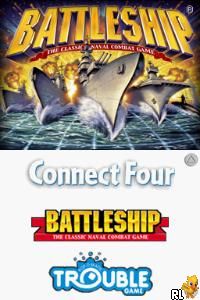
4 Game Pack! – Battleship + Connect Four + Sorry! + Trouble (USA)
0 3 0
4 Game Pack! – Battleship + Connect Four + Sorry! + Trouble (USA) is a collection of classic board and puzzle games originally designed for the Nintendo DS. This set makes it easy to enjoy familiar multiplayer titles on your browser, capturing the spirit of these timeless games in a digital format. If you like casual gaming with friends or family, this compilation offers simple mechanics and quick sessions, making it great for short breaks or relaxed afternoons.
Why 4 Game Pack! – Battleship + Connect Four + Sorry! + Trouble Is Worth Playing
This collection stands out because it accurately recreates four well-loved games that have been around for decades. The visuals are straightforward but clear, focusing on making gameplay easy to follow. The interface is clean, with big buttons and simple menus, suitable for players of all ages. The multiplayer feature is front and center, encouraging social play whether you’re sitting across from someone or sharing a device. The nostalgic feel stays true to the original Nintendo DS versions, now playable right in your browser.
What keeps players coming back is the variety. Battleship involves strategic guessing, Connect Four sharpens spatial reasoning, Sorry! offers a fun mix of luck and movement, and Trouble highlights quick reactions with its classic “Pop-O-Matic” dice roller. Each game is built for short, engaging sessions, perfect for casual players or fitting into busy schedules. The gameplay mechanics are simple enough for newcomers but also have enough depth for more competitive players to develop strategies over time. The emulation captures the gameplay well, with responsive controls and little lag, making it feel just like the original.
Tips to Get Ahead
If you want to improve your chances, here are some practical tips:
- In Battleship, scan sections systematically instead of guessing randomly to find ships faster.
- In Connect Four, control the middle columns to create multiple chances to connect four.
- For Sorry!, move your pawns carefully to block opponents and set up your next move.
- In Trouble, pay attention to the dice rolls; quick reactions can help you take advantage of opportunities or block opponents.
- Use the turn structure to plan a few moves ahead, especially in strategy-heavy games like Battleship and Connect Four.
- Keep an eye on the game clock or session length; these games are meant for quick matches, so avoid overthinking during casual play.
Things to Know Before You Start
Question?
Is 4 Game Pack! – Battleship + Connect Four + Sorry! + Trouble easy for beginners?
Answer.
Yes, all four games are simple to pick up and understand, making them accessible for players of all ages, especially casual gamers.
Question?
How long does a typical session last?
Most games are quick, often ending within 10-15 minutes, which makes them good for short breaks or casual sessions.
Question?
Does this collection suit more dedicated players?
While it’s mainly for casual fun, the strategic parts in titles like Battleship and Connect Four can also appeal to players who enjoy honing their tactics over multiple rounds.
Jump in and start playing this classic collection today. The 4 game pack! – battleship + connect four + sorry! + trouble offers instant access to familiar multiplayer games, all playable directly in your browser. Whether you’re after quick entertainment or a relaxed way to challenge friends, this collection gives you a nostalgic experience without the fuss.
Related games: you can also try 2 Games on 1 Card – Monster Trucks Mayhem & ATV – Thunder Ridge Riders (Europe) (En,Fr,De,Es,It) and 3 Game Pack! – Uno + Skip-Bo + Uno Free Fall (USA), or browse all other games in the Nintendo DS category.
How to Play 4 Game Pack! – Battleship + Connect Four + Sorry! + Trouble (USA)?
Choose your game, follow the simple rules, and take turns to win by sinking ships, connecting four, moving pawns, or racing to the finish. Play casually or strategically to beat your opponents.
Game Controls
Arrow keys and Enter to navigate and select; on-screen buttons for game actions.
You may be interested in:
-
 Nintendo DS
♥ 1
Casper’s Scare School – Classroom Capers (USA)
Nintendo DS
♥ 1
Casper’s Scare School – Classroom Capers (USA) -
 Nintendo DS
♥ 1
Zunou Nouryoku Koujou Machine – Touch de Zunoo DS (Japan)
Nintendo DS
♥ 1
Zunou Nouryoku Koujou Machine – Touch de Zunoo DS (Japan) -
 Nintendo DS
♥ 1
Zunou ni Asekaku Game Series! Vol. 1 – Cool 104 Joker & Setline (Japan)
Nintendo DS
♥ 1
Zunou ni Asekaku Game Series! Vol. 1 – Cool 104 Joker & Setline (Japan) -
 Nintendo DS
♥ 9
Zuma’s Revenge (USA)
Nintendo DS
♥ 9
Zuma’s Revenge (USA) -
 Nintendo DS
♥ 1
Zubo (USA) (En,Fr,Es)
Nintendo DS
♥ 1
Zubo (USA) (En,Fr,Es) -
 Nintendo DS
♥ 1
Zubo (Europe) (En,Fr,De,Es,It,Nl,Sv)
Nintendo DS
♥ 1
Zubo (Europe) (En,Fr,De,Es,It,Nl,Sv) -
 Nintendo DS
♥ 1
Zorro – Quest for Justice (USA) (En,Fr,De,Es,It)
Nintendo DS
♥ 1
Zorro – Quest for Justice (USA) (En,Fr,De,Es,It) -
 Nintendo DS
♥ 1
Zorro – Quest for Justice (Europe) (En,Fr,De,Es,It)
Nintendo DS
♥ 1
Zorro – Quest for Justice (Europe) (En,Fr,De,Es,It)
Comments (0)
No comments yet. Be the first to comment!