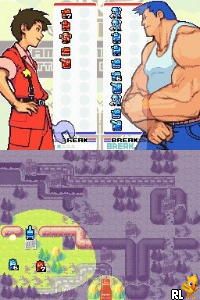
Advance Wars – Dual Strike (Europe) (En,Fr,De,Es,It)
0 2 0
Advance Wars – Dual Strike (Europe) (En,Fr,De,Es,It) is a classic Nintendo DS game that mixes turn-based strategy with tactical combat, appealing to players who enjoy thoughtful planning and engaging battles. As part of the well-loved Advance Wars series, this game offers a familiar experience on the handheld console, now playable directly in your browser. Whether you’re new to the series or a returning fan, it presents a solid challenge with straightforward mechanics and deep strategic options.
Getting Into Advance Wars – Dual Strike
The core gameplay involves commanding armies on grid-based maps, working to outsmart your opponents through smart deployment and effective use of units. Each turn, you move units, attack enemies, and capture key locations, aiming to gain the upper hand. The game includes a campaign mode where you face AI opponents across various maps, and it also supports multiplayer battles if you want to challenge friends or test your skills.
Games tend to be short and tactical, with players carefully considering each move. Resource management and positioning are crucial, rewarding good foresight and adaptability. As you progress, you’ll unlock new units and abilities, broadening your tactical options. The interface provides quick access to commands, making it easy to jump into battles without long setup times. It’s suitable for quick sessions or longer strategic campaigns.
Standout Features
Visually, Advance Wars – Dual Strike uses a bright, colorful art style that makes each unit and terrain type easy to recognize. The sprite-based graphics are clear and expressive, helping players quickly assess the battlefield and plan their moves. The game’s presentation remains sharp, even on the smaller screens of the Nintendo DS, and translates well to the browser emulator, keeping the original charm intact.
Progression is simple but satisfying. Completing missions unlocks new maps and units, encouraging replayability. Its value lies in the variety of maps and the challenge of mastering different strategies against AI or multiplayer opponents. The design supports multiple approaches to victory, so players can experiment with different unit combinations and tactics to find what works best for them.
Strategy and Tips
Winning in Advance Wars – Dual Strike depends on careful planning and adapting to battlefield changes. Here are some practical tips:
- Protect your units; avoid leaving valuable ones exposed unnecessarily.
- Use terrain like forests and mountains to boost your units’ defense and attack power.
- Balance offensive pushes with defensive positions to hold key areas.
- Save powerful units for critical moments or specific threats.
- Pay attention to unit strengths and weaknesses to maximize damage and reduce losses.
- Try different unit combos on each map to find effective strategies.
Quick Questions
How do I start playing Advance Wars – Dual Strike here?
Just load the game in your browser; it starts instantly without needing downloads or setups.
What is a common beginner mistake?
Many new players overextend their units without considering terrain or enemy counterattacks, which can lead to easy losses.
Can I enjoy this game on mobile or with touch controls?
Yes, since it runs in your browser, it works on mobile devices with touch screens, and controls are designed for easy navigation.
Advance Wars – Dual Strike offers a strategic experience rooted in classic turn-based gameplay, all accessible directly in your browser. It’s a good choice for fans of tactical combat and those looking for a challenging, replayable game on the Nintendo DS platform.
Related games: you can also try 007 – Blood Stone (Europe) and 007 – Quantum of Solace (USA) (En,Fr), or browse all other games in the Nintendo DS category.
How to Play Advance Wars – Dual Strike (Europe) (En,Fr,De,Es,It)?
Command your units on grid maps to move, attack, and capture locations, aiming to defeat opponents through strategic planning and resource management in turn-based battles.
Game Controls
Use keyboard arrow keys for movement and space or enter to select and confirm actions.
You may be interested in:
-
 Nintendo DS
♥ 1
Casper’s Scare School – Classroom Capers (USA)
Nintendo DS
♥ 1
Casper’s Scare School – Classroom Capers (USA) -
 Nintendo DS
♥ 1
Zunou Nouryoku Koujou Machine – Touch de Zunoo DS (Japan)
Nintendo DS
♥ 1
Zunou Nouryoku Koujou Machine – Touch de Zunoo DS (Japan) -
 Nintendo DS
♥ 1
Zunou ni Asekaku Game Series! Vol. 1 – Cool 104 Joker & Setline (Japan)
Nintendo DS
♥ 1
Zunou ni Asekaku Game Series! Vol. 1 – Cool 104 Joker & Setline (Japan) -
 Nintendo DS
♥ 9
Zuma’s Revenge (USA)
Nintendo DS
♥ 9
Zuma’s Revenge (USA) -
 Nintendo DS
♥ 1
Zubo (USA) (En,Fr,Es)
Nintendo DS
♥ 1
Zubo (USA) (En,Fr,Es) -
 Nintendo DS
♥ 1
Zubo (Europe) (En,Fr,De,Es,It,Nl,Sv)
Nintendo DS
♥ 1
Zubo (Europe) (En,Fr,De,Es,It,Nl,Sv) -
 Nintendo DS
♥ 1
Zorro – Quest for Justice (USA) (En,Fr,De,Es,It)
Nintendo DS
♥ 1
Zorro – Quest for Justice (USA) (En,Fr,De,Es,It) -
 Nintendo DS
♥ 1
Zorro – Quest for Justice (Europe) (En,Fr,De,Es,It)
Nintendo DS
♥ 1
Zorro – Quest for Justice (Europe) (En,Fr,De,Es,It)
Comments (0)
No comments yet. Be the first to comment!