Baby Shark Coloring Book
The game loads when you press the "Play" button.
The game loads when you press the "Play" button.
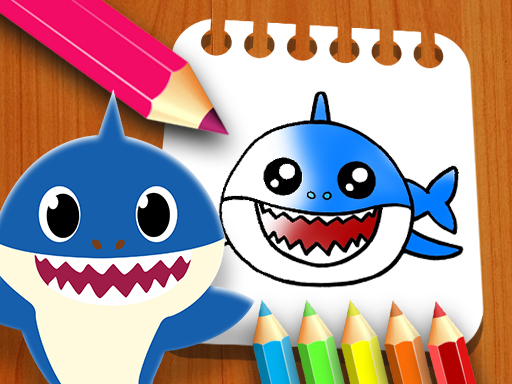
Baby Shark Coloring Book is a cheerful and engaging coloring game that appeals to kids and adults alike. It’s designed as a creative puzzle experience that invites players to explore their artistic side by coloring underwater scenes featuring the beloved Baby Shark characters. Whether you’re a parent looking for a relaxing activity for your children or an adult seeking a calming pastime, Baby Shark Coloring Book offers a simple way to spend some time. Best of all, it’s playable directly in your browser, free and accessible on all devices, so you can enjoy it anywhere.
The core gameplay involves choosing one of the eight available pages, each showing cute, colorful underwater scenes with Baby Shark and friends. Once you select a page, you can pick your favorite colors from a palette at the bottom of the screen. Click on a color, then click and hold to paint directly on the picture. The process is straightforward—drag your mouse or finger across the screen, filling in the outlines with vibrant shades. There’s no rush or time limit, so you can take your time to create detailed, bright artwork at your own pace.
During your coloring session, you’ll find tools like an eraser to fix mistakes and an adjustable brush size to refine your work. These options make it easy to add fine details or cover large areas quickly. After finishing a page, you can save or share your masterpiece or move on to another scene. The game encourages exploration and experimentation, keeping each session fresh and engaging. Because it works on all devices, you can enjoy Baby Shark Coloring Book on your desktop, tablet, or smartphone, making it perfect for both short breaks and longer creative moments.
One of the most noticeable aspects of Baby Shark Coloring Book is its bright, playful visual style. The illustrations are lively and vivid, capturing the fun spirit of the Baby Shark universe. The simple interface, combined with appealing artwork, makes it attractive to children while giving enough creative freedom for adults. The design promotes relaxation and focus, turning coloring into a calming activity that feels more like a spontaneous art session than a task.
Another reason people come back is the variety of pages and coloring options. With eight different scenes, each with its own underwater theme, you can revisit the game multiple times without it feeling repetitive. The range of colors and tools means each session can be different, encouraging creativity and experimentation. The mechanics are straightforward, so jumping into a new page is quick and easy, whether you have a few minutes or more time to spend on a project. Overall, Baby Shark Coloring Book offers enough variety and freedom to keep things interesting.
While Baby Shark Coloring Book is easy to pick up, a few simple tips can help you enjoy it even more:
Can I start coloring right away, or do I need to create an account?
You can jump straight into coloring without any account or login—just pick a scene and start creating.
What if I make a mistake or want to change colors?
The game provides an eraser tool and various colors, so fixing mistakes or switching shades is simple.
Is Baby Shark Coloring Book playable on mobile devices or touchscreens?
Yes, it works on all devices, including smartphones and tablets, with touch controls that make coloring as easy as using your finger or stylus.
Baby Shark Coloring Book offers a relaxing way to enjoy coloring the popular characters and underwater scenes. Its straightforward gameplay makes it suitable for all ages. Whether you want to pass the time, de-stress, or just have fun creating colorful pictures, this game makes it easy. Start bringing your favorite Baby Shark scenes to life—no downloads needed, just simple coloring fun right here on this site.
Related games: you can also try Crazy Monster Blocks and Find The Pumpkin, or browse all other games in the Puzzle category.
Choose a scene, select colors, and drag your mouse or finger to fill in the outlines with bright shades. Use tools like erasers and brush sizes to customize your artwork at your own pace.
Click or tap to select colors and paint, use tools with on-screen buttons, no keyboard needed.