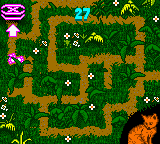
Barbie – Pet Rescue (USA)
0 3 0
Barbie – Pet Rescue (USA) is a classic Game Boy Color game that mixes adventure with some educational elements. It’s designed for players who enjoy caring for animals in a cozy, interactive setting. The gameplay is simple enough for younger audiences and those who prefer a gentle, nurturing experience from the GBC era. Playing it right in your browser gives a nostalgic feel of late 1990s and early 2000s handheld gaming.
Getting Into Barbie – Pet Rescue
The main idea is helping animals through a series of straightforward tasks. You take on the role of a character who finds and cares for pets, guiding them through activities like feeding, cleaning, and setting up their space. The game’s divided into different areas, each with new animals and challenges. Sessions usually involve choosing the right actions for each pet within a certain time or under specific conditions, which makes you think quickly and act efficiently.
This game focuses on adventure with an educational touch. There’s no complex combat or anything like that. Instead, it emphasizes nurturing, solving small problems, and learning about animal care. The pace is relaxed, and progress is based on how well you tend to the pets’ needs and how many animals you rescue. Many players replay it to improve their skills or to unlock more pets and content.
Standout Features
Graphically, Barbie – Pet Rescue has colorful sprites and simple backgrounds that reflect the playful spirit of the Game Boy Color. Its visual style is charming and accessible for all ages. Animations are kept minimal but effective, clearly showing what each pet needs and what the player should do. This helps you understand tasks quickly.
Progression is straightforward: you unlock new animals and environments as you succeed at rescuing and caring for pets. The game’s replay value comes from trying to do tasks faster or better each time. Since it’s all about pet care, many players find themselves returning to improve their approach and see how many animals they can help over multiple sessions.
Strategy and Tips
At the start, get a feel for what each pet needs before jumping into tasks. Focus on actions that boost their happiness and health to move ahead faster. Watch the clock to avoid rushing and making mistakes.
- Learn the layout of each rescue area so you can do things more efficiently on later tries.
- Don’t skip cleaning or feeding — neglecting these can slow your progress down.
- Combine similar tasks when possible to save time, especially in busy spots.
- Keep an eye out for visual signals like icons or animations that show what a pet needs.
- Use hints or prompts if available, especially when you’re just starting out.
Quick Questions
How do I get started with Barbie – Pet Rescue?
Just pick the game from your browser and follow the prompts on screen. It’s pretty intuitive, even for newcomers.
What’s a common mistake beginners make?
Many new players try to do too many things at once or overlook certain pet needs, which can slow down progress. It’s best to focus on completing one task at a time.
Can I play Barbie – Pet Rescue on my phone or tablet?
Yes, since it runs in the browser, it works on any device with a compatible browser, making it easy to play without downloading anything extra.
Barbie – Pet Rescue offers a gentle, educational experience centered on caring for animals. Its simple gameplay and charming visuals make it a good pick for anyone looking for a relaxing, rewarding game on the Game Boy Color. Playing it straight in your browser gives quick access to this nostalgic title without any hassle.
Related games: you can also try All-Star Baseball 2001 (USA) and Armorines – Project S.W.A.R.M. (USA, Europe) (En,De), or browse all other games in the Game Boy Color category.
How to Play Barbie – Pet Rescue (USA)?
Help and care for animals by feeding, cleaning, and organizing their space. Complete tasks quickly and efficiently to rescue more pets and unlock new areas.
Game Controls
Arrow keys move your character; action buttons perform tasks like feeding or cleaning.
You may be interested in:
-
 Game Boy Color
♥ 43
Zook Hero Z
Game Boy Color
♥ 43
Zook Hero Z -
 Game Boy Color
♥ 1
Zok Zok Heroes (Japan)
Game Boy Color
♥ 1
Zok Zok Heroes (Japan) -
 Game Boy Color
♥ 1
Zoids – Shirogane no Juukishin Liger Zero (Japan)
Game Boy Color
♥ 1
Zoids – Shirogane no Juukishin Liger Zero (Japan) -
 Game Boy Color
♥ 1
Zoids – Jashin Fukkatsu! Genobreaker Hen (Japan)
Game Boy Color
♥ 1
Zoids – Jashin Fukkatsu! Genobreaker Hen (Japan) -
 Game Boy Color
♥ 2
Zoboomafoo – Playtime in Zobooland (USA)
Game Boy Color
♥ 2
Zoboomafoo – Playtime in Zobooland (USA) -
 Game Boy Color
♥ 1
Zidane Football Generation (Europe) (En,Fr,De,Es,It)
Game Boy Color
♥ 1
Zidane Football Generation (Europe) (En,Fr,De,Es,It) -
 Game Boy Color
♥ 1
Zen-Nihon Shounen Soccer Taikai – Mezase Nihon Ichi! (Japan)
Game Boy Color
♥ 1
Zen-Nihon Shounen Soccer Taikai – Mezase Nihon Ichi! (Japan) -
 Game Boy Color
♥ 1
Zebco Fishing! (USA)
Game Boy Color
♥ 1
Zebco Fishing! (USA)
Comments (0)
No comments yet. Be the first to comment!