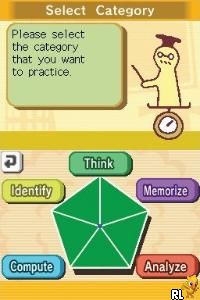
Big Brain Academy (Europe) (En,Fr,De,Es,It,Nl)
0 2 0
Big Brain Academy (Europe) (En,Fr,De,Es,It,Nl) is a classic Nintendo DS game that combines puzzles with quick thinking, all wrapped up in a lighthearted, educational package. It challenges players to exercise their brains through a series of mini-games that test different skills, from logic and math to memory and analysis. Its simple gameplay and charming look make it appealing for casual players and puzzle fans alike, and you can play it right in your browser without any downloads.
Why Big Brain Academy Is Worth Playing
Big Brain Academy stands out because of its straightforward approach to brain training on the Nintendo DS. The visuals are bright and clean, with simple animations that keep your focus on the mini-games and your reactions. Its colorful, cartoonish art style makes it inviting for all ages, creating a relaxed vibe that encourages trying again without frustration. The game is made up of short, varied challenges, so it works well for quick sessions or longer play. Its friendly tone and easy mechanics help players keep coming back to improve their scores and beat personal bests.
The main appeal is in its variety. Each mini-game targets different mental skills, like pattern recognition or math reasoning, so there’s something for everyone. The interface is intuitive, letting you jump into games without long tutorials. Playing through the browser emulator gives a faithful recreation of the original experience, offering instant access to this nostalgic Nintendo DS title. Whether you’re revisiting childhood memories or discovering it for the first time, Big Brain Academy offers a fun, accessible way to test your mind in quick bursts or longer stretches.
Tips to Get Ahead
Getting better at Big Brain Academy doesn’t need complex strategies—just a few simple tips can boost your scores and make playing more enjoyable.
- Focus on speed once you understand how the game works; fast responses improve your overall score.
- Pay attention to patterns or common tricks in each mini-game to find the best approach.
- Don’t rush blindly—sometimes taking a moment to think can help you solve problems more clearly.
- Identify your weaker areas and revisit those mini-games to develop a more balanced set of skills.
- Use practice mode to get comfortable with challenging mini-games without any penalties.
- Keep a calm mindset—getting frustrated can slow you down and affect your accuracy.
Things to Know Before You Start
A few practical points can help you set expectations before starting the game.
How long does a typical session last in Big Brain Academy?
Most mini-games are designed for quick play, usually under five minutes, so it’s easy to fit into a break.
Is Big Brain Academy suitable for all ages?
Yes, its simple mechanics and friendly look make it accessible for kids and casual players, but it also offers enough challenge for adults.
What difficulty level does Big Brain Academy offer?
The game includes progressively harder mini-games and scoring, so you can keep pushing yourself and improving over time.
Can I play Big Brain Academy in my browser without installing anything?
Absolutely. The game runs directly in your browser on this site, giving you instant access to a classic Nintendo DS experience.
Jumping into Big Brain Academy means engaging your mind in a fun, manageable way. Its simple gameplay, charming visuals, and variety of mini-games make it a good choice for anyone looking to test and improve mental agility with a nostalgic Nintendo DS title.
Related games: you can also try 7 Wonders of the Ancient World (Europe) (En,Fr,De,Es,It) and Bee Movie Game (Italy), or browse all other games in the Nintendo DS category.
How to Play Big Brain Academy (Europe) (En,Fr,De,Es,It,Nl)?
Complete quick mini-games by solving puzzles using speed and logic to improve your score. Focus on accuracy and pattern recognition to beat your personal bests in a variety of brain skills.
Game Controls
Arrow keys for navigation; Enter or space to select; mouse optional for clicks.
You may be interested in:
-
 Nintendo DS
♥ 1
Casper’s Scare School – Classroom Capers (USA)
Nintendo DS
♥ 1
Casper’s Scare School – Classroom Capers (USA) -
 Nintendo DS
♥ 1
Zunou Nouryoku Koujou Machine – Touch de Zunoo DS (Japan)
Nintendo DS
♥ 1
Zunou Nouryoku Koujou Machine – Touch de Zunoo DS (Japan) -
 Nintendo DS
♥ 1
Zunou ni Asekaku Game Series! Vol. 1 – Cool 104 Joker & Setline (Japan)
Nintendo DS
♥ 1
Zunou ni Asekaku Game Series! Vol. 1 – Cool 104 Joker & Setline (Japan) -
 Nintendo DS
♥ 9
Zuma’s Revenge (USA)
Nintendo DS
♥ 9
Zuma’s Revenge (USA) -
 Nintendo DS
♥ 1
Zubo (USA) (En,Fr,Es)
Nintendo DS
♥ 1
Zubo (USA) (En,Fr,Es) -
 Nintendo DS
♥ 1
Zubo (Europe) (En,Fr,De,Es,It,Nl,Sv)
Nintendo DS
♥ 1
Zubo (Europe) (En,Fr,De,Es,It,Nl,Sv) -
 Nintendo DS
♥ 1
Zorro – Quest for Justice (USA) (En,Fr,De,Es,It)
Nintendo DS
♥ 1
Zorro – Quest for Justice (USA) (En,Fr,De,Es,It) -
 Nintendo DS
♥ 1
Zorro – Quest for Justice (Europe) (En,Fr,De,Es,It)
Nintendo DS
♥ 1
Zorro – Quest for Justice (Europe) (En,Fr,De,Es,It)
Comments (0)
No comments yet. Be the first to comment!