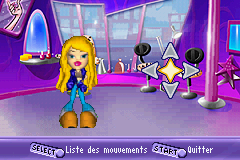
Bratz (E)(Rising Sun)
0 1 0
Bratz (E)(Rising Sun) is a classic Game Boy Advance game that runs right in your browser, blending action with platforming elements. It captures the lively spirit of the popular doll franchise and appeals to fans of colorful, character-focused adventures. If you like games with simple controls and engaging movement and exploration, Bratz provides an easygoing experience that works well for both quick sessions and longer playthroughs.
Getting Into Bratz
The game centers on guiding the Bratz characters through levels filled with hurdles, enemies, and collectibles. The main gameplay involves running, jumping, and performing basic actions to clear obstacles. Each stage introduces new layouts and dangers, encouraging players to refine their timing and movements. It’s straightforward, without complex mechanics or RPG features, focusing instead on accessible action and exploration suitable for players of all ages.
Most players spend their time navigating levels, gathering items, and dodging enemies. Progress often means completing specific objectives, like reaching a goal or collecting a set number of items. The game offers different modes, probably including a standard adventure mode where you move through levels in order. Sessions tend to be short, making it easy to jump in for quick play, which is perfect for casual players or those new to platformers.
Standout Features
This game from the Game Boy Advance era features colorful visuals inspired by the franchise’s vibrant style. The character sprites are bright and expressive, with animations that give each move a lively feel. While the graphics are simple, they do a good job of capturing the playful tone of the Bratz universe. The levels are varied, offering different themes and challenges as you progress.
Advancing through the game feels rewarding. Completing levels unlocks new stages or characters, giving a sense of achievement and encouraging players to try for better times or find hidden items. Its level-based design invites revisiting stages for higher scores or exploration. Since it’s a handheld-style game, it naturally lends itself to short, engaging sessions but still offers enough content to keep dedicated players coming back.
Strategy and Tips
Getting started is simple—pick your character and jump into the first level. Focus on mastering the basic movements to avoid unnecessary mistakes. Timing jumps and movements carefully is essential for dodging enemies and hazards.
- Explore levels thoroughly to find hidden items and secrets that can help your progress.
- Practice jumping and timing to handle tricky platforming sections more smoothly.
- Watch enemy patterns; many can be avoided through careful movement instead of fighting.
- If you get stuck, replay earlier sections to get more familiar with level layouts and enemy placements.
- Collect items that might unlock new content or boost your score.
Quick Questions
How do I start playing Bratz?
Just select the game in your browser and press start; it runs without needing downloads.
What’s a common mistake for beginners?
Many rush through levels without paying attention to enemy patterns or hazards, which can lead to failures. Take your time to learn each stage.
Can I play this on mobile or touch devices?
Yes, since it runs in your browser, it works well on mobile devices with touch controls. You can enjoy it on the go without extra setup.
This browser-based emulation offers a simple way to enjoy the Bratz universe on the Game Boy Advance. Its straightforward platforming mechanics and bright visuals make it a fun choice for fans of the franchise and anyone new to platformers alike.
Related games: you can also try Beyblade G-Revolution (E)(Rising Sun) and Barbie and The Magic of Pegasus (E)(Rising Sun), or browse all other games in the Game Boy Advance category.
How to Play Bratz (E)(Rising Sun)?
Guide your Bratz character through levels by running, jumping, and collecting items while avoiding enemies and hazards to reach the goal. Complete stages to unlock new areas and improve your score.
Game Controls
Arrow keys control movement; action buttons are mapped to other keys for jumping and interacting.
You may be interested in:
-
 Game Boy Advance
♥ 2
Zooo (J)(Rising Sun)
Game Boy Advance
♥ 2
Zooo (J)(Rising Sun) -
 Game Boy Advance
♥ 4
Zooo (E)(Trashman)
Game Boy Advance
♥ 4
Zooo (E)(Trashman) -
 Game Boy Advance
♥ 2
ZooCube (U)(Mode7)
Game Boy Advance
♥ 2
ZooCube (U)(Mode7) -
 Game Boy Advance
♥ 1
ZooCube (E)(Blizzard)
Game Boy Advance
♥ 1
ZooCube (E)(Blizzard) -
 Game Boy Advance
♥ 1
Zone of the Enders – The Fist of Mars (U)(Mode7)
Game Boy Advance
♥ 1
Zone of the Enders – The Fist of Mars (U)(Mode7) -
 Game Boy Advance
♥ 1
Zone of the Enders – The Fist of Mars (E)(Cezar)
Game Boy Advance
♥ 1
Zone of the Enders – The Fist of Mars (E)(Cezar) -
 Game Boy Advance
♥ 1
Zoku Bokura no Taiyou – Taiyou Shounen Django (J)(Independent)
Game Boy Advance
♥ 1
Zoku Bokura no Taiyou – Taiyou Shounen Django (J)(Independent) -
 Game Boy Advance
♥ 7
Zoku Bokura no Taiyou – Taiyou Shounen Django (J)(Caravan)
Game Boy Advance
♥ 7
Zoku Bokura no Taiyou – Taiyou Shounen Django (J)(Caravan)
Comments (0)
No comments yet. Be the first to comment!