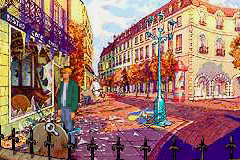
Broken Sword – The Shadow of the Templars (E)(Venom)
0 3 0
Broken Sword – The Shadow of the Templars (E)(Venom) is a classic adventure game originally released for the Game Boy Advance. This handheld port captures the point-and-click style of the series, presenting a concise but engaging mystery for players. The game focuses on puzzle solving and storytelling, standing out among GBA titles for its atmosphere and narrative depth.
Broken Sword – The Shadow of the Templars: Gameplay Overview
The main gameplay involves exploring environments, collecting items, and solving puzzles through dialogue and combining objects. Players move through static screens that represent different locations, interacting with characters and objects to move the story forward. It emphasizes logical thinking and attention to detail, with storytelling taking precedence over reflex-based challenges.
Interaction is mainly menu-based, fitting with the GBA’s controls. The pacing encourages players to piece together clues and see how they connect, making each puzzle feel like a natural part of the story. While there’s no combat or action, the game’s strength lies in its well-designed dialogue and puzzles, capturing the essence of adventure games in a portable format.
Modes, Levels and Progression
The game follows a straightforward story with no multiple modes or difficulty levels. The content is divided into scenes and puzzles that gradually reveal the plot. Instead of levels, players move through various locations, uncovering clues and advancing the story as they go.
Progress depends on solving puzzles and making dialogue choices that shape the story. The difficulty builds gradually but remains accessible, making it suitable for players who enjoy thinking through puzzles without needing a lot of extra time. It’s a good pick for portable gameplay, with enough content for a few sessions.
Winning Strategies
Take your time with each scene, examining everything carefully for clues before trying to solve puzzles. Keep track of dialogue hints and items you’ve collected, as they often relate to future challenges.
- Read all dialogue carefully; useful hints are often found in conversations.
- Use items wisely—try combining and using them in different spots to find new paths.
- Save your progress often to avoid having to redo puzzles if you make a mistake.
- Pay attention to environmental details; visual cues can lead you to solutions.
- If you get stuck, revisit earlier locations for missed clues or items that might help you move forward.
Common Questions About Broken Sword – The Shadow of the Templars
How challenging is the game for casual players?
The puzzles are fairly typical for adventure games—logical and manageable with careful observation and exploration.
Are there multiple endings or replay value?
The story follows a straight path, but revisiting scenes can reveal extra clues or dialogue options, offering some replay opportunities for puzzle fans.
Does the game include different modes or difficulty settings?
No, it offers a single, straightforward experience focused on story and puzzles, with consistent difficulty throughout.
Broken Sword – The Shadow of the Templars provides a compact adventure on the Game Boy Advance, keeping the series’ storytelling and puzzle elements alive. Its simple mechanics and engaging plot make it a good choice for fans of classic adventure games, and you can even play it online for free without extra downloads.
Related games: you can also try Advance Wars Returns and Bratz – Rock Angelz (F)(Independent), or browse all other games in the Game Boy Advance category.
How to Play Broken Sword – The Shadow of the Templars (E)(Venom)?
Explore locations, collect items, and solve puzzles by examining surroundings, talking to characters, and combining objects to progress the story. Focus on careful observation and logical choices to uncover the mystery.
Game Controls
Arrow keys move; Enter selects and interacts; other keys handle menu options and item use.
You may be interested in:
-
 Game Boy Advance
♥ 2
Zooo (J)(Rising Sun)
Game Boy Advance
♥ 2
Zooo (J)(Rising Sun) -
 Game Boy Advance
♥ 4
Zooo (E)(Trashman)
Game Boy Advance
♥ 4
Zooo (E)(Trashman) -
 Game Boy Advance
♥ 2
ZooCube (U)(Mode7)
Game Boy Advance
♥ 2
ZooCube (U)(Mode7) -
 Game Boy Advance
♥ 1
ZooCube (E)(Blizzard)
Game Boy Advance
♥ 1
ZooCube (E)(Blizzard) -
 Game Boy Advance
♥ 1
Zone of the Enders – The Fist of Mars (U)(Mode7)
Game Boy Advance
♥ 1
Zone of the Enders – The Fist of Mars (U)(Mode7) -
 Game Boy Advance
♥ 1
Zone of the Enders – The Fist of Mars (E)(Cezar)
Game Boy Advance
♥ 1
Zone of the Enders – The Fist of Mars (E)(Cezar) -
 Game Boy Advance
♥ 1
Zoku Bokura no Taiyou – Taiyou Shounen Django (J)(Independent)
Game Boy Advance
♥ 1
Zoku Bokura no Taiyou – Taiyou Shounen Django (J)(Independent) -
 Game Boy Advance
♥ 7
Zoku Bokura no Taiyou – Taiyou Shounen Django (J)(Caravan)
Game Boy Advance
♥ 7
Zoku Bokura no Taiyou – Taiyou Shounen Django (J)(Caravan)
Comments (0)
No comments yet. Be the first to comment!