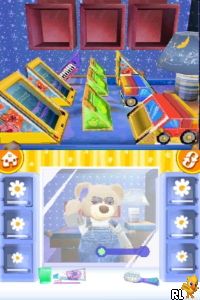
Build-A-Bear Workshop – Welcome to Hugsville (USA) (En,Fr,Es)
0 2 0
Build-A-Bear Workshop – Welcome to Hugsville (USA) (En,Fr,Es) is a charming Nintendo DS game that combines creative play with gentle adventure elements. Designed for those who enjoy crafting, personalizing, and exploring at a relaxed pace, it provides a virtual space where you can create and manage your own bear-themed world. Its accessible controls and family-friendly approach set it apart from other Nintendo DS titles focused on nurturing imagination and creativity.
Build-A-Bear Workshop – Welcome to Hugsville: Gameplay Overview
The game revolves around creating and customizing cute bears, which you can dress up with different outfits, accessories, and features. It’s a simulation where you interact with the environment by choosing items, decorating bears, and arranging spaces within Hugsville. You earn in-game currency through simple activities, which you then use to unlock more detailed customization options. The straightforward mechanics make it easy to pick up, but there’s enough to keep you coming back as you aim to craft your perfect bears and decorate your virtual world.
Besides customization, the game has light exploration elements. You can visit different areas in Hugsville, chat with virtual NPCs, and take part in mini-games that help unlock new items or features. The controls are designed to be intuitive, using the Nintendo DS’s touch screens to make building and expressing yourself feel natural and engaging.
Modes, Levels and Progression
This classic Nintendo DS game offers a single-player experience focused on gradual building and decorating. There aren’t multiple modes or competitive aspects, but the game keeps things interesting through various customization options and themed environments. As you earn more in-game currency, you can unlock new outfits, accessories, and areas, giving you more ways to personalize and expand your world. Progress is tied to collecting and creating, with new items gradually becoming available as you go.
The game’s appeal lies in experimenting with different styles, outfits, and decorations. While it doesn’t have complex levels or story missions, the variety of bears and customization options offers plenty of motivation. It’s well-suited for casual players and younger audiences, providing a gentle sense of achievement as more options open up over time. You can keep coming back to experiment with different ideas and create bears for different themes or occasions.
Winning Strategies
Try exploring all the customization options early on to get a good sense of what’s available.
- Spend your in-game currency wisely on key outfits and accessories first.
- Visit different areas often to find hidden items or unlock new options.
- Mix and match outfits and decorations to make your bears stand out.
- Participate in mini-games or activities for extra items or currency.
- Arrange your virtual space thoughtfully to make the most of your available customization features.
Common Questions About Build-A-Bear Workshop – Welcome to Hugsville
Does the game include different difficulty levels or challenges?
It’s designed as a relaxed experience without difficulty settings. Progress depends on unlocking new items and customizing options, making it suitable for all ages.
Are there different modes or levels to explore?
Build-A-Bear Workshop – Welcome to Hugsville focuses on a single environment with ongoing customization rather than separate levels or modes. New content comes from unlocking items and themes rather than traditional stages.
How much replay value does the game offer?
With its emphasis on creativity and collection, it encourages experimenting with different designs, outfits, and decorations. Since there are no time limits or penalties, you can enjoy endless sessions of customizing at your own pace.
Build-A-Bear Workshop – Welcome to Hugsville runs smoothly in your browser and provides a relaxed, family-friendly experience rooted in creativity. Its simple mechanics and gentle progression make it a good choice for players looking for light simulation and plenty of options for personalization.
Related games: you can also try Bomber Man (Japan) and Bienvenue Chez les Ch'tis – Le Jeu (France), or browse all other games in the Nintendo DS category.
How to Play Build-A-Bear Workshop – Welcome to Hugsville (USA) (En,Fr,Es)?
Create and customize bears by choosing outfits and decorating spaces, explore Hugsville, and earn currency to unlock new items and areas in a relaxed, casual way.
Game Controls
Arrow keys control movement; other keys handle selection, customization, and actions.
You may be interested in:
-
 Nintendo DS
♥ 1
Casper’s Scare School – Classroom Capers (USA)
Nintendo DS
♥ 1
Casper’s Scare School – Classroom Capers (USA) -
 Nintendo DS
♥ 1
Zunou Nouryoku Koujou Machine – Touch de Zunoo DS (Japan)
Nintendo DS
♥ 1
Zunou Nouryoku Koujou Machine – Touch de Zunoo DS (Japan) -
 Nintendo DS
♥ 1
Zunou ni Asekaku Game Series! Vol. 1 – Cool 104 Joker & Setline (Japan)
Nintendo DS
♥ 1
Zunou ni Asekaku Game Series! Vol. 1 – Cool 104 Joker & Setline (Japan) -
 Nintendo DS
♥ 9
Zuma’s Revenge (USA)
Nintendo DS
♥ 9
Zuma’s Revenge (USA) -
 Nintendo DS
♥ 1
Zubo (USA) (En,Fr,Es)
Nintendo DS
♥ 1
Zubo (USA) (En,Fr,Es) -
 Nintendo DS
♥ 1
Zubo (Europe) (En,Fr,De,Es,It,Nl,Sv)
Nintendo DS
♥ 1
Zubo (Europe) (En,Fr,De,Es,It,Nl,Sv) -
 Nintendo DS
♥ 1
Zorro – Quest for Justice (USA) (En,Fr,De,Es,It)
Nintendo DS
♥ 1
Zorro – Quest for Justice (USA) (En,Fr,De,Es,It) -
 Nintendo DS
♥ 1
Zorro – Quest for Justice (Europe) (En,Fr,De,Es,It)
Nintendo DS
♥ 1
Zorro – Quest for Justice (Europe) (En,Fr,De,Es,It)
Comments (0)
No comments yet. Be the first to comment!