Castlevania – Aria of Sorrow – Call of Chaos
0 3 1
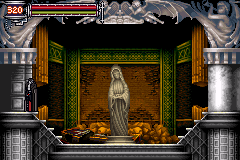
Castlevania – Aria of Sorrow – Call of Chaos is a classic Game Boy Advance game that runs right in your browser, bringing back memories of the handheld’s heyday. It’s designed to be quick to pick up and play, making it great for fans of action-platformers who want a small adventure that’s easy to start but offers enough challenge to keep you hooked. The controls are familiar, and the gameplay is straightforward, so newcomers can jump in easily, while experienced players will find enough depth to stay interested.
What Is Castlevania – Aria of Sorrow – Call of Chaos?
This game fits into the action-platformer genre and is part of the long-running Castlevania series. Your main goal is to move through levels filled with enemies and obstacles, defeat bosses, and gather items that boost your character’s abilities. The game moves in a mostly linear way but offers some branching paths, encouraging exploration within the castle setting.
You control a character equipped with various weapons, spells, and upgrades. The gameplay focuses on timing, recognizing enemy patterns, and managing resources—all wrapped in a pixel-art style typical of the GBA era. It runs smoothly here, with no downloads needed, giving you instant access to a well-made experience that balances challenge with approachability.
What Keeps You Coming Back
A big part of the appeal is the way you collect and customize items. As you defeat enemies and bosses, new weapons and spells become available, letting you adapt your approach for different situations. The variety of enemy types and the need for different tactics add replay value, making each run feel different.
There are also secrets, hidden paths, and optional bosses that encourage exploring every corner. The difficulty gradually ramps up, pushing you to improve your skills and figure out new strategies. Since sessions are relatively short, it’s easy to pick up and put down, but the depth means you’ll want to come back to beat your best score or find every secret.
Handy Tips
If you’re just starting out, focus on upgrading your weapons and spells early on to better handle tough enemies. Pay attention to enemy attack patterns and windows of vulnerability to fight more efficiently. Remember to save often if the game allows it—that way, you won’t lose progress at inconvenient moments. Exploring thoroughly can lead you to hidden items and shortcuts that make your journey smoother.
- Try different weapon and spell combos to see what works best for your style.
- Keep an eye on your health and magic, especially before boss fights.
- Use the environment and enemy patterns to your advantage in combat.
- Look out for secret areas and items that can boost your abilities.
Player FAQ
Is Castlevania – Aria of Sorrow – Call of Chaos suitable for beginners?
The game is accessible for newcomers, but as the difficulty ramps up, it encourages learning and improving your skills.
Can younger players enjoy this game?
Yes, the pixel art and simple controls make it suitable for younger players, although some bosses might require patience and practice.
Do I need an internet connection to play Castlevania – Aria of Sorrow – Call of Chaos?
No, it runs directly in your browser, so once it loads, you can play offline. You just need an internet connection to start it up.
Castlevania – Aria of Sorrow – Call of Chaos offers a compact, fun platforming experience rooted in a series that many fans love. Its mix of accessible gameplay and exploration makes it a good choice for anyone interested in retro action games. Playing here, you get instant access to a piece of GBA history right in your browser.
Related games: you can also try 2 in 1 – Looney Tunes Double Pack (U)(Sir VG) and Cars Mater-National Championship (U)(Sir VG), or browse all other games in the Game Boy Advance category.
How to Play Castlevania – Aria of Sorrow – Call of Chaos?
Move through castle levels, defeat enemies and bosses, collect weapons and spells, and explore hidden areas to upgrade your character and progress further.
Game Controls
Arrow keys control movement; action buttons are mapped to keyboard keys for attacking, jumping, and using items.
You may be interested in:
-
 Game Boy Advance
♥ 2
Zooo (J)(Rising Sun)
Game Boy Advance
♥ 2
Zooo (J)(Rising Sun) -
 Game Boy Advance
♥ 4
Zooo (E)(Trashman)
Game Boy Advance
♥ 4
Zooo (E)(Trashman) -
 Game Boy Advance
♥ 2
ZooCube (U)(Mode7)
Game Boy Advance
♥ 2
ZooCube (U)(Mode7) -
 Game Boy Advance
♥ 1
ZooCube (E)(Blizzard)
Game Boy Advance
♥ 1
ZooCube (E)(Blizzard) -
 Game Boy Advance
♥ 1
Zone of the Enders – The Fist of Mars (U)(Mode7)
Game Boy Advance
♥ 1
Zone of the Enders – The Fist of Mars (U)(Mode7) -
 Game Boy Advance
♥ 1
Zone of the Enders – The Fist of Mars (E)(Cezar)
Game Boy Advance
♥ 1
Zone of the Enders – The Fist of Mars (E)(Cezar) -
 Game Boy Advance
♥ 1
Zoku Bokura no Taiyou – Taiyou Shounen Django (J)(Independent)
Game Boy Advance
♥ 1
Zoku Bokura no Taiyou – Taiyou Shounen Django (J)(Independent) -
 Game Boy Advance
♥ 7
Zoku Bokura no Taiyou – Taiyou Shounen Django (J)(Caravan)
Game Boy Advance
♥ 7
Zoku Bokura no Taiyou – Taiyou Shounen Django (J)(Caravan)
Comments (0)
No comments yet. Be the first to comment!