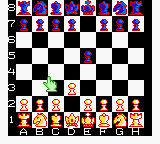
Checkmate (Japan) (En,Ja)
0 1 0
Checkmate (Japan) (En,Ja) is a classic Game Boy Color game that combines the strategic depth of chess with a straightforward digital interface. As part of the GBC’s collection of trivia and board games, it offers a no-frills experience that appeals to fans of mental challenges and traditional gameplay. The game presents a digital chessboard, allowing players to test their skills against the computer or a friend, all within the familiar confines of the Game Boy Color’s portability and simple controls.
From the moment you start Checkmate, the minimalist but functional visuals focus your attention on the game of chess itself. The pixelated board and piece icons evoke the hardware limits of the era but do so without sacrificing clarity. Its clean interface makes it easy to see where every piece is at a glance, which is essential for planning your moves. The atmosphere feels quiet and contemplative, with sound design that emphasizes concentration rather than distraction. For anyone familiar with chess, this version offers a straightforward way to sharpen your tactics or enjoy a quick match during downtime.
Why Checkmate Is Worth Playing
This classic from the Game Boy Color era sticks to the fundamentals of chess. It doesn’t try to reinvent the game but focuses on providing a reliable, accessible digital version. The interface is intuitive, with simple navigation between moves and options, making it suitable even for casual players just learning the game. Its clear presentation and feedback help you follow the action easily, keeping you engaged without feeling overwhelmed.
Even with its simplicity, Checkmate provides enough challenge to keep dedicated chess enthusiasts coming back. The AI, while not overly complex, offers a respectable opponent that tests your strategic foresight. The portability means you can squeeze in a quick match anywhere — during a break or while commuting. For anyone who enjoys a mental workout with chess in a compact form, this classic remains a good choice, especially since it runs directly in your browser without any fuss.
Tips to Get Ahead
If you’re looking to improve your game in Checkmate, here are some practical suggestions:
- Control the center early, giving your pieces more mobility and influence over the board.
- Develop your knights and bishops before moving the queen or rooks, so your pieces stay active and safe.
- Protect your king by castling early, reducing vulnerabilities to opponent threats.
- Watch out for tactical motifs like forks and pins that can win material or lead to checkmate.
- Think several moves ahead, considering how your opponent might respond before making your move.
- Learn common opening principles to set up strong positions from the start.
Things to Know Before You Start
Is Checkmate difficult for beginners?
It offers a straightforward chess experience, but mastering tactics and strategy still takes time, especially if you’re new to the game.
How long does a typical game last?
Games can range from quick five-minute matches to longer, more thoughtful sessions, depending on your pace and skill level.
Can Checkmate be played offline or only in-browser?
This version runs directly in your browser, providing instant access without downloads, making it easy for quick, casual play anytime.
Try out Checkmate and see how your chess skills hold up against the digital opponent. Its simplicity and focus on core gameplay make it a reliable choice for puzzle fans and strategic thinkers alike. Whether you’re looking for a quick distraction or a serious challenge, this game invites you to make your move and go for checkmate.
Related games: you can also try Bibi und Tina – Fohlen Felix in Gefahr (Germany) and 1942 (USA), or browse all other games in the Game Boy Color category.
How to Play Checkmate (Japan) (En,Ja)?
Move and capture opponent pieces to checkmate their king before they do the same to yours. Use strategic moves to control the board and outsmart your opponent or the computer.
Game Controls
Arrow keys navigate the cursor; Enter confirms moves and selections.
You may be interested in:
-
 Game Boy Color
♥ 43
Zook Hero Z
Game Boy Color
♥ 43
Zook Hero Z -
 Game Boy Color
♥ 1
Zok Zok Heroes (Japan)
Game Boy Color
♥ 1
Zok Zok Heroes (Japan) -
 Game Boy Color
♥ 1
Zoids – Shirogane no Juukishin Liger Zero (Japan)
Game Boy Color
♥ 1
Zoids – Shirogane no Juukishin Liger Zero (Japan) -
 Game Boy Color
♥ 1
Zoids – Jashin Fukkatsu! Genobreaker Hen (Japan)
Game Boy Color
♥ 1
Zoids – Jashin Fukkatsu! Genobreaker Hen (Japan) -
 Game Boy Color
♥ 2
Zoboomafoo – Playtime in Zobooland (USA)
Game Boy Color
♥ 2
Zoboomafoo – Playtime in Zobooland (USA) -
 Game Boy Color
♥ 1
Zidane Football Generation (Europe) (En,Fr,De,Es,It)
Game Boy Color
♥ 1
Zidane Football Generation (Europe) (En,Fr,De,Es,It) -
 Game Boy Color
♥ 1
Zen-Nihon Shounen Soccer Taikai – Mezase Nihon Ichi! (Japan)
Game Boy Color
♥ 1
Zen-Nihon Shounen Soccer Taikai – Mezase Nihon Ichi! (Japan) -
 Game Boy Color
♥ 1
Zebco Fishing! (USA)
Game Boy Color
♥ 1
Zebco Fishing! (USA)
Comments (0)
No comments yet. Be the first to comment!