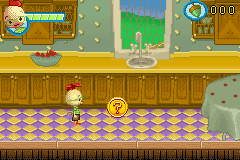
Chicken Little (J)(sUppLeX)
0 5 0
Chicken Little (J)(sUppLeX) is a game for the Game Boy Advance that combines action, adventure, and platforming in a simple way. Its design makes it easy for new players to jump right in without a complicated setup. Playing on the GBA brings a nostalgic feeling, and you can enjoy it directly in your browser without downloading anything.
What Is Chicken Little?
Chicken Little is a platformer where you control the main character as he moves through levels filled with obstacles and enemies. The gameplay focuses on jumping, dodging hazards, and collecting items to move forward. It’s a game that emphasizes quick reflexes and exploration, set in a colorful cartoon-style world.
The goal is to guide Chicken Little through different environments, overcoming challenges and enemies along the way. The game is divided into levels, blending exploration with timed challenges. Its familiar style makes it a good choice for anyone who enjoys side-scrolling platform adventures on handheld consoles from the early 2000s.
What Keeps You Coming Back
One of the main draws is how straightforward yet engaging the gameplay is. The levels are easy enough to get into but still offer enough challenge to make you want to try again. Finding hidden areas and collectibles encourages exploring every corner, giving extra reason to replay the game.
The different environments and simple mechanics make it easy to pick up for short play sessions. With charming graphics and a light-hearted tone, it appeals to a broad audience, including kids. As you learn each level’s layout and timing, it feels good to improve and uncover secrets, making you want to play more.
Handy Tips
To get the most out of Chicken Little, here are a few tips:
- Time your jumps carefully to avoid falling or hitting enemies.
- Keep an eye out for hidden pathways or bonus items tucked away in each level.
- Practice tricky sections to improve your reflexes and speed.
- If available, use the pause function to plan your next move in difficult spots.
- Collect all the items you can find to unlock secrets or score higher.
- Try different routes to find shortcuts and safer paths through the levels.
Player FAQ
Is Chicken Little suitable for younger players or beginners?
Yes, with simple controls and bright visuals, it’s good for kids and those new to platformers. The difficulty level is moderate, making it easy to learn and enjoy.
Can I play Chicken Little offline or without an internet connection?
This version runs right in your browser, so once it loads, you don’t need an internet connection to play.
Is Chicken Little good for casual players or just fans of platformers?
Its accessible design makes it a nice choice for casual gamers, especially if you’re after light action and adventure on a handheld-style game. It’s easy to pick up and enjoy without previous experience.
Playing Chicken Little offers a quick dose of classic platforming fun. Its friendly challenge and charming style make it a perfect pick for anyone who loves retro games. Its simple gameplay and cheerful tone keep it inviting, especially for those who enjoy colorful adventures with a silly chicken at the center.
Related games: you can also try 2 in 1 – Sonic Advance & Sonic Battle (E)(Rising Sun) and 2 in 1 – Monstres & Cie & Le Monde de Nemo (F)(Eternity), or browse all other games in the Game Boy Advance category.
How to Play Chicken Little (J)(sUppLeX)?
Guide Chicken Little through levels by jumping over obstacles, avoiding enemies, and collecting items to reach the end. Explore, find secrets, and improve your score with quick reflexes.
Game Controls
Arrow keys control movement; jump and action keys are used for jumping and interacting.
You may be interested in:
-
 Game Boy Advance
♥ 2
Zooo (J)(Rising Sun)
Game Boy Advance
♥ 2
Zooo (J)(Rising Sun) -
 Game Boy Advance
♥ 4
Zooo (E)(Trashman)
Game Boy Advance
♥ 4
Zooo (E)(Trashman) -
 Game Boy Advance
♥ 2
ZooCube (U)(Mode7)
Game Boy Advance
♥ 2
ZooCube (U)(Mode7) -
 Game Boy Advance
♥ 1
ZooCube (E)(Blizzard)
Game Boy Advance
♥ 1
ZooCube (E)(Blizzard) -
 Game Boy Advance
♥ 1
Zone of the Enders – The Fist of Mars (U)(Mode7)
Game Boy Advance
♥ 1
Zone of the Enders – The Fist of Mars (U)(Mode7) -
 Game Boy Advance
♥ 1
Zone of the Enders – The Fist of Mars (E)(Cezar)
Game Boy Advance
♥ 1
Zone of the Enders – The Fist of Mars (E)(Cezar) -
 Game Boy Advance
♥ 1
Zoku Bokura no Taiyou – Taiyou Shounen Django (J)(Independent)
Game Boy Advance
♥ 1
Zoku Bokura no Taiyou – Taiyou Shounen Django (J)(Independent) -
 Game Boy Advance
♥ 7
Zoku Bokura no Taiyou – Taiyou Shounen Django (J)(Caravan)
Game Boy Advance
♥ 7
Zoku Bokura no Taiyou – Taiyou Shounen Django (J)(Caravan)
Comments (0)
No comments yet. Be the first to comment!