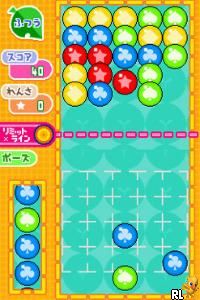
Ciao Dream Touch! – Happy Anniversary (Japan)
0 1 0
Ciao Dream Touch! – Happy Anniversary (Japan) is a charming Nintendo DS classic that combines touch-based gameplay with a festive theme. Designed to evoke nostalgia for the handheld’s era, it offers a simple, relaxing experience with activities that can be enjoyed in short bursts. Its appeal comes from easy mechanics paired with a cheerful atmosphere, making it accessible for players of all ages looking for light entertainment on their browser.
Ciao Dream Touch! – Happy Anniversary: Gameplay Overview
As a game inspired by Nintendo DS traditions, Ciao Dream Touch! – Happy Anniversary uses the touchscreen as its main control. Players tap, drag, and select items on the screen, creating an intuitive and tactile experience. The core of the game involves completing mini-games or activities themed around an anniversary, with each session offering quick, enjoyable tasks.
The gameplay involves gentle, repetitive actions that rely on timing and accuracy. Since it’s a casual game, it doesn’t require complex strategies or fast reflexes. Instead, it encourages players to enjoy each activity as they go. The interface is straightforward, guiding players smoothly through different tasks and providing instant feedback. This makes it perfect for short play sessions, whether you’re passing the time or just relaxing.
Modes, Levels and Progression
The game features a variety of activities centered around the anniversary theme, each with its own set of challenges or mini-games. While it doesn’t have deep progression or unlockable levels, it offers enough variety to keep things interesting across different plays. Players can try different activities, such as arranging items, timing tasks, or solving simple puzzles—all with a festive mood.
Because the content is light and casual, there aren’t many mode options or difficulty settings. Instead, the replay value comes from trying to improve your scores or simply enjoying the different activities. It’s designed as a cheerful, accessible experience rather than a demanding game that requires a lot of skill.
Winning Strategies
Pay attention to the timing of your taps to complete tasks accurately and quickly. Being patient with each activity helps you catch important cues.
- Watch visual cues and prompts to understand what each activity needs.
- Try different approaches in activities involving arrangement or selection to find what works best.
- Use hints or guidance when available to boost your score or finish tasks more easily.
- Play in short sessions to get familiar with activity patterns, which can help improve your results over time.
- Stay relaxed—taking it slow often leads to better outcomes than rushing.
Common Questions About Ciao Dream Touch! – Happy Anniversary
Does the difficulty get harder as I play?
The game keeps a steady level of challenge, with activities that focus on timing and accuracy. It’s made to be accessible and doesn’t ramp up in difficulty, making it good for casual players.
Are there different modes or activities?
Yes, there are several mini-games or activities, all with a festive theme. They each have their own style of interaction but stick with simple mechanics overall.
How much replay value is there?
You can replay activities to improve your scores or just enjoy the variety of mini-games. It’s easy to pick up and play, perfect for quick, relaxed sessions without long-term goals.
Ciao Dream Touch! – Happy Anniversary offers a light, touch-based experience rooted in its Nintendo DS roots. Its straightforward mechanics and cheerful theme make it a good choice for a brief, stress-free game session. Playing directly in your browser lets you enjoy this nostalgic celebration of casual gameplay without any fuss.
Related games: you can also try Cesar Millan's Dog Whisperer (USA) (En,Fr,Es) and Bratz – 4 Real (Europe) (En,Fr), or browse all other games in the Nintendo DS category.
How to Play Ciao Dream Touch! – Happy Anniversary (Japan)?
Tap, drag, and select items to complete mini-games themed around an anniversary. Focus on timing and accuracy to enjoy quick, relaxing activities without complex rules.
Game Controls
Arrow keys and Enter act as the D-pad and buttons; use mouse or keyboard for actions.
You may be interested in:
-
 Nintendo DS
♥ 1
Casper’s Scare School – Classroom Capers (USA)
Nintendo DS
♥ 1
Casper’s Scare School – Classroom Capers (USA) -
 Nintendo DS
♥ 1
Zunou Nouryoku Koujou Machine – Touch de Zunoo DS (Japan)
Nintendo DS
♥ 1
Zunou Nouryoku Koujou Machine – Touch de Zunoo DS (Japan) -
 Nintendo DS
♥ 1
Zunou ni Asekaku Game Series! Vol. 1 – Cool 104 Joker & Setline (Japan)
Nintendo DS
♥ 1
Zunou ni Asekaku Game Series! Vol. 1 – Cool 104 Joker & Setline (Japan) -
 Nintendo DS
♥ 9
Zuma’s Revenge (USA)
Nintendo DS
♥ 9
Zuma’s Revenge (USA) -
 Nintendo DS
♥ 1
Zubo (USA) (En,Fr,Es)
Nintendo DS
♥ 1
Zubo (USA) (En,Fr,Es) -
 Nintendo DS
♥ 1
Zubo (Europe) (En,Fr,De,Es,It,Nl,Sv)
Nintendo DS
♥ 1
Zubo (Europe) (En,Fr,De,Es,It,Nl,Sv) -
 Nintendo DS
♥ 1
Zorro – Quest for Justice (USA) (En,Fr,De,Es,It)
Nintendo DS
♥ 1
Zorro – Quest for Justice (USA) (En,Fr,De,Es,It) -
 Nintendo DS
♥ 1
Zorro – Quest for Justice (Europe) (En,Fr,De,Es,It)
Nintendo DS
♥ 1
Zorro – Quest for Justice (Europe) (En,Fr,De,Es,It)
Comments (0)
No comments yet. Be the first to comment!