Clique, The – Queen Teen (Europe) (En,Fr,De,Es,It)
0 2 0
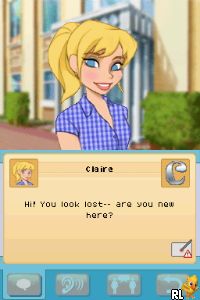
“Clique, The – Queen Teen (Europe) (En,Fr,De,Es,It)” is a Nintendo DS game that drops players into a familiar high school setting filled with social interactions and stories centered around characters. It’s mainly aimed at fans of visual novels and simulation games, offering a slice-of-life story focused on friendships and social decisions. If you like games that emphasize dialogue, relationships, and choices, this nostalgic title is easy to try directly in your browser.
Getting Into Clique, The – Queen Teen
This classic game from Nintendo DS revolves around managing social ties at school. The gameplay involves reading dialogue, making decisions, and seeing how those choices affect the story. You move through scenes where you chat with classmates, friends, and potential romantic interests. Your choices influence your character’s popularity, friendships, and reputation among others.
The gameplay is straightforward: you encounter story segments that progress based on your decisions, with some options leading to different endings or story paths. You can try different dialogue choices to see new outcomes, which makes replaying interesting. Playing in your browser means you can pause and continue easily without downloads or installations, fitting both short and longer play sessions.
Standout Features
The visuals stick to a bright, cartoonish style typical of Nintendo DS visual novels, with expressive character sprites and simple backgrounds. This look helps convey personalities and mood despite the hardware’s limitations. Because the game focuses on story and character interactions, it’s more about reading and making choices than complex mechanics.
The story branches based on your decisions, revealing different routes and endings. This encourages trying various options to see what happens. Since it’s a social simulation, the variety of dialogue and possible outcomes helps keep things fresh. Playing it directly in your browser gives quick access, so you can jump right into the story without delays or technical hurdles.
Strategy and Tips
To get the most from the game, pay attention to what characters say and their personalities. Choosing options that match your preferred character style can unlock specific storylines.
- Save before important decisions to try different responses without losing progress.
- Notice what characters like or dislike to build better relationships.
- Revisit scenes with different choices to explore all story endings.
- Manage your social interactions to keep your reputation in good standing.
- Remember which choices led to good endings so you can aim for those again.
Quick Questions
How do I start playing Clique, The – Queen Teen in my browser?
The game loads instantly here, and you can start exploring the story right away without downloads or setup.
What’s a common mistake for beginners?
Many new players rush through decisions without considering character preferences, which can limit relationship options later on.
Can I enjoy this game on a mobile device using touch controls?
Yes, it runs smoothly in your browser on phones and tablets, with touch support for reading dialogue and choosing options.
Playing “Clique, The – Queen Teen” offers a simple look at teenage social life through a visual novel format. Its easy design and engaging story choices make it a good pick for casual play or revisiting different story paths whenever you want a quick, story-driven experience.
Related games: you can also try Battle of Giants – Mutant Insects (USA) (En,Fr,Es) and Addy – Do You Speak English (Europe) (Fr,De,Es,It), or browse all other games in the Nintendo DS category.
How to Play Clique, The – Queen Teen (Europe) (En,Fr,De,Es,It)?
Read dialogue, make choices during conversations, and see how your decisions affect friendships, reputation, and story endings. Explore different options to unlock new paths and outcomes.
Game Controls
Arrow keys navigate; Enter confirms choices; other keys select dialogue options.
You may be interested in:
-
 Nintendo DS
♥ 1
Casper’s Scare School – Classroom Capers (USA)
Nintendo DS
♥ 1
Casper’s Scare School – Classroom Capers (USA) -
 Nintendo DS
♥ 1
Zunou Nouryoku Koujou Machine – Touch de Zunoo DS (Japan)
Nintendo DS
♥ 1
Zunou Nouryoku Koujou Machine – Touch de Zunoo DS (Japan) -
 Nintendo DS
♥ 1
Zunou ni Asekaku Game Series! Vol. 1 – Cool 104 Joker & Setline (Japan)
Nintendo DS
♥ 1
Zunou ni Asekaku Game Series! Vol. 1 – Cool 104 Joker & Setline (Japan) -
 Nintendo DS
♥ 9
Zuma’s Revenge (USA)
Nintendo DS
♥ 9
Zuma’s Revenge (USA) -
 Nintendo DS
♥ 1
Zubo (USA) (En,Fr,Es)
Nintendo DS
♥ 1
Zubo (USA) (En,Fr,Es) -
 Nintendo DS
♥ 1
Zubo (Europe) (En,Fr,De,Es,It,Nl,Sv)
Nintendo DS
♥ 1
Zubo (Europe) (En,Fr,De,Es,It,Nl,Sv) -
 Nintendo DS
♥ 1
Zorro – Quest for Justice (USA) (En,Fr,De,Es,It)
Nintendo DS
♥ 1
Zorro – Quest for Justice (USA) (En,Fr,De,Es,It) -
 Nintendo DS
♥ 1
Zorro – Quest for Justice (Europe) (En,Fr,De,Es,It)
Nintendo DS
♥ 1
Zorro – Quest for Justice (Europe) (En,Fr,De,Es,It)
Comments (0)
No comments yet. Be the first to comment!