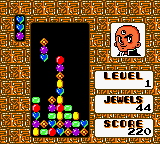
Columns GB – Tezuka Osamu Characters (Japan)
0 2 0
Columns GB – Tezuka Osamu Characters (Japan) is a classic puzzle game that brings a familiar tile-matching challenge to your browser. Its straightforward gameplay appeals to players who enjoy thinking ahead and making quick decisions. Fans of puzzles and strategy will find it offers a good mix of challenge and nostalgia, especially for those who remember the Game Boy Color’s style of portable gaming.
Getting Into Columns GB – Tezuka Osamu Characters
The game revolves around matching colored tiles that are aligned vertically or horizontally to clear the board. Each turn involves swapping adjacent tiles to create lines of three or more of the same color. When a match is made, those tiles disappear, causing others to fall into place and possibly forming new matches automatically. The main goal is to plan moves carefully to clear the screen efficiently and prevent the tiles from reaching the top.
The various modes are simple, focusing on playing until the tiles pile up too high or until you reach a certain number of matches. Rounds are usually short, lasting a few minutes, which makes it perfect for quick breaks or casual play. The game rewards quick thinking and pattern recognition, with the difficulty increasing as the game goes on or as tiles fall faster over time.
Standout Features
The visuals are simple but colorful, capturing the charm of the original Game Boy Color. Tile animations are clear, and the layout is clean, so you can focus on the game without distraction. As you progress, the game gets more challenging or your score gets higher, encouraging you to try again and beat your best or reach new levels.
It’s easy to keep playing because of the fast pace and the desire to improve scores or clear levels more efficiently. The minimal design means it loads quickly and is great for short sessions, whether you’re taking a quick break or just playing casually. Its simple mechanics make it accessible for newcomers but still offer enough depth for those who want to refine their pattern recognition and move optimization skills.
Strategy and Tips
Having a plan from the start helps avoid tiles piling up too quickly. Keep an eye on potential matches before swapping tiles to make the most of each move.
- Work on creating multiple matches with one move to clear more tiles and boost your score.
- Look for moves that trigger cascades—automatic matches caused by falling tiles—as they can chain together and increase your points.
- Try not to rush clearing the top row; instead, focus on planning moves that clear large sections without risking a game over.
- Recognize patterns that lead to quick matches, especially near the bottom, to keep the board manageable.
- If you get stuck, take a moment to analyze the layout—sometimes a small shift can open up better options.
Quick Questions
How do I start playing Columns GB – Tezuka Osamu Characters?
The game loads directly in your browser; just hit start and match tiles to your heart’s content.
What’s a common mistake beginners make?
Many try to match tiles immediately without planning, which can cause tiles to pile up quickly. Take a moment to scan the board first.
Can I play this on a mobile device or touchscreen?
Yes, the controls are simple enough for touchscreens, making it easy to play on phones or tablets without trouble.
This puzzle game remains engaging thanks to its simple rules and quick rounds. Playing Columns GB – Tezuka Osamu Characters in your browser offers a compact, fun experience for puzzle fans, especially those who enjoy a bit of nostalgia combined with strategy and pattern recognition.
Related games: you can also try 3-D Ultra Pinball – Thrillride (USA) and Chaoji Yinsu Xiaozi – Super Sonik II, or browse all other games in the Game Boy Color category.
How to Play Columns GB – Tezuka Osamu Characters (Japan)?
Swap adjacent tiles to make lines of three or more of the same color, clearing them and causing new tiles to fall. Keep matching to prevent tiles from reaching the top and maximize your score.
Game Controls
Arrow keys move the cursor; space or enter swaps tiles.
You may be interested in:
-
 Game Boy Color
♥ 43
Zook Hero Z
Game Boy Color
♥ 43
Zook Hero Z -
 Game Boy Color
♥ 1
Zok Zok Heroes (Japan)
Game Boy Color
♥ 1
Zok Zok Heroes (Japan) -
 Game Boy Color
♥ 1
Zoids – Shirogane no Juukishin Liger Zero (Japan)
Game Boy Color
♥ 1
Zoids – Shirogane no Juukishin Liger Zero (Japan) -
 Game Boy Color
♥ 1
Zoids – Jashin Fukkatsu! Genobreaker Hen (Japan)
Game Boy Color
♥ 1
Zoids – Jashin Fukkatsu! Genobreaker Hen (Japan) -
 Game Boy Color
♥ 2
Zoboomafoo – Playtime in Zobooland (USA)
Game Boy Color
♥ 2
Zoboomafoo – Playtime in Zobooland (USA) -
 Game Boy Color
♥ 1
Zidane Football Generation (Europe) (En,Fr,De,Es,It)
Game Boy Color
♥ 1
Zidane Football Generation (Europe) (En,Fr,De,Es,It) -
 Game Boy Color
♥ 1
Zen-Nihon Shounen Soccer Taikai – Mezase Nihon Ichi! (Japan)
Game Boy Color
♥ 1
Zen-Nihon Shounen Soccer Taikai – Mezase Nihon Ichi! (Japan) -
 Game Boy Color
♥ 1
Zebco Fishing! (USA)
Game Boy Color
♥ 1
Zebco Fishing! (USA)
Comments (0)
No comments yet. Be the first to comment!