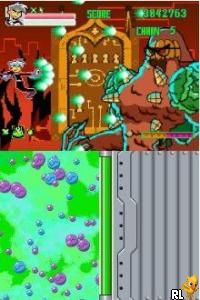
Danny Phantom – Urban Jungle (USA)
0 3 0
Danny Phantom – Urban Jungle (USA) is a classic Nintendo DS game that captures the spirit of the popular animated series. Fans of platformers and action games from the Nintendo DS era will find this title offers straightforward gameplay with a familiar style. Running directly in your browser, it provides a nostalgic experience for players familiar with handheld gaming in the 2000s.
Getting Into Danny Phantom – Urban Jungle
This game revolves around a simple yet engaging core loop: navigating through levels, avoiding obstacles, and completing objectives. It features a side-scrolling platformer format typical of many Nintendo DS titles, with players controlling Danny Phantom as he moves through various environments. Each session usually involves exploring levels, collecting items, and avoiding enemies or hazards. The controls are designed for the DS’s touchscreen and buttons, but on this browser version, they are mapped for keyboard or touch input, making it accessible to players on any device.
Progression is structured into levels or stages, with challenges increasing slightly in difficulty as you advance. The game emphasizes quick reflexes and timing, with players often needing to jump over gaps, dodge attacks, or solve simple puzzles. While it doesn’t include complex mechanics like character upgrades or branching paths, the straightforward design keeps gameplay flowing smoothly. Expect each play session to last around 10-20 minutes, making it good for short bursts of fun or casual play.
Standout Features
Graphically, Danny Phantom – Urban Jungle features colorful, cartoon-inspired visuals that stay true to the animated series. The character sprites and backgrounds are bright and clear, making it easy to follow the action. The visual style helps maintain an energetic atmosphere that appeals to fans of the show and newcomers alike.
Progression in the game revolves around completing levels and unlocking new stages. Since each level is fairly short, replaying earlier stages to improve scores or find hidden paths adds to its replay value. While it doesn’t include a lot of modes, the design encourages players to try beating previous times or discover secrets, giving a sense of achievement without needing long sessions.
Strategy and Tips
Getting the most out of the game involves understanding its mechanics and pacing. Here are some helpful tips:
- Time your jumps carefully to avoid obstacles and enemies.
- Explore each level thoroughly to find hidden items or shortcuts that can speed you up.
- Pay attention to visual cues and sound effects for clues about hazards ahead.
- Practice sections to improve reflexes and reduce mistakes on repeat plays.
- If available, use the pause feature to take short breaks during tricky parts.
Quick Questions
How do I get started with Danny Phantom – Urban Jungle?
Just load the game in your browser and follow the prompts to start playing. No extra setup needed.
What’s a common mistake beginners make?
Many rush through levels without paying attention to enemy patterns and hazards, which can cause setbacks.
Can I play this on mobile or touch devices?
Yes, the browser version supports touch input, so it’s easy to play on smartphones and tablets without extra software.
This version of Danny Phantom – Urban Jungle offers straightforward, fun platforming that stays true to the Nintendo DS style. Its colorful visuals and simple gameplay make it a good choice for fans of casual action titles looking for a quick, nostalgic experience.
Related games: you can also try Akagawa Jirou Mystery – Yasoukyoku – Hon ni Manekareta Satsujin (Japan) and Barbie Horse Adventures – Riding Camp (USA) (En,Fr), or browse all other games in the Nintendo DS category.
How to Play Danny Phantom – Urban Jungle (USA)?
Control Danny Phantom to jump over obstacles, defeat enemies, and complete levels by exploring environments and collecting items. Progress through stages by staying alert and timing your moves carefully.
Game Controls
Arrow keys for movement; space or designated keys for actions; mouse or touch for controls.
You may be interested in:
-
 Nintendo DS
♥ 1
Casper’s Scare School – Classroom Capers (USA)
Nintendo DS
♥ 1
Casper’s Scare School – Classroom Capers (USA) -
 Nintendo DS
♥ 1
Zunou Nouryoku Koujou Machine – Touch de Zunoo DS (Japan)
Nintendo DS
♥ 1
Zunou Nouryoku Koujou Machine – Touch de Zunoo DS (Japan) -
 Nintendo DS
♥ 1
Zunou ni Asekaku Game Series! Vol. 1 – Cool 104 Joker & Setline (Japan)
Nintendo DS
♥ 1
Zunou ni Asekaku Game Series! Vol. 1 – Cool 104 Joker & Setline (Japan) -
 Nintendo DS
♥ 9
Zuma’s Revenge (USA)
Nintendo DS
♥ 9
Zuma’s Revenge (USA) -
 Nintendo DS
♥ 1
Zubo (USA) (En,Fr,Es)
Nintendo DS
♥ 1
Zubo (USA) (En,Fr,Es) -
 Nintendo DS
♥ 1
Zubo (Europe) (En,Fr,De,Es,It,Nl,Sv)
Nintendo DS
♥ 1
Zubo (Europe) (En,Fr,De,Es,It,Nl,Sv) -
 Nintendo DS
♥ 1
Zorro – Quest for Justice (USA) (En,Fr,De,Es,It)
Nintendo DS
♥ 1
Zorro – Quest for Justice (USA) (En,Fr,De,Es,It) -
 Nintendo DS
♥ 1
Zorro – Quest for Justice (Europe) (En,Fr,De,Es,It)
Nintendo DS
♥ 1
Zorro – Quest for Justice (Europe) (En,Fr,De,Es,It)
Comments (0)
No comments yet. Be the first to comment!