Destiny Links (Japan)
0 1 0
Destiny Links (Japan) is a classic Nintendo DS game that offers a straightforward, turn-based experience. It fits within the role-playing genre, with a focus on strategic decision-making and exploration. If you’re feeling nostalgic for the early 2000s handheld RPGs or just want to try a game that runs right in your browser, this title gives a taste of the design style from that era.
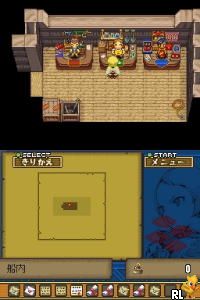
As a Nintendo DS classic, Destiny Links features the console’s typical dual-screen setup, with simple but charming visuals that reflect the handheld’s style. The game’s atmosphere leans toward minimalism, highlighting menus and character interactions rather than elaborate graphics. The gameplay centers on managing resources, completing quests, and shaping your character’s destiny through choices and battles. It stays engaging thanks to clear mechanics and a sense of progress, making it a good pick for players who enjoy methodical, turn-based RPGs that focus on story rather than fast-paced action.
Why Destiny Links Is Worth Playing
This game stands out with its clean visuals that stay true to the Nintendo DS’s hardware limits while still feeling unique. The dual-screen setup is used for managing menus and battle info, which becomes easier to navigate once you’re used to it. The soundtrack is minimal but effective, adding subtle tension during battles and exploration, helping you stay immersed despite the simplicity of the visuals.
Destiny Links is also pretty accessible in terms of difficulty. It doesn’t require endless grinding or complex micro-management, making it suitable for casual players and RPG fans alike. Its straightforward mechanics and concise progression keep each session feeling rewarding without dragging on. The atmosphere is calm but purposeful, encouraging thoughtful decisions and strategic planning. For anyone who prefers a game with an emphasis on story and choices over frantic gameplay, Destiny Links offers a nostalgic experience that remains engaging even in a browser setting.
Tips to Get Ahead
Plan your fights—study enemy patterns and conserve resources for tougher battles.
- Use the dual screens to manage your inventory and quest progress at the same time.
- Save often, especially before battles or important choices, to avoid setbacks.
- Pay attention to hints through dialogue or menus—they can guide your decisions effectively.
- Manage your resources wisely; don’t spend everything early on, as some items might be needed later.
- If you get stuck, revisit earlier areas or quests for extra experience or items that may help you move forward.
Things to Know Before You Start
Is Destiny Links difficult for new players?
The game has a gentle difficulty level, leaning toward casual play, but some battles do require strategic thinking, especially if you’re new to turn-based gameplay.
How long does a typical session of Destiny Links last?
Most sessions last around 30 minutes to an hour, depending on how much exploring or side quests you take on. It’s designed for pick-up-and-play gaming.
Can Destiny Links be enjoyed by non-Japanese speakers?
This version is the Japanese release, so knowing Japanese will make the experience smoother. Still, with patience, the gameplay mechanics are simple enough to follow even without full language understanding.
Try Destiny Links and see how your choices shape your journey. This classic Nintendo DS game offers a straightforward RPG experience that’s still worth exploring, especially when played in your browser. Its accessibility makes it friendly for newcomers and nostalgic players alike, inviting you to see what your destiny holds.
Related games: you can also try Charm Girls Club – Watashi no Fashion Mall (Japan) and Barbie Horse Adventures – Riding Camp (USA) (En,Fr), or browse all other games in the Nintendo DS category.
How to Play Destiny Links (Japan)?
Manage your character by exploring, completing quests, and battling enemies using strategic choices. Use the dual screens to organize your inventory and track progress while making story decisions.
Game Controls
Arrow keys for navigation; Enter or space for selecting options and confirming actions.
You may be interested in:
-
 Nintendo DS
♥ 1
Casper’s Scare School – Classroom Capers (USA)
Nintendo DS
♥ 1
Casper’s Scare School – Classroom Capers (USA) -
 Nintendo DS
♥ 1
Zunou Nouryoku Koujou Machine – Touch de Zunoo DS (Japan)
Nintendo DS
♥ 1
Zunou Nouryoku Koujou Machine – Touch de Zunoo DS (Japan) -
 Nintendo DS
♥ 1
Zunou ni Asekaku Game Series! Vol. 1 – Cool 104 Joker & Setline (Japan)
Nintendo DS
♥ 1
Zunou ni Asekaku Game Series! Vol. 1 – Cool 104 Joker & Setline (Japan) -
 Nintendo DS
♥ 9
Zuma’s Revenge (USA)
Nintendo DS
♥ 9
Zuma’s Revenge (USA) -
 Nintendo DS
♥ 1
Zubo (USA) (En,Fr,Es)
Nintendo DS
♥ 1
Zubo (USA) (En,Fr,Es) -
 Nintendo DS
♥ 1
Zubo (Europe) (En,Fr,De,Es,It,Nl,Sv)
Nintendo DS
♥ 1
Zubo (Europe) (En,Fr,De,Es,It,Nl,Sv) -
 Nintendo DS
♥ 1
Zorro – Quest for Justice (USA) (En,Fr,De,Es,It)
Nintendo DS
♥ 1
Zorro – Quest for Justice (USA) (En,Fr,De,Es,It) -
 Nintendo DS
♥ 1
Zorro – Quest for Justice (Europe) (En,Fr,De,Es,It)
Nintendo DS
♥ 1
Zorro – Quest for Justice (Europe) (En,Fr,De,Es,It)
Comments (0)
No comments yet. Be the first to comment!