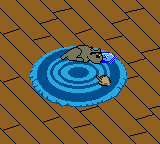
Dogz – Your Virtual Petz Palz (USA)
0 2 0
Dogz – Your Virtual Petz Palz (USA) is a classic from the Game Boy Color days that lets players care for and interact with their own digital dogs. Its controls are straightforward, making it easy for newcomers to pick up and enjoy right away. Whether you’re looking for a quick gaming session or a longer pet-keeping experience, this game offers a nostalgic look back at early virtual pet titles, all playable directly in your browser without any downloads or setup.
What Is Dogz – Your Virtual Petz Palz?
This game falls into the simulation category, focusing on nurturing and caring for a digital dog. The main goal is to tend to your pet’s needs—feeding, playing, and keeping it happy—while unlocking new interactions and features as you go. The gameplay emphasizes gentle engagement over high scores or fast-paced challenges.
With its simple interface, Dogz – Your Virtual Petz Palz provides a relaxed experience that appeals to players of all ages. Its pixel-art graphics and basic sound effects evoke the style of classic Game Boy Color games, creating a nostalgic connection to handheld gaming of the late ‘90s. The game encourages patience and creativity, helping you build a bond with your virtual dog in a calm, low-pressure environment.
What Keeps You Coming Back
The variety of interactions is one of the game’s strengths. You can feed your dog different treats, play fetch, or give it a bath, with each activity contributing to your pet’s happiness and health. Over time, you can unlock new accessories and toys, giving the game a sense of progression without complicated mechanics. These unlocks and customization options motivate players to keep coming back to see what surprises await.
The open-ended nature of the game makes it highly replayable. No two sessions need to be the same; you can try different ways of caring for your dog or simply enjoy relaxing play. Its simplicity makes it accessible for younger players, while still offering enough depth for more experienced virtual pet fans. Without time limits or penalties, you can take your time, making each visit to Dogz – Your Virtual Petz Palz a calm, personal experience.
Handy Tips
When you start, try to balance feeding and playing to keep your dog’s happiness high. Ignoring one side can make your pet less responsive or sad.
- Check on your dog regularly to keep its happiness from dropping too low.
- Use the available accessories and toys to keep your pet entertained.
- Try different feeding options to see what your dog prefers.
- Take your time; caring for your dog should be a relaxing activity.
- If possible, save your progress often to avoid losing your customizations or achievements.
Player FAQ
Is Dogz – Your Virtual Petz Palz easy for young children to play?
Yes, its simple controls and gentle gameplay make it suitable for young players, with no complicated mechanics or tough tasks involved.
Does this game need an internet connection to play?
No, Dogz – Your Virtual Petz Palz runs right in your browser and doesn’t require an internet connection once loaded, so you can play anytime.
Can I play Dogz – Your Virtual Petz Palz on mobile devices or only on a browser?
Since it’s played through your browser, it works smoothly on most devices with a web browser, including tablets and smartphones, without needing any extra apps or downloads.
Dogz – Your Virtual Petz Palz offers a simple, charming virtual pet experience that’s easy to get into and hard to put down. Its accessible gameplay and nostalgic graphics make it a good pick for anyone looking for a relaxing, interactive digital pet they can enjoy right in their browser.
Related games: you can also try Action Man – Search for Base X (USA, Europe) and Burger Burger Pocket (Japan), or browse all other games in the Game Boy Color category.
How to Play Dogz – Your Virtual Petz Palz (USA)?
Care for your virtual dog by feeding, playing, and giving it baths. Keep it happy and healthy, unlock new toys, and enjoy relaxing, open-ended interactions.
Game Controls
Arrow keys act as the D-pad; Enter is Start; action buttons are on-screen mapped keys.
You may be interested in:
-
 Game Boy Color
♥ 43
Zook Hero Z
Game Boy Color
♥ 43
Zook Hero Z -
 Game Boy Color
♥ 1
Zok Zok Heroes (Japan)
Game Boy Color
♥ 1
Zok Zok Heroes (Japan) -
 Game Boy Color
♥ 1
Zoids – Shirogane no Juukishin Liger Zero (Japan)
Game Boy Color
♥ 1
Zoids – Shirogane no Juukishin Liger Zero (Japan) -
 Game Boy Color
♥ 1
Zoids – Jashin Fukkatsu! Genobreaker Hen (Japan)
Game Boy Color
♥ 1
Zoids – Jashin Fukkatsu! Genobreaker Hen (Japan) -
 Game Boy Color
♥ 2
Zoboomafoo – Playtime in Zobooland (USA)
Game Boy Color
♥ 2
Zoboomafoo – Playtime in Zobooland (USA) -
 Game Boy Color
♥ 1
Zidane Football Generation (Europe) (En,Fr,De,Es,It)
Game Boy Color
♥ 1
Zidane Football Generation (Europe) (En,Fr,De,Es,It) -
 Game Boy Color
♥ 1
Zen-Nihon Shounen Soccer Taikai – Mezase Nihon Ichi! (Japan)
Game Boy Color
♥ 1
Zen-Nihon Shounen Soccer Taikai – Mezase Nihon Ichi! (Japan) -
 Game Boy Color
♥ 1
Zebco Fishing! (USA)
Game Boy Color
♥ 1
Zebco Fishing! (USA)
Comments (0)
No comments yet. Be the first to comment!