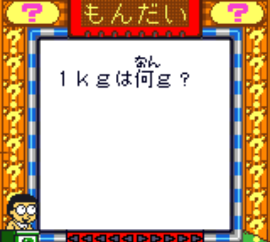
Doraemon no Quiz Boy 2 (Japan)
0 1 0
Doraemon no Quiz Boy 2 (Japan) is a classic Game Boy Color game that blends trivia with a simple board game setup. It’s perfect for casual gamers and puzzle lovers who want a straightforward way to challenge their knowledge, especially if you’re familiar with Doraemon or enjoy nostalgic handheld titles. Since it runs smoothly in your browser, you get the feel of playing on the original device without any downloads or extra steps.
Getting Into Doraemon no Quiz Boy 2
The main idea is answering trivia questions correctly to move forward through the game’s stages. Usually, you start by choosing a category or level, then answer multiple-choice questions that pop up on the screen. Your score depends on how many right answers you get, and wrong ones might mean retries or penalties. The game isn’t complicated or story-driven, making it great for quick sessions or testing your knowledge in short bursts.
During play, questions cover different topics, and your goal is to answer as many correctly as possible within a time limit or a set number of questions. The pace is steady, encouraging quick recall. It’s designed for solo play, with no multiplayer options, and each session typically lasts a few minutes. The interface is simple, with clear answer choices and easy navigation, suitable for players of all ages.
Standout Features
The visuals are typical of the Game Boy Color, with bright, colorful sprites and simple backgrounds that keep the focus on the questions. The design is functional, with easy-to-read text and menus that make starting a new game or checking your scores straightforward. Progress depends on getting correct answers, and while there aren’t complex levels or unlockables, the variety of question categories keeps it interesting enough to replay.
The game’s replay value comes from the mix of questions and their randomness, so each session can feel a little different. Improving your score or just trying to beat your previous best encourages multiple plays. Since it’s all about quick thinking and memory, it’s easy to pick up and play whenever you have a few minutes. Mastering it might mean trying again to improve your accuracy and score.
Strategy and Tips
Getting the most out of Doraemon no Quiz Boy 2 means recognizing answers quickly and trusting your instincts. Take a moment to read questions carefully if you have the time, especially with trickier topics. The more you play, the better you’ll get at spotting patterns and common questions.
- Prioritize accuracy over speed to keep your streak going.
- If unsure, eliminate answers that are obviously wrong to increase your chances.
- Memorize question categories if you plan to play often, since some questions repeat.
- Stay calm during timed questions to avoid simple mistakes caused by pressure.
- Use retries to learn from mistakes and improve your results over time.
Quick Questions
How do I start playing Doraemon no Quiz Boy 2?
Just load it in your browser, and it will start with the main menu where you can pick a category or begin a new game.
What’s a common mistake for newcomers?
Many players answer too quickly without reading questions carefully, which can lead to avoidable errors.
Can I play Doraemon no Quiz Boy 2 on mobile or touch devices?
Yes, since it runs in your browser, it works on mobile devices with touchscreens, so you can play anywhere without extra setup.
Doraemon no Quiz Boy 2 is a simple trivia game that’s easy to get into and keeps you coming back. Its straightforward gameplay and nostalgic visuals make it a good pick for anyone who enjoys quick quizzes and testing their general knowledge without unnecessary fuss.
Related games: you can also try Cruis'n Exotica (USA) and Bust-A-Move 4 (USA, Europe), or browse all other games in the Game Boy Color category.
How to Play Doraemon no Quiz Boy 2 (Japan)?
Answer multiple-choice trivia questions correctly to move forward and score points. You select answers quickly and aim to improve your accuracy in short, timed sessions.
Game Controls
Arrow keys move the cursor; Enter confirms your answer.
You may be interested in:
-
 Game Boy Color
♥ 43
Zook Hero Z
Game Boy Color
♥ 43
Zook Hero Z -
 Game Boy Color
♥ 1
Zok Zok Heroes (Japan)
Game Boy Color
♥ 1
Zok Zok Heroes (Japan) -
 Game Boy Color
♥ 1
Zoids – Shirogane no Juukishin Liger Zero (Japan)
Game Boy Color
♥ 1
Zoids – Shirogane no Juukishin Liger Zero (Japan) -
 Game Boy Color
♥ 1
Zoids – Jashin Fukkatsu! Genobreaker Hen (Japan)
Game Boy Color
♥ 1
Zoids – Jashin Fukkatsu! Genobreaker Hen (Japan) -
 Game Boy Color
♥ 2
Zoboomafoo – Playtime in Zobooland (USA)
Game Boy Color
♥ 2
Zoboomafoo – Playtime in Zobooland (USA) -
 Game Boy Color
♥ 1
Zidane Football Generation (Europe) (En,Fr,De,Es,It)
Game Boy Color
♥ 1
Zidane Football Generation (Europe) (En,Fr,De,Es,It) -
 Game Boy Color
♥ 1
Zen-Nihon Shounen Soccer Taikai – Mezase Nihon Ichi! (Japan)
Game Boy Color
♥ 1
Zen-Nihon Shounen Soccer Taikai – Mezase Nihon Ichi! (Japan) -
 Game Boy Color
♥ 1
Zebco Fishing! (USA)
Game Boy Color
♥ 1
Zebco Fishing! (USA)
Comments (0)
No comments yet. Be the first to comment!