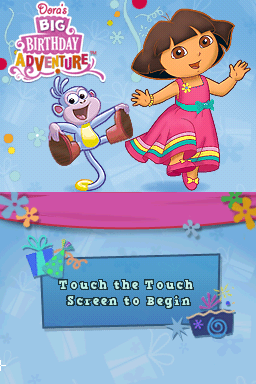
Dora’s Big Birthday Adventure (USA)
0 5 0
Dora’s Big Birthday Adventure (USA) is a classic Nintendo DS game that combines adventure and mini-games as players help Dora the Explorer get ready for her birthday party. Made with younger players in mind, this title focuses on exploration, solving simple puzzles, and engaging in a variety of activities. Its straightforward gameplay and familiar characters make it a nostalgic pick for fans of the series and those looking for light-hearted, family-friendly fun on the Nintendo DS.
Dora’s Big Birthday Adventure: Gameplay Overview
The game presents a series of mini-games and puzzle segments that follow a loose story about Dora’s birthday preparations. Players move through different environments, completing tasks like finding items, solving easy puzzles, or taking on mini-game challenges. The main idea is switching between activities smoothly, encouraging players to explore different parts of the game world and finish multiple objectives during each session.
This Nintendo DS game makes good use of the dual screens, often showing a map or inventory on the bottom while gameplay happens on the top. Most mini-games are controlled with the touch screen, making interactions simple and intuitive for young players. The pace is gentle, focusing on finishing tasks rather than racing against a clock, which makes it accessible for players of various skill levels.
Modes, Levels and Progression
The game is organized into levels and themed areas, each with several mini-games and activities. Progress depends on completing these tasks, which unlock new locations and more activities as players go along. There’s no tough difficulty curve, but the variety of mini-games ensures different gameplay styles, from pattern matching to collecting items.
The content isn’t overly complex, emphasizing exploration and completing objectives instead of combat or complicated mechanics. Players can replay mini-games to improve scores or unlock extra rewards. The straightforward progression makes it suitable for young children and casual players who enjoy completing simple tasks at their own pace.
Winning Strategies
Explore each area thoroughly to find all the items you need and unlock new parts of the game quickly.
- Pay attention to visual and sound cues during mini-games to spot patterns or solutions more easily.
- Use the stylus carefully for touch puzzles—precision can help you avoid mistakes and move forward faster.
- Try replaying mini-games to beat your scores or unlock hidden rewards.
- Keep track of your progress with the map or inventory to plan your next move.
- Take your time with puzzles—rushing can lead to mistakes that set you back.
Common Questions About Dora’s Big Birthday Adventure
How does the difficulty change as I go along?
The game stays gentle in difficulty, with challenges suitable for young children. Tasks are simple and gradually introduce new mechanics, but it stays accessible throughout.
Are there different modes or options for replay?
While mainly for a single player, the game has multiple mini-games you can replay to improve scores or find hidden items, encouraging multiple plays.
How long does it usually take to finish the game?
The main story and activities can often be finished in a few hours. Playing mini-games again can extend the fun, especially if you want to beat your scores or hunt for all the collectibles.
Overall, Dora’s Big Birthday Adventure offers a charming and accessible experience on the Nintendo DS. Its variety of mini-games, gentle challenge level, and familiar characters make it a good choice for young players and fans of Dora the Explorer. Playing it here in your browser gives quick access to a nostalgic, family-friendly game that captures the spirit of the original without any extra setup needed.
Related games: you can also try Bridge Training (Europe) (En,Fr,De,Es,It) and Blue Dragon – Awakened Shadow (Germany), or browse all other games in the Nintendo DS category.
How to Play Dora’s Big Birthday Adventure (USA)?
Help Dora prepare for her birthday by exploring areas, completing simple puzzles, and playing mini-games. Switch between activities to find items, unlock new locations, and finish tasks at your own pace.
Game Controls
Arrow keys move; Enter or space selects; mouse or touch screen handles interactions.
You may be interested in:
-
 Nintendo DS
♥ 1
Casper’s Scare School – Classroom Capers (USA)
Nintendo DS
♥ 1
Casper’s Scare School – Classroom Capers (USA) -
 Nintendo DS
♥ 1
Zunou Nouryoku Koujou Machine – Touch de Zunoo DS (Japan)
Nintendo DS
♥ 1
Zunou Nouryoku Koujou Machine – Touch de Zunoo DS (Japan) -
 Nintendo DS
♥ 1
Zunou ni Asekaku Game Series! Vol. 1 – Cool 104 Joker & Setline (Japan)
Nintendo DS
♥ 1
Zunou ni Asekaku Game Series! Vol. 1 – Cool 104 Joker & Setline (Japan) -
 Nintendo DS
♥ 9
Zuma’s Revenge (USA)
Nintendo DS
♥ 9
Zuma’s Revenge (USA) -
 Nintendo DS
♥ 1
Zubo (USA) (En,Fr,Es)
Nintendo DS
♥ 1
Zubo (USA) (En,Fr,Es) -
 Nintendo DS
♥ 1
Zubo (Europe) (En,Fr,De,Es,It,Nl,Sv)
Nintendo DS
♥ 1
Zubo (Europe) (En,Fr,De,Es,It,Nl,Sv) -
 Nintendo DS
♥ 1
Zorro – Quest for Justice (USA) (En,Fr,De,Es,It)
Nintendo DS
♥ 1
Zorro – Quest for Justice (USA) (En,Fr,De,Es,It) -
 Nintendo DS
♥ 1
Zorro – Quest for Justice (Europe) (En,Fr,De,Es,It)
Nintendo DS
♥ 1
Zorro – Quest for Justice (Europe) (En,Fr,De,Es,It)
Comments (0)
No comments yet. Be the first to comment!