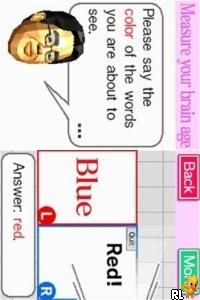
Dr Kawashima’s Brain Training – How Old Is Your Brain (Europe) (En,Fr,De,Es,It,Nl)
0 4 0
Dr Kawashima’s Brain Training – How Old Is Your Brain (Europe) (En,Fr,De,Es,It,Nl) is a Nintendo DS game that tests your mental agility with a series of puzzles and exercises. It’s designed for anyone interested in checking and boosting their brain health. The game offers short, focused sessions that can easily fit into a busy day. Whether you’re into casual gaming or enjoy solving puzzles, it provides a simple way to estimate your mental age and keep your mind active.
Getting Into Dr Kawashima’s Brain Training – How Old Is Your Brain
The game features daily exercises that target different parts of thinking skills, like memory, attention, and problem-solving. Each session usually involves a few mini-games, often simple puzzles or math tasks, timed to promote quick thinking. You can do just one or link several activities for a more complete mental workout. Over time, your progress is tracked to show whether your brain is aging faster or slower than your actual age.
Most sessions are short, around 5 to 10 minutes, so it’s easy to include them in your daily routine. After each set, the game gives a score and an idea of your current mental age. Seeing how you perform compared to your real age can motivate you to keep practicing. The interface is straightforward with minimal controls, making it accessible for all ages and skill levels.
Standout Features
The visual style is simple and clean, typical of Nintendo DS games, with clear menus and basic graphics that keep the focus on the exercises. As you practice regularly, the game tracks your mental age over time, so you can see improvements or areas that need more attention. This creates a cycle of motivation, encouraging consistent play. It’s more about maintaining your brain than just completing a one-off challenge.
The variety of exercises and the mental age trend tracking add replay value. Playing daily helps develop a routine that keeps you engaged. The quick sessions make it easy to revisit multiple times a day, and the feedback encourages you to beat your previous scores or lower your mental age. Its straightforward approach makes it a good choice for anyone wanting a low-pressure way to stay mentally active.
Strategy and Tips
Starting with easier exercises can build confidence before moving on to harder puzzles. Playing daily usually leads to steady progress.
- Focus on accuracy before speed; speed will improve over time.
- Pay attention to the feedback after each session to see which exercises need more work.
- Mix different types of exercises for balanced mental training.
- Set small goals using the progress tracker, like lowering your mental age a few years each week.
- If you get stuck, take a short break and come back with a fresh perspective.
Quick Questions
How do I get started?
Pick an exercise or a full session and follow the prompts; it’s designed to be simple and quick to use.
What’s a common mistake for beginners?
Trying to rush through exercises without paying attention to accuracy can hold you back. Focus on doing your best within the time limit.
Can I play this on mobile or touch screens?
Yes, since it runs in your browser, it works well with touch controls, making it easy to play on smartphones or tablets.
Dr Kawashima’s Brain Training – How Old Is Your Brain offers a practical way to stay sharp. Its quick sessions and clear feedback make it a handy tool for anyone wanting to keep track of and improve their cognitive skills, all accessible online for free without complications.
Related games: you can also try Alice in Wonderland (USA) (En,Fr,Es) (NDSi Enhanced) and Aliens in the Attic (USA) (En,Fr,De,Es,It,Nl), or browse all other games in the Nintendo DS category.
How to Play Dr Kawashima’s Brain Training – How Old Is Your Brain (Europe) (En,Fr,De,Es,It,Nl)?
Complete quick puzzles and exercises to test your memory, attention, and problem-solving skills. Track your mental age and improve it with daily practice in short, focused sessions.
Game Controls
Arrow keys or keyboard keys are used to navigate and select options.
You may be interested in:
-
 Nintendo DS
♥ 1
Casper’s Scare School – Classroom Capers (USA)
Nintendo DS
♥ 1
Casper’s Scare School – Classroom Capers (USA) -
 Nintendo DS
♥ 1
Zunou Nouryoku Koujou Machine – Touch de Zunoo DS (Japan)
Nintendo DS
♥ 1
Zunou Nouryoku Koujou Machine – Touch de Zunoo DS (Japan) -
 Nintendo DS
♥ 1
Zunou ni Asekaku Game Series! Vol. 1 – Cool 104 Joker & Setline (Japan)
Nintendo DS
♥ 1
Zunou ni Asekaku Game Series! Vol. 1 – Cool 104 Joker & Setline (Japan) -
 Nintendo DS
♥ 9
Zuma’s Revenge (USA)
Nintendo DS
♥ 9
Zuma’s Revenge (USA) -
 Nintendo DS
♥ 1
Zubo (USA) (En,Fr,Es)
Nintendo DS
♥ 1
Zubo (USA) (En,Fr,Es) -
 Nintendo DS
♥ 1
Zubo (Europe) (En,Fr,De,Es,It,Nl,Sv)
Nintendo DS
♥ 1
Zubo (Europe) (En,Fr,De,Es,It,Nl,Sv) -
 Nintendo DS
♥ 1
Zorro – Quest for Justice (USA) (En,Fr,De,Es,It)
Nintendo DS
♥ 1
Zorro – Quest for Justice (USA) (En,Fr,De,Es,It) -
 Nintendo DS
♥ 1
Zorro – Quest for Justice (Europe) (En,Fr,De,Es,It)
Nintendo DS
♥ 1
Zorro – Quest for Justice (Europe) (En,Fr,De,Es,It)
Comments (0)
No comments yet. Be the first to comment!