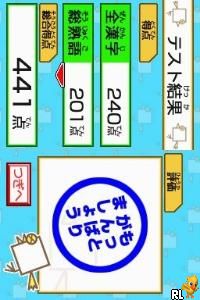
DS Kageyama Method Dennou Hanpuku – Tadashii Kanji Kakitori-kun (Japan)
0 1 0
DS Kageyama Method Dennou Hanpuku – Tadashii Kanji Kakitori-kun (Japan) is a straightforward Nintendo DS game designed to help players practice writing kanji through interactive exercises. It’s aimed at those learning Japanese and provides a clear, no-nonsense way to improve recognition and handwriting. If you enjoy educational puzzles or want an easy way to work on your kanji, this game offers a familiar experience from the Nintendo DS.
Getting Into DS Kageyama Method Dennou Hanpuku – Tadashii Kanji Kakitori-kun
The main gameplay involves tracing kanji characters on the touchscreen. The game shows various kanji, and your task is to draw each one accurately within guides. It begins with a review of stroke order, then moves on to exercises that reinforce correct writing. You can choose different modes like practice, quizzes, or timed tests, depending on what you want to focus on.
The process is simple: pick a kanji, trace it carefully, and get immediate feedback. As you improve, the game introduces more complex characters and reduces the time allowed, making it suitable for all skill levels—from beginners to more advanced learners. Sessions usually last around 10-20 minutes, so it’s easy to fit in daily practice or quick breaks.
Standout Features
This game emphasizes clarity and straightforward progress. The interface displays large, easy-to-read kanji with guiding stroke animations, helping players learn the correct way to write each one. As you get better, new characters and exercises become available, encouraging ongoing practice. The focus on repetition and accuracy can really help with memorizing stroke order and shape.
It’s also replayable since you can redo exercises to improve your scores. The game tracks your progress over time, and since it’s a browser-based version of a Nintendo DS classic, there’s no need to download anything. You can practice whenever you have a few minutes. Different modes and increasing difficulty levels keep things engaging and motivate you to sharpen your kanji skills over multiple sessions.
Strategy and Tips
To get the most out of this game, practice regularly and focus on stroke order. Here are some helpful tips:
- Start with simpler kanji to build confidence before moving on to more complex ones.
- Follow the stroke order shown on the screen; it’s important for accurate and quick writing.
- Use the practice mode to get comfortable with new characters before trying timed exercises.
- Take your time during practice to ensure your strokes are correct, then try to increase your speed gradually.
- Review your past scores to see where you might need more work.
- If you get stuck on a particular kanji, repeat the practice mode until you feel confident.
Quick Questions
How do I start practicing kanji in this game?
Select a kanji from the menu, and the game will guide you through tracing it on the touchscreen.
What is a common mistake beginners make?
Many rush through stroke order; focusing on accuracy first helps build a solid foundation.
Can I play this game on mobile or touch devices?
Yes, since it runs in your browser and uses touchscreen emulation, it works well on devices with touch support.
Overall, DS Kageyama Method Dennou Hanpuku – Tadashii Kanji Kakitori-kun offers a practical way to practice writing kanji directly in your browser. Its emphasis on stroke accuracy and steady progress makes it a handy tool for learners and enthusiasts alike. This Nintendo DS classic is simple but effective, helping you become more confident in writing kanji correctly.
Related games: you can also try Diercke – Das Geographie-Quiz (Germany) and Don King Boxing (Europe) (En,Fr,De,Es,It), or browse all other games in the Nintendo DS category.
How to Play DS Kageyama Method Dennou Hanpuku – Tadashii Kanji Kakitori-kun (Japan)?
Trace displayed kanji characters on the screen using your keyboard to practice correct stroke order and improve your handwriting. Choose modes like practice or timed tests to challenge yourself and track progress.
Game Controls
Arrow keys control navigation; Enter confirms actions; keyboard replaces the original DS buttons.
You may be interested in:
-
 Nintendo DS
♥ 1
Casper’s Scare School – Classroom Capers (USA)
Nintendo DS
♥ 1
Casper’s Scare School – Classroom Capers (USA) -
 Nintendo DS
♥ 1
Zunou Nouryoku Koujou Machine – Touch de Zunoo DS (Japan)
Nintendo DS
♥ 1
Zunou Nouryoku Koujou Machine – Touch de Zunoo DS (Japan) -
 Nintendo DS
♥ 1
Zunou ni Asekaku Game Series! Vol. 1 – Cool 104 Joker & Setline (Japan)
Nintendo DS
♥ 1
Zunou ni Asekaku Game Series! Vol. 1 – Cool 104 Joker & Setline (Japan) -
 Nintendo DS
♥ 9
Zuma’s Revenge (USA)
Nintendo DS
♥ 9
Zuma’s Revenge (USA) -
 Nintendo DS
♥ 1
Zubo (USA) (En,Fr,Es)
Nintendo DS
♥ 1
Zubo (USA) (En,Fr,Es) -
 Nintendo DS
♥ 1
Zubo (Europe) (En,Fr,De,Es,It,Nl,Sv)
Nintendo DS
♥ 1
Zubo (Europe) (En,Fr,De,Es,It,Nl,Sv) -
 Nintendo DS
♥ 1
Zorro – Quest for Justice (USA) (En,Fr,De,Es,It)
Nintendo DS
♥ 1
Zorro – Quest for Justice (USA) (En,Fr,De,Es,It) -
 Nintendo DS
♥ 1
Zorro – Quest for Justice (Europe) (En,Fr,De,Es,It)
Nintendo DS
♥ 1
Zorro – Quest for Justice (Europe) (En,Fr,De,Es,It)
Comments (0)
No comments yet. Be the first to comment!