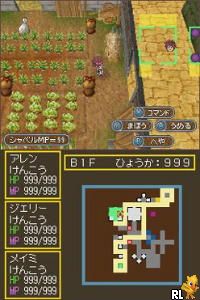
Dungeon Maker – Mahou no Shovel to Chiisana Yuusha (Japan)
0 1 0
Dungeon Maker – Mahou no Shovel to Chiisana Yuusha (Japan) is a classic Nintendo DS game that mixes dungeon creation with strategic gameplay. If you enjoy designing labyrinths and testing your layouts, this game offers a simple but satisfying challenge that you can play right in your browser—no downloads needed.
Getting Into Dungeon Maker – Mahou no Shovel to Chiisana Yuusha
The main idea is to craft dungeons where you guide a small hero through your carefully built maze. Each round starts with designing a layout, placing obstacles, traps, and pathways to either block or help the hero move forward. After setting it up, you can run a test to see how your design works in real-time by letting the hero try to complete it.
The process involves building, testing, and tweaking. You might add or change parts of your dungeon based on how the hero performs, aiming to improve success or make things more challenging. The game doesn’t focus on storylines; instead, it emphasizes making balanced, tricky dungeons and learning how the hero reacts. These short sessions are easy to repeat, helping you refine your approach and come up with new ideas each time.
Standout Features
The visuals are simple but charming, with clear icons for traps, walls, and pathways—making it easy to understand and design your dungeon without confusion. Progress depends on how complex your layouts are and how well you can create challenges that test the hero without making them impossible. Trying different layouts and strategies keeps the game interesting, as each dungeon feels like a new puzzle to solve.
Since there are no fixed levels or storylines, you’re free to experiment as much as you like. You can try perfecting certain types of dungeons or just explore new configurations. Your creativity and patience are the only limits, which makes Dungeon Maker – Mahou no Shovel to Chiisana Yuusha a good pick for players who enjoy puzzle design and gradual improvement over time.
Strategy and Tips
Knowing how the hero moves through your dungeon is key to making successful designs. Play around with trap placements and pathways to see what works best.
- Start with simple layouts to understand how the hero navigates before adding complicated traps or obstacles.
- Use trial and error to find the right balance, avoiding designs that are too frustrating or too easy.
- Watch how the hero moves during testing to spot weak spots or choke points you might want to defend better.
- Save different versions of your dungeons so you can compare strategies and see what works best.
- Place traps where the hero tends to go, especially around key choke points, to make your layout more effective.
- Keep playing to improve your skills in designing layouts. Familiarity with the hero’s behavior helps you create better dungeons faster.
Quick Questions
How do I get started if I’ve never played before?
Try making simple layouts and testing them right away—its straightforward design makes it easy for newcomers to pick up quickly.
What’s a common mistake beginners make?
Overcomplicating your first dungeons can make it tough for the hero to finish. Starting with straightforward designs helps build confidence and understanding.
Can I play this comfortably on mobile or touch screens?
Since it runs in your browser, it works well on mobile devices and touchscreens, making designing and testing dungeons simple on the go.
Dungeon Maker – Mahou no Shovel to Chiisana Yuusha offers a straightforward experience with plenty of room for creativity. Its simple mechanics and endless variations make it a fun choice for puzzle fans and those who enjoy small-scale tactical challenges.
Related games: you can also try ALC no 10-punkan Eigo Master – Chuukyuu (Japan) and Agatha Christie – The ABC Murders (Europe) (En,Fr,De,Es,It), or browse all other games in the Nintendo DS category.
How to Play Dungeon Maker – Mahou no Shovel to Chiisana Yuusha (Japan)?
Design dungeons by placing walls, traps, and pathways, then test how the hero navigates through your layout. Adjust your design based on the hero's movement to create a balanced challenge.
Game Controls
Arrow keys move the cursor; other keys select, place, or test your dungeon as mapped on the screen.
You may be interested in:
-
 Nintendo DS
♥ 1
Casper’s Scare School – Classroom Capers (USA)
Nintendo DS
♥ 1
Casper’s Scare School – Classroom Capers (USA) -
 Nintendo DS
♥ 1
Zunou Nouryoku Koujou Machine – Touch de Zunoo DS (Japan)
Nintendo DS
♥ 1
Zunou Nouryoku Koujou Machine – Touch de Zunoo DS (Japan) -
 Nintendo DS
♥ 1
Zunou ni Asekaku Game Series! Vol. 1 – Cool 104 Joker & Setline (Japan)
Nintendo DS
♥ 1
Zunou ni Asekaku Game Series! Vol. 1 – Cool 104 Joker & Setline (Japan) -
 Nintendo DS
♥ 9
Zuma’s Revenge (USA)
Nintendo DS
♥ 9
Zuma’s Revenge (USA) -
 Nintendo DS
♥ 1
Zubo (USA) (En,Fr,Es)
Nintendo DS
♥ 1
Zubo (USA) (En,Fr,Es) -
 Nintendo DS
♥ 1
Zubo (Europe) (En,Fr,De,Es,It,Nl,Sv)
Nintendo DS
♥ 1
Zubo (Europe) (En,Fr,De,Es,It,Nl,Sv) -
 Nintendo DS
♥ 1
Zorro – Quest for Justice (USA) (En,Fr,De,Es,It)
Nintendo DS
♥ 1
Zorro – Quest for Justice (USA) (En,Fr,De,Es,It) -
 Nintendo DS
♥ 1
Zorro – Quest for Justice (Europe) (En,Fr,De,Es,It)
Nintendo DS
♥ 1
Zorro – Quest for Justice (Europe) (En,Fr,De,Es,It)
Comments (0)
No comments yet. Be the first to comment!