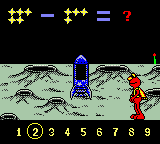
Elmo’s 123s (USA)
0 2 0
Elmo’s 123s (USA) is a charming educational game made for young children, especially those just starting to learn numbers. Originally a Game Boy Color classic, this game now runs directly in your browser, so it’s easy to access for quick, fun learning moments. Its simple mechanics and bright visuals make it a good pick for early learners or parents looking for a straightforward, educational experience without any hassle.
What Is Elmo’s 123s?
This game belongs to the educational genre, focusing on basic number recognition and counting skills. It features Elmo and other Sesame Street characters guiding children through activities that reinforce understanding of numbers from 1 to 10. The gameplay involves selecting numbers, counting objects, or matching items, all presented in a colorful, friendly style that appeals to young players. The goal is to help children recognize numbers and develop early math skills in a relaxed setting.
Designed for beginners, Elmo’s 123s offers a gentle introduction to fundamental math concepts. Its simple interface requires no prior experience, making it suitable for children as young as three. The pace is slow and steady, with clear instructions and engaging visuals that keep kids focused. Since it’s a Game Boy Color classic, it has a nostalgic charm but works perfectly in a modern browser, giving instant access without downloads.
What Keeps You Coming Back
The appeal lies in its simple, repetitive gameplay that encourages practice and mastery. Kids can play multiple times—trying to improve their speed or accuracy—without feeling overwhelmed. The bright, animated characters and familiar Sesame Street themes create a warm environment that motivates repeated play. It’s also non-competitive, so children can learn comfortably at their own pace.
Replay value comes from the variety of activities and the subtle difficulty increases that introduce new concepts gradually. Kids can focus on counting, identifying numbers, or matching, depending on what they’re comfortable with. Clear visual feedback helps children see their progress, offering parents and teachers a way to monitor development. Being a browser-based emulation of a Game Boy Color game, it’s quick and easy to revisit this educational classic whenever you want, making it a handy addition to early learning routines.
Handy Tips
To get the most out of Elmo’s 123s, keep these tips in mind:
- Start with the simpler activities and add more challenging tasks as your child gets more confident.
- Encourage repeating activities to build recognition and speed.
- Use the game alongside real-world counting exercises with toys or objects.
- Keep sessions short to keep your child’s interest up and prevent frustration.
- Talk about the numbers and activities during gameplay to reinforce learning outside the game.
Player FAQ
Is Elmo’s 123s easy enough for young children to pick up without help?
Yes, it’s built with simple controls and instructions, so preschoolers and early learners can navigate it easily.
Can younger children or non-English speakers enjoy Elmo’s 123s?
Absolutely. The game relies on visual cues and basic counting, so language isn’t a barrier. It works well for non-English speakers and very young children.
Do I need an internet connection to play Elmo’s 123s?
Nope. Since it runs in your browser as a Game Boy Color emulation, you can play offline anytime without needing internet access.
Elmo’s 123s provides a simple, engaging way for young children to learn numbers while enjoying familiar Sesame Street characters. Its straightforward gameplay and instant browser availability make it a handy choice for quick early education sessions or learning breaks.
Related games: you can also try Dragon Quest Monsters (Germany) and Dracula – Crazy Vampire (USA), or browse all other games in the Game Boy Color category.
How to Play Elmo’s 123s (USA)?
Help children recognize and count numbers from 1 to 10 by selecting, matching, or counting objects in colorful activities with Elmo and friends.
Game Controls
Arrow keys for movement; Enter or space to select or confirm actions.
You may be interested in:
-
 Game Boy Color
♥ 43
Zook Hero Z
Game Boy Color
♥ 43
Zook Hero Z -
 Game Boy Color
♥ 1
Zok Zok Heroes (Japan)
Game Boy Color
♥ 1
Zok Zok Heroes (Japan) -
 Game Boy Color
♥ 1
Zoids – Shirogane no Juukishin Liger Zero (Japan)
Game Boy Color
♥ 1
Zoids – Shirogane no Juukishin Liger Zero (Japan) -
 Game Boy Color
♥ 1
Zoids – Jashin Fukkatsu! Genobreaker Hen (Japan)
Game Boy Color
♥ 1
Zoids – Jashin Fukkatsu! Genobreaker Hen (Japan) -
 Game Boy Color
♥ 2
Zoboomafoo – Playtime in Zobooland (USA)
Game Boy Color
♥ 2
Zoboomafoo – Playtime in Zobooland (USA) -
 Game Boy Color
♥ 1
Zidane Football Generation (Europe) (En,Fr,De,Es,It)
Game Boy Color
♥ 1
Zidane Football Generation (Europe) (En,Fr,De,Es,It) -
 Game Boy Color
♥ 1
Zen-Nihon Shounen Soccer Taikai – Mezase Nihon Ichi! (Japan)
Game Boy Color
♥ 1
Zen-Nihon Shounen Soccer Taikai – Mezase Nihon Ichi! (Japan) -
 Game Boy Color
♥ 1
Zebco Fishing! (USA)
Game Boy Color
♥ 1
Zebco Fishing! (USA)
Comments (0)
No comments yet. Be the first to comment!