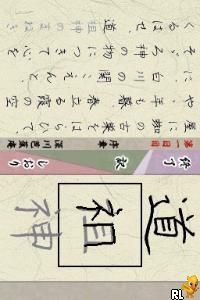
Enpitsu de Oku no Hosomichi DS (Japan)
0 1 0
Enpitsu de Oku no Hosomichi DS (Japan) is a Nintendo DS game that offers a peaceful look at Japanese calligraphy. It’s designed for players who enjoy quiet, creative activities, focusing on careful brush strokes and steady progress. If you like games that combine puzzle elements with cultural art styles, this is worth trying out, especially for fans of traditional Japanese aesthetics.
Getting Into Enpitsu de Oku no Hosomichi DS
The main idea is to imitate calligraphy strokes using the Nintendo DS stylus. The game shows scenes that are either blank or partly drawn, and players try to replicate the correct brush movements to finish each piece. It’s all about accuracy and patience, with each round offering a calligraphy challenge or a scene with a specific theme.
You can choose from different modes, like free drawing to practice strokes without pressure, or guided challenges that involve matching strokes to a reference. As you improve, you unlock new scenes or styles. The process is simple: start a scene, trace the strokes carefully, and see your artwork develop. The game is accessible, with gentle feedback that encourages steady progress rather than quick wins.
Standout Features
Visually, Enpitsu de Oku no Hosomichi DS has clean line art and traditional brushstroke styles that remind you of Japanese calligraphy. The soft color palette and minimal design promote calmness, making each session feel like a quiet art lesson. Progress depends on completing scenes and mastering different styles, giving a small sense of achievement along the way.
It also offers replay value through various scenes and difficulty levels. Since there’s no emphasis on scores or time limits, it suits players who prefer a relaxed pace. Its focus on visual and motor skills makes it appealing for casual players, learners, or those interested in Japanese art. There’s enough content to revisit without feeling repetitive or rushed.
Strategy and Tips
If you’re new, try to keep your strokes steady rather than rushing. Precision matters more than speed. Take your time to look at the reference lines before tracing them.
- Hold the stylus lightly to keep lines smooth and controlled.
- Practicing in free draw mode can help improve your control before trying guided challenges.
- Pay attention to the order and direction of strokes—they influence how the final piece looks.
- Don’t rush through scenes; relax and aim for confident, flowing movements.
- If you make a mistake, use the undo option if available, or restart the scene to practice again.
- Try different scenes and styles to keep developing your skills and stay interested.
Quick Questions
How do I get started with Enpitsu de Oku no Hosomichi DS?
Pick a scene or mode from the main menu and trace the strokes with your stylus, following the visual clues provided by the game.
What’s a common mistake beginners make?
Many press too hard with the stylus, which causes shaky lines. Using a gentle touch helps make cleaner strokes and copies the feel of real calligraphy.
Can I play it on mobile or touch screens?
Yes, since it works with a stylus or finger directly on a touchscreen, it’s easy to use on tablets or phones without needing extra hardware or downloads.
Enpitsu de Oku no Hosomichi DS offers a calming, artistic experience rooted in traditional Japanese calligraphy, all playable free in your browser. It gives you a peaceful break from fast-paced games, focusing on patience and control in a simple, elegant way.
Related games: you can also try Chou Gekijouban Keroro Gunsou 3 – Tenkuu Daibouken de Arimasu! (Japan) and Burnout Legends (Europe) (En,Fr,De,Es,It,Nl), or browse all other games in the Nintendo DS category.
How to Play Enpitsu de Oku no Hosomichi DS (Japan)?
Use the stylus or mouse to carefully trace calligraphy strokes, matching reference lines to complete each scene with accuracy and patience.
Game Controls
Arrow keys act as the D-pad; Enter is Start; on-screen mapped keys handle the action buttons.
You may be interested in:
-
 Nintendo DS
♥ 1
Casper’s Scare School – Classroom Capers (USA)
Nintendo DS
♥ 1
Casper’s Scare School – Classroom Capers (USA) -
 Nintendo DS
♥ 1
Zunou Nouryoku Koujou Machine – Touch de Zunoo DS (Japan)
Nintendo DS
♥ 1
Zunou Nouryoku Koujou Machine – Touch de Zunoo DS (Japan) -
 Nintendo DS
♥ 1
Zunou ni Asekaku Game Series! Vol. 1 – Cool 104 Joker & Setline (Japan)
Nintendo DS
♥ 1
Zunou ni Asekaku Game Series! Vol. 1 – Cool 104 Joker & Setline (Japan) -
 Nintendo DS
♥ 9
Zuma’s Revenge (USA)
Nintendo DS
♥ 9
Zuma’s Revenge (USA) -
 Nintendo DS
♥ 1
Zubo (USA) (En,Fr,Es)
Nintendo DS
♥ 1
Zubo (USA) (En,Fr,Es) -
 Nintendo DS
♥ 1
Zubo (Europe) (En,Fr,De,Es,It,Nl,Sv)
Nintendo DS
♥ 1
Zubo (Europe) (En,Fr,De,Es,It,Nl,Sv) -
 Nintendo DS
♥ 1
Zorro – Quest for Justice (USA) (En,Fr,De,Es,It)
Nintendo DS
♥ 1
Zorro – Quest for Justice (USA) (En,Fr,De,Es,It) -
 Nintendo DS
♥ 1
Zorro – Quest for Justice (Europe) (En,Fr,De,Es,It)
Nintendo DS
♥ 1
Zorro – Quest for Justice (Europe) (En,Fr,De,Es,It)
Comments (0)
No comments yet. Be the first to comment!