Equitation – Galops 1 a 7 (France)
0 1 0
Getting Into Equitation – Galops 1 a 7
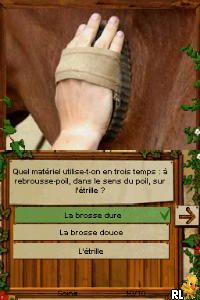
Equitation – Galops 1 a 7 is a classic Nintendo DS game that simulates horseback riding training across seven levels of proficiency. It’s designed for anyone interested in riding and offers an easy way to practice the basics without needing a real horse. The game focuses on learning and steady progress, making it a good choice for beginners or those curious about riding fundamentals.
Gameplay involves completing a series of riding exercises that match different galop levels, from simple to more complex maneuvers. Players take part in mini-games that test timing, control, and precision, mimicking real riding tasks. Usually, you pick a level, do the exercises, and move on as your skills improve. The game encourages repeated practice to get comfortable with each galop level, with clear feedback to help you improve along the way.
In a typical session, you select a galop level and follow on-screen prompts to give commands, like adjusting the horse’s speed and direction. Controls are mostly gesture-based, using the stylus on the Nintendo DS touchscreen to imitate riding actions. As you progress, exercises become more challenging, requiring better coordination. It’s easy to jump in for quick sessions, making it perfect for casual players or anyone wanting to learn riding basics in short bursts.
Standout Features
One thing that stands out about Equitation – Galops 1 a 7 is its simple, clear visuals that help you understand what to do. The environments are minimalistic, and animations are straightforward, which keeps things easy to follow. This focus on clarity makes it accessible for players of all ages.
The game’s progression is straightforward but satisfying, unlocking new exercises as you advance through the levels. It keeps track of your performance, giving you a sense of achievement as you improve. You might find yourself replaying exercises to beat your scores or refine your technique, which makes repeated play rewarding. Since it’s easy to pick up and play, it fits well into short gaming sessions on the Nintendo DS, which is emulated here for instant access.
Strategy and Tips
To get the most out of Equitation – Galops 1 a 7, focus on accuracy and timing. Watching on-screen cues carefully will help you complete exercises more smoothly.
- Start with the lower levels to get comfortable with the gesture controls before moving up to more advanced exercises.
- Move slowly and deliberately to improve your precision, rather than rushing through commands.
- Pay attention to the feedback after each exercise to see where you can improve.
- Practice regularly to develop muscle memory for the gestures needed at higher galop levels.
- If you’re making mistakes, taking short breaks can help you reset and improve your focus.
- Try to memorize the gesture patterns for each exercise so you can respond more quickly over time.
Quick Questions
How do I start playing Equitation – Galops 1 a 7?
Just select the game from the browser emulator, and it will start right away—no downloads or setup needed.
What’s a common mistake for beginners?
Many players rush through the gestures, which makes their control less accurate. Taking your time and practicing slow, controlled movements usually helps improve your results.
Can I play it on mobile or touch screens?
Yes, since the game uses the stylus on the Nintendo DS, it works well with touch controls on mobile devices through the browser emulator, providing a smooth experience.
Related games: you can also try Cahier de Vacances pour Adultes 2 (France) and Crazy Chicken Jump'n Run – Atlantis Quest (USA) (En,Fr,De,Es,It), or browse all other games in the Nintendo DS category.
How to Play Equitation – Galops 1 a 7 (France)?
Select a galop level and follow on-screen prompts to control the horse using the stylus or keyboard. Complete exercises with accuracy and timing to progress through levels and improve your riding skills.
Game Controls
Arrow keys act as the D-pad; Enter is Start; on-screen mapped keys handle the action buttons.
You may be interested in:
-
 Nintendo DS
♥ 1
Casper’s Scare School – Classroom Capers (USA)
Nintendo DS
♥ 1
Casper’s Scare School – Classroom Capers (USA) -
 Nintendo DS
♥ 1
Zunou Nouryoku Koujou Machine – Touch de Zunoo DS (Japan)
Nintendo DS
♥ 1
Zunou Nouryoku Koujou Machine – Touch de Zunoo DS (Japan) -
 Nintendo DS
♥ 1
Zunou ni Asekaku Game Series! Vol. 1 – Cool 104 Joker & Setline (Japan)
Nintendo DS
♥ 1
Zunou ni Asekaku Game Series! Vol. 1 – Cool 104 Joker & Setline (Japan) -
 Nintendo DS
♥ 9
Zuma’s Revenge (USA)
Nintendo DS
♥ 9
Zuma’s Revenge (USA) -
 Nintendo DS
♥ 1
Zubo (USA) (En,Fr,Es)
Nintendo DS
♥ 1
Zubo (USA) (En,Fr,Es) -
 Nintendo DS
♥ 1
Zubo (Europe) (En,Fr,De,Es,It,Nl,Sv)
Nintendo DS
♥ 1
Zubo (Europe) (En,Fr,De,Es,It,Nl,Sv) -
 Nintendo DS
♥ 1
Zorro – Quest for Justice (USA) (En,Fr,De,Es,It)
Nintendo DS
♥ 1
Zorro – Quest for Justice (USA) (En,Fr,De,Es,It) -
 Nintendo DS
♥ 1
Zorro – Quest for Justice (Europe) (En,Fr,De,Es,It)
Nintendo DS
♥ 1
Zorro – Quest for Justice (Europe) (En,Fr,De,Es,It)
Comments (0)
No comments yet. Be the first to comment!