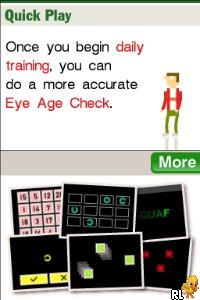
Flash Focus – Vision Training in Minutes a Day (USA) (En,Fr,Es)
0 1 0
Flash Focus – Vision Training in Minutes a Day (USA) (En,Fr,Es) is a classic Nintendo DS game that provides a straightforward way to work on your visual skills. It’s simple to pick up and only takes a few minutes each day to do various eye exercises aimed at improving focus and clarity. Its design is minimalistic, making it accessible for players of all ages, especially those interested in casual routines or just looking for a fun challenge for their vision. Being a Nintendo DS title from the era of dual-screen handhelds, it runs smoothly on this site’s emulator, so you can start playing without any downloads.
What Is Flash Focus – Vision Training in Minutes a Day?
This game is part of the health and training genre, focusing on eye exercises that aim to sharpen visual acuity and focus. The experience involves completing a series of mini-games and tasks that train different parts of your vision, like tracking, focusing, and peripheral awareness. The gameplay is simple, emphasizing consistency and repetition over complicated mechanics, making it suitable for those looking for a low-pressure daily routine. It features a clear interface and straightforward goals that encourage regular practice.
You’ll find exercises that are quick to pick up and easy to perform, often taking just a few minutes per session. The game offers feedback on your progress, encouraging you to keep going. Its simplicity makes it good for casual use or for anyone curious about visual training, focusing on gradual improvements rather than high scores or intense gameplay.
What Keeps You Coming Back
The variety of exercises and progress tracking help keep things interesting. Each session introduces different visual challenges, so it doesn’t get repetitive. Its minimalistic style means you can fit training into a busy schedule without much hassle. Plus, earning achievements for consistent practice adds a bit of motivation to come back day after day.
The game adjusts to your skill level, making each session a little more difficult as you improve. That keeps things fresh and prevents it from feeling static. Many players notice better focus and clearer vision over time, which can be quite satisfying. The straightforward setup means it’s accessible for most people, including kids and those with limited gaming experience.
Handy Tips
Start with short sessions to avoid eye strain and gradually increase as your eyes get used to it.
- Stick to daily practice for the best results.
- Play in a well-lit, comfortable space to reduce fatigue.
- Take regular breaks during longer sessions to rest your eyes.
- Follow in-game advice on eye positioning and focus for better results.
- Combine this with good eye health habits for improved outcomes.
Player FAQ
Is Flash Focus – Vision Training in Minutes a Day easy for beginners?
Yes, it’s made for all skill levels with simple exercises that don’t require experience. It’s suitable for players of any age, including children and seniors.
Can I use this game without internet?
Definitely. Once it loads in your browser, you can play offline anytime, anywhere.
Is this game good for young children?
Yes, its gentle exercises are suitable for younger players, especially if supervised to make sure they follow instructions. It’s a non-competitive game focused on health and casual use.
Playing Flash Focus – Vision Training in Minutes a Day offers an easy way to add eye exercises into your daily routine. Its clear tasks and progress tracking make it a practical choice for anyone interested in maintaining or improving their visual health, all right in your browser.
Related games: you can also try Dragon Tamer – Sound Spirit (Japan) and Dungeon of Windaria (Japan), or browse all other games in the Nintendo DS category.
How to Play Flash Focus – Vision Training in Minutes a Day (USA) (En,Fr,Es)?
Complete quick eye exercises by following on-screen prompts to improve focus, tracking, and clarity. Repeat daily to see gradual improvements in your visual skills.
Game Controls
Arrow keys for navigation; Enter or space to select and confirm.
You may be interested in:
-
 Nintendo DS
♥ 1
Casper’s Scare School – Classroom Capers (USA)
Nintendo DS
♥ 1
Casper’s Scare School – Classroom Capers (USA) -
 Nintendo DS
♥ 1
Zunou Nouryoku Koujou Machine – Touch de Zunoo DS (Japan)
Nintendo DS
♥ 1
Zunou Nouryoku Koujou Machine – Touch de Zunoo DS (Japan) -
 Nintendo DS
♥ 1
Zunou ni Asekaku Game Series! Vol. 1 – Cool 104 Joker & Setline (Japan)
Nintendo DS
♥ 1
Zunou ni Asekaku Game Series! Vol. 1 – Cool 104 Joker & Setline (Japan) -
 Nintendo DS
♥ 9
Zuma’s Revenge (USA)
Nintendo DS
♥ 9
Zuma’s Revenge (USA) -
 Nintendo DS
♥ 1
Zubo (USA) (En,Fr,Es)
Nintendo DS
♥ 1
Zubo (USA) (En,Fr,Es) -
 Nintendo DS
♥ 1
Zubo (Europe) (En,Fr,De,Es,It,Nl,Sv)
Nintendo DS
♥ 1
Zubo (Europe) (En,Fr,De,Es,It,Nl,Sv) -
 Nintendo DS
♥ 1
Zorro – Quest for Justice (USA) (En,Fr,De,Es,It)
Nintendo DS
♥ 1
Zorro – Quest for Justice (USA) (En,Fr,De,Es,It) -
 Nintendo DS
♥ 1
Zorro – Quest for Justice (Europe) (En,Fr,De,Es,It)
Nintendo DS
♥ 1
Zorro – Quest for Justice (Europe) (En,Fr,De,Es,It)
Comments (0)
No comments yet. Be the first to comment!