Game Boy Gallery (Japan)
0 5 0
Game Boy Gallery (Japan) is a collection of classic Game Boy games you can play directly in your browser. It gives players a chance to revisit some of the original handheld’s most simple yet addictive titles, perfect for fans of action and strategy games. Whether you’re into vintage gaming or just curious about early portable titles, it’s a handy way to experience the Game Boy’s library without needing physical cartridges or extra hardware.
Getting Into Game Boy Gallery
Once you load the game, you’ll see a menu showing the available titles. The main idea is straightforward: pick a game and start playing. Each game runs just like it did on the original Game Boy, with the emulator handling all the technical stuff behind the scenes. Sessions are usually brief and focused, making it easy to jump in and out without losing progress or messing around with complicated menus.
When you select a game, it begins immediately, letting you get right into the action or strategic challenges. Since these are action and strategy titles, expect gameplay that relies on quick reflexes, tactical decisions, and managing resources. The emulator reloads quickly, so switching between games or restarting is smooth. This setup encourages trying out multiple titles in one go, whether to explore different mechanics or replay favorites from the original lineup.
Standout Features
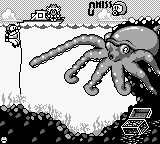
The graphics stay true to the original Game Boy style, with pixel art that captures the nostalgic feel of that era. The limited color palette and simple sprites make everything feel authentic, which fans of vintage aesthetics will appreciate. The process is straightforward: pick a game, play through it, then go back to the menu to try another. This simplicity makes it easy to replay, as you can restart or switch games without any hassle.
Replay value comes from the variety of included titles and the challenge of mastering different gameplay styles. Whether it’s quick action moments or strategic planning, each game offers unique mechanics and difficulty levels. Since it’s all browser-based, you can access it instantly—no downloads or installations needed. That convenience makes it simple to revisit these classic titles whenever nostalgia hits or if you’re new to retro gaming and want to explore an earlier era of handheld games.
Strategy and Tips
If you’re new to these games, try to get a feel for each game’s specific mechanics quickly. Some titles need quick reactions, while others require careful planning. Here are a few tips to help you get started:
- Begin with easier titles to learn controls and get used to the gameplay pace.
- Watch for patterns or timers in the game that can help you plan your moves better.
- Use quick restarts to practice tricky parts or aim for better scores.
- Switch between action and strategy titles to keep things fresh and challenge different skills.
- Keep your gaming sessions short to avoid fatigue, especially when aiming for high scores or completing levels.
Quick Questions
Is it easy to get started with Game Boy Gallery?
Yes, it launches right in your browser with no setup needed, making it simple even for newcomers.
What’s the biggest challenge for new players?
Some action games move quickly, which can be tough at first. Starting with slower-paced titles might build your confidence.
Can I play this game on mobile or touch devices?
The emulator works well on touch screens, so you can enjoy Game Boy Gallery on smartphones and tablets without any trouble.
Game Boy Gallery offers a straightforward way to enjoy classic Game Boy titles directly in your browser. Its focus on authentic gameplay and easy access makes it a great option for retro gaming fans or anyone interested in exploring the early days of handheld gaming.
Related games: you can also try Daikaijuu Monogatari – The Miracle of the Zone (Japan) and Dracula Densetsu II (Japan), or browse all other games in the Game Boy category.
How to Play Game Boy Gallery (Japan)?
Choose a game from the menu and use quick reflexes or strategic thinking to complete levels or beat high scores. Switch games easily and enjoy the authentic pixel art style.
Game Controls
Arrow keys act as the D-pad; Enter is Start; other keys handle action buttons.








Comments (0)
No comments yet. Be the first to comment!