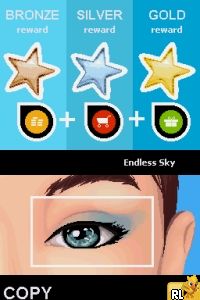
Girls Life – Makeover (Europe) (En,Fr,De,Es,It,Nl) (NDSi Enhanced)
0 1 0
Girls Life – Makeover (Europe) (En,Fr,De,Es,It,Nl) (NDSi Enhanced) is a charming Nintendo DS classic that puts players in the role of a young girl exploring fashion and beauty. As a game from the Nintendo DS era, it has simple gameplay that’s easy to pick up and enjoy without needing prior experience. Its accessible design makes it perfect for younger players or anyone interested in casual makeover simulations. The game runs directly in your browser, so you can start styling without any downloads or complicated setup.
What Is Girls Life – Makeover (Europe)?
This game falls into the life simulation and makeover genre, focused on helping a character prepare for different events by choosing outfits, hairstyles, and accessories. The main idea is selecting clothing, applying makeup, and creating different looks to match specific themes or occasions. Its straightforward, menu-driven interface guides players through each step, making it suitable for all skill levels.
Players can try out different styles, discovering what combinations work best for various scenarios. The game encourages creativity and personal expression, with a gentle progression system that rewards exploring different looks. Its focus on fashion and beauty makes it a relaxing experience, whether you want quick sessions or longer periods of customizing multiple characters or styles.
What Keeps You Coming Back
The game features a wide range of outfits, hairstyles, and accessories, giving players plenty of ways to customize their characters. This variety makes it fun to replay, trying out different styles for each occasion or challenge. The mechanics are simple, and the visual style invites casual play, so it’s easy to jump in and out whenever you want to experiment with new looks.
Plus, Girls Life – Makeover (Europe) includes multiple scenarios and themes, encouraging players to create styles suited for parties, school, or casual outings. Its straightforward gameplay loop makes it appealing for repeated sessions, especially for those who enjoy personalizing characters or testing out new fashion combinations. The pleasant art style and approachable mechanics keep it enjoyable for all ages.
Handy Tips
If you’re just starting out, try experimenting with different clothing and makeup options to see what works best for each scenario.
- Save your favorite looks so you can revisit and refine them later.
- Mix and match accessories to see how they change the overall style.
- Pay attention to the themes or occasions to choose suitable outfits and colors.
- Try different hairstyles to match various outfits; it can change the entire look.
- Use the preview feature often to see how your choices look on the character before finalizing.
Player FAQ
Is Girls Life – Makeover (Europe) easy enough for younger players?
Yes, the game has a simple, intuitive interface and straightforward mechanics, making it suitable for younger players or anyone new to makeover games.
Do I need an internet connection to play Girls Life – Makeover (Europe)?
No, the game runs directly in your browser without needing an internet connection, so you can start styling whenever you like.
How long does a typical session last?
Sessions can last from a few minutes to longer, depending on how many looks you want to create or how much experimenting you do with outfits and styles. It’s designed for quick, casual play.
Girls Life – Makeover (Europe) provides a relaxed, accessible way to explore fashion and customization. Its simple gameplay and variety of options make it a good choice for anyone interested in styling games that run smoothly in your browser.
Related games: you can also try Battle Spirits Digital Starter (Japan) and Arctic Tale (Europe) (En,Fr,De,Es,It), or browse all other games in the Nintendo DS category.
How to Play Girls Life – Makeover (Europe) (En,Fr,De,Es,It,Nl) (NDSi Enhanced)?
Choose outfits, hairstyles, and accessories to create different looks for various events, exploring styles and themes through simple menu selections to personalize your character.
Game Controls
Arrow keys move through menus; Enter selects options; other keys confirm or navigate actions.
You may be interested in:
-
 Nintendo DS
♥ 1
Casper’s Scare School – Classroom Capers (USA)
Nintendo DS
♥ 1
Casper’s Scare School – Classroom Capers (USA) -
 Nintendo DS
♥ 1
Zunou Nouryoku Koujou Machine – Touch de Zunoo DS (Japan)
Nintendo DS
♥ 1
Zunou Nouryoku Koujou Machine – Touch de Zunoo DS (Japan) -
 Nintendo DS
♥ 1
Zunou ni Asekaku Game Series! Vol. 1 – Cool 104 Joker & Setline (Japan)
Nintendo DS
♥ 1
Zunou ni Asekaku Game Series! Vol. 1 – Cool 104 Joker & Setline (Japan) -
 Nintendo DS
♥ 9
Zuma’s Revenge (USA)
Nintendo DS
♥ 9
Zuma’s Revenge (USA) -
 Nintendo DS
♥ 1
Zubo (USA) (En,Fr,Es)
Nintendo DS
♥ 1
Zubo (USA) (En,Fr,Es) -
 Nintendo DS
♥ 1
Zubo (Europe) (En,Fr,De,Es,It,Nl,Sv)
Nintendo DS
♥ 1
Zubo (Europe) (En,Fr,De,Es,It,Nl,Sv) -
 Nintendo DS
♥ 1
Zorro – Quest for Justice (USA) (En,Fr,De,Es,It)
Nintendo DS
♥ 1
Zorro – Quest for Justice (USA) (En,Fr,De,Es,It) -
 Nintendo DS
♥ 1
Zorro – Quest for Justice (Europe) (En,Fr,De,Es,It)
Nintendo DS
♥ 1
Zorro – Quest for Justice (Europe) (En,Fr,De,Es,It)
Comments (0)
No comments yet. Be the first to comment!