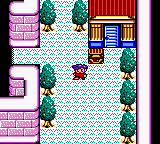
Guruguru Garakutas (Japan)
0 1 0
Guruguru Garakutas (Japan) is a classic Game Boy Color game that’s now playable right in your browser, giving a nostalgic glimpse into handheld gaming from the late ’90s. If you liked the straightforward challenge of early portable titles, this game offers a simple but engaging experience that you can jump into instantly, no downloads needed. It’s a good pick for those looking for a retro puzzle game that’s all about quick sessions and clear mechanics.
Getting Into Guruguru Garakutas
The main gameplay involves arranging and rotating colorful blocks within a limited grid. The idea is simple: drop pieces to complete horizontal lines, clear them from the grid, and rack up points. Unlike more complicated puzzle games, it focuses on timing and spatial awareness. Each round is about clearing as many lines as you can before the grid fills up.
You control the falling blocks, moving and rotating them to fit into gaps. As you clear lines, the game speeds up, testing your reflexes and planning. There aren’t any elaborate modes or storylines—just trying to beat your high score or keep playing for as long as you can. It’s perfect for quick, casual play or when you want a brief challenge.
Standout Features
The visuals have that bright, pixelated style typical of Game Boy Color games, with colorful blocks standing out against a simple background. The interface is clean, so nothing distracts from the game itself. The difficulty increases gradually as the pieces fall faster, encouraging you to sharpen your reflexes. Replay value comes from trying to beat your best scores and the challenge of improving over time. Since it’s easy to pick up but tricky to master, each game can be a quick burst of fun, but getting better at timing and placement keeps things interesting.
Strategy and Tips
Getting started is simple, but a few tips can help improve your game. Clearing multiple lines at once earns more points. Keep an eye on the upcoming blocks so you can plan your moves ahead. Sometimes it’s better to wait for the right piece rather than rushing to fill gaps. Practice rotating pieces smoothly to save time. And stay calm as the speed picks up—getting nervous often leads to mistakes.
- Try to clear horizontal lines without gaps for higher scores.
- Use the preview of upcoming blocks to plan your placements.
- Keep the stacks flat; avoid creating tall towers that are hard to manage.
- Pause briefly after each move to check the grid for mistakes.
- Practice quick rotations to keep up with faster speeds as you progress.
Quick Questions
How do I get started with Guruguru Garakutas?
The game loads instantly on this site, and controlling the falling blocks is straightforward. Just start a new game and focus on placing blocks and clearing lines.
What’s a common mistake for beginners?
Many players rush to place pieces without thinking ahead, which can lead to a cluttered stack. Taking your time and planning your moves helps a lot.
Can I play Guruguru Garakutas on mobile or touch devices?
Yes, since it runs directly in your browser, the game works on any device with internet access, including phones and tablets. It’s easy to enjoy wherever you are.
Guruguru Garakutas offers a simple, addictive puzzle experience that harks back to the Game Boy Color days. Its easy mechanics and high replay value make it a good choice for anyone who enjoys quick, skill-based challenges. Playing in your browser makes it easy to get that nostalgic feeling whenever you want some straightforward puzzle fun with guruguru garakutas.
Related games: you can also try Ganbare Goemon – Tengutou no Gyakushuu (Japan) and Barbie – Meeres Abenteuer (Germany), or browse all other games in the Game Boy Color category.
How to Play Guruguru Garakutas (Japan)?
Drop and rotate blocks to form complete horizontal lines in a limited grid. Clear lines before the grid fills up and try to beat your high score by managing speed and placement.
Game Controls
Arrow keys move and rotate blocks; other keys handle game functions.
You may be interested in:
-
 Game Boy Color
♥ 43
Zook Hero Z
Game Boy Color
♥ 43
Zook Hero Z -
 Game Boy Color
♥ 1
Zok Zok Heroes (Japan)
Game Boy Color
♥ 1
Zok Zok Heroes (Japan) -
 Game Boy Color
♥ 1
Zoids – Shirogane no Juukishin Liger Zero (Japan)
Game Boy Color
♥ 1
Zoids – Shirogane no Juukishin Liger Zero (Japan) -
 Game Boy Color
♥ 1
Zoids – Jashin Fukkatsu! Genobreaker Hen (Japan)
Game Boy Color
♥ 1
Zoids – Jashin Fukkatsu! Genobreaker Hen (Japan) -
 Game Boy Color
♥ 2
Zoboomafoo – Playtime in Zobooland (USA)
Game Boy Color
♥ 2
Zoboomafoo – Playtime in Zobooland (USA) -
 Game Boy Color
♥ 1
Zidane Football Generation (Europe) (En,Fr,De,Es,It)
Game Boy Color
♥ 1
Zidane Football Generation (Europe) (En,Fr,De,Es,It) -
 Game Boy Color
♥ 1
Zen-Nihon Shounen Soccer Taikai – Mezase Nihon Ichi! (Japan)
Game Boy Color
♥ 1
Zen-Nihon Shounen Soccer Taikai – Mezase Nihon Ichi! (Japan) -
 Game Boy Color
♥ 1
Zebco Fishing! (USA)
Game Boy Color
♥ 1
Zebco Fishing! (USA)
Comments (0)
No comments yet. Be the first to comment!