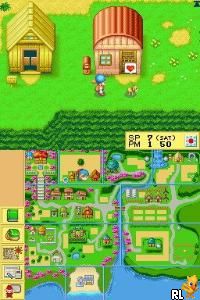
Harvest Moon DS (USA) (Rev 1)
0 4 0
Harvest Moon DS (USA) (Rev 1) is a classic Nintendo DS game that captures the essence of farming simulation and life management. As a beloved title from the handheld’s library, it invites players into a peaceful rural setting where they can cultivate crops, raise animals, and build relationships with townspeople. Its straightforward mechanics and charming visuals make it accessible for newcomers while offering enough depth to satisfy dedicated players. This game runs directly in your browser, making it easy to jump into farming adventures without any downloads or setup.
Why Harvest Moon DS Is Worth Playing
One of the standout features of Harvest Moon DS is its nostalgic pixel art style, which remains charming and clear on the Nintendo DS’s dual screens. The game’s atmosphere is warm and inviting, emphasizing a relaxed, everyday rhythm that appeals to players looking for a slower-paced experience. The music complements this vibe perfectly, with gentle tunes that enhance the feeling of rural tranquility. Its interface is intuitive, allowing players to focus on managing their farm without being bogged down by complicated menus. The game’s open-ended nature encourages players to set their own pace, whether they want to quickly harvest crops or spend hours building relationships and expanding their farm.
What keeps players coming back is the game’s balance of routine and discovery. There’s always a new crop to try, an animal to care for, or a person to meet—each contributing to a sense of progress. Its replayability stems from the multiple seasons, events, and relationships that can evolve differently depending on player choices. Harvest Moon DS’s real-time clock and seasonal shifts create a lively world that feels alive, rewarding attentive play and strategic planning. For those seeking a laid-back yet engaging farming sim, this classic remains a solid choice to enjoy at your own pace, whether in quick sessions or longer playthroughs.
Tips to Get Ahead
Starting strong in Harvest Moon DS involves understanding the rhythm of farm life. Here are some quick tips to help you progress efficiently:
- Prioritize crops that grow quickly and are in demand to generate early income.
- Maintain a regular schedule of watering and caring for animals to avoid penalties and improve yields.
- Build relationships with townspeople by giving gifts and participating in festivals for rewards and story progression.
- Plan your farm layout to maximize space and ease of access for daily chores.
- Save money from the start to invest in better tools and farm expansions later on.
- Keep an eye on seasonal changes to plant crops that thrive during specific times of the year.
Things to Know Before You Start
Question?
How long does a typical session of Harvest Moon DS last?
Sessions can vary from quick 15-minute checks to several hours, depending on how much you want to accomplish each time.
Question?
Is Harvest Moon DS suitable for casual players?
Yes, its relaxed pace and straightforward mechanics make it accessible for casual players, while still offering depth for those who want to dive deep into farm management.
Question?
What should I expect from the difficulty level in Harvest Moon DS?
The game balances beginner-friendly gameplay with some challenge in managing resources and building relationships, making it approachable but still engaging for dedicated players.
Jump into Harvest Moon DS and enjoy its gentle pleasures. Whether you want to run a prosperous farm or simply experience rural life, the game offers plenty of chances to grow and learn. Play this Nintendo DS classic right in your browser and watch your farm flourish over time.
Related games: you can also try George of the Jungle (Europe) (En,Fr,De,Es,It) and Cooking Mama (USA), or browse all other games in the Nintendo DS category.
How to Play Harvest Moon DS (USA) (Rev 1)?
Plant crops, care for animals, and build relationships to grow your farm and progress through seasons at your own pace.
Game Controls
Arrow keys act as the D-pad; Enter is Start; other keys handle the action buttons.
You may be interested in:
-
 Nintendo DS
♥ 1
Casper’s Scare School – Classroom Capers (USA)
Nintendo DS
♥ 1
Casper’s Scare School – Classroom Capers (USA) -
 Nintendo DS
♥ 1
Zunou Nouryoku Koujou Machine – Touch de Zunoo DS (Japan)
Nintendo DS
♥ 1
Zunou Nouryoku Koujou Machine – Touch de Zunoo DS (Japan) -
 Nintendo DS
♥ 1
Zunou ni Asekaku Game Series! Vol. 1 – Cool 104 Joker & Setline (Japan)
Nintendo DS
♥ 1
Zunou ni Asekaku Game Series! Vol. 1 – Cool 104 Joker & Setline (Japan) -
 Nintendo DS
♥ 9
Zuma’s Revenge (USA)
Nintendo DS
♥ 9
Zuma’s Revenge (USA) -
 Nintendo DS
♥ 1
Zubo (USA) (En,Fr,Es)
Nintendo DS
♥ 1
Zubo (USA) (En,Fr,Es) -
 Nintendo DS
♥ 1
Zubo (Europe) (En,Fr,De,Es,It,Nl,Sv)
Nintendo DS
♥ 1
Zubo (Europe) (En,Fr,De,Es,It,Nl,Sv) -
 Nintendo DS
♥ 1
Zorro – Quest for Justice (USA) (En,Fr,De,Es,It)
Nintendo DS
♥ 1
Zorro – Quest for Justice (USA) (En,Fr,De,Es,It) -
 Nintendo DS
♥ 1
Zorro – Quest for Justice (Europe) (En,Fr,De,Es,It)
Nintendo DS
♥ 1
Zorro – Quest for Justice (Europe) (En,Fr,De,Es,It)
Comments (0)
No comments yet. Be the first to comment!