Hebereke’s Popoitto (Europe)
0 2 1
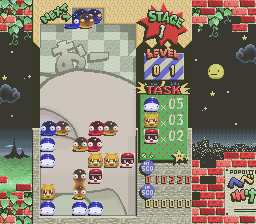
Hebereke’s Popoitto (Europe) is a charming puzzle game from the SNES era that invites players into a colorful, slightly quirky universe. Its pixel art visuals burst with vivid hues and playful character designs, reminiscent of the early 90s charm that defined the console’s library. The game’s soundtrack complements this visual style with cheerful tunes and whimsical sound effects, setting a light-hearted yet engaging tone for short gaming sessions. As a classic SNES puzzle experience, it offers a straightforward yet addictive gameplay loop that can be enjoyed directly in your browser, making it accessible for both nostalgic fans and newcomers alike.
Step Into the World of Hebereke’s Popoitto
Set against a backdrop of bright, cartoonish environments, Hebereke’s Popoitto draws players into a universe where vibrant colors and playful shapes dominate the screen. The character designs are simple but expressive, adding a layer of personality to the otherwise minimalistic visuals. The sound design echoes this lighthearted aesthetic, with upbeat melodies and quirky sound effects that never become overwhelming. The atmosphere balances a sense of fun with a challenge, making each session feel like a breezy puzzle adventure that’s easy to pick up but hard to put down.
How the Gameplay Hooks You
This game revolves around matching colored blocks through a puzzle mechanic that demands quick thinking and pattern recognition. The pacing is steady, giving players enough time to plan their moves while maintaining a sense of urgency as the puzzle grid fills up. Progression is marked by increasingly complex arrangements, testing your ability to strategize within limited moves. The simple core mechanic ensures that gameplay remains accessible, yet the escalating difficulty keeps the challenge fresh, encouraging players to improve their skills with each session. Its straightforward loop makes it well-suited for short bursts or longer play when you want a quick mental workout.
Pro Tips for Hebereke’s Popoitto
Starting with a clear plan can help you manage the grid more effectively. Focus on creating chains of matching blocks that can be cleared in fewer moves.
- Try to anticipate how new blocks will fall to set up larger matches later.
- Prioritize clearing the sides of the grid to prevent it from filling up too quickly.
- Keep an eye on the overall pattern rather than just individual matches.
- Take your time on each move, especially when the grid gets crowded.
- Practice recognizing common cluster formations to speed up decision-making.
Frequently Asked Questions
Does Hebereke’s Popoitto get repetitive after a while?
The game’s core mechanic stays consistent, but the puzzles get more complex, which helps keep things interesting during short sessions. It’s built for quick, satisfying play rather than long marathon stretches.
Can I play this game offline or is it only available in the browser?
Since it runs directly in your browser, you can enjoy Hebereke’s Popoitto anytime without downloads or installations. Perfect for quick breaks or casual gaming.
Is this game suitable for all ages and skill levels?
Yes, its simple mechanics and cheerful visuals make it accessible for players of all ages. The difficulty slowly ramps up, offering a fair challenge for newcomers and puzzle fans alike.
Hebereke’s Popoitto offers a colorful, straightforward puzzle experience that fits well into short gaming sessions. Its charming presentation and easy-to-understand mechanics make it a nice choice for fans of classic SNES titles who want a quick mental challenge.
Related games: you can also try Goofy to Max – Kaizoku Shima no Daibouken (Japan) and Baken Renkinjutsu (Japan), or browse all other games in the SNES category.
How to Play Hebereke’s Popoitto (Europe)?
Match and clear groups of colored blocks before the grid fills up. Plan your moves carefully to create chains and prevent overflow, aiming for the highest score possible.
Game Controls
Arrow keys move the cursor; Enter or space select and confirm moves.








Comments (0)
No comments yet. Be the first to comment!