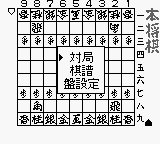
Hon Shougi (Japan)
0 1 0
Hon Shougi (Japan) is a classic Game Boy game you can play right in your browser. It offers a simple digital version of the traditional Japanese board game, making it easy for newcomers to get started and enough depth for seasoned players to sharpen their skills. The interface is straightforward, and the mechanics stay true to the original, so it feels familiar without overwhelming new players.
Hon Shougi: Gameplay Overview
Hon Shougi is a clean, minimal take on shogi, a chess-like game from Japan. Two players take turns moving their pieces across a 9×9 grid, aiming to capture the opponent’s king. Unlike Western chess, shogi allows you to drop captured enemy pieces back onto the board as your own, which adds a layer of complexity and strategy. The game revolves around predicting your opponent’s moves, planning tactics, and positioning your pieces carefully to gain an advantage or threaten the king.
Focus on positioning and foresight is key. Each move should be deliberate since captured pieces can be reintroduced at any point, sometimes changing the game’s momentum quickly. The controls are simple, with a clear menu for selecting moves, making it accessible whether you’re just starting out or have played shogi before. The visual cues help keep track of the game, so it’s easy to follow along and plan your next step.
Modes, Levels and Progression
In Hon Shougi, you get a single-player mode with adjustable difficulty levels. This way, you can start with easier challenges and gradually take on tougher opponents as your skills improve. The game doesn’t have multiple modes or a story to follow; it’s all about practicing and mastering shogi strategies. The AI’s ability to anticipate moves and respond tactically keeps each game fresh and offers opportunities to learn from mistakes.
While there aren’t unlockables or different levels, the game’s depth comes from the strategic choices you make. Playing multiple sessions, experimenting with openings, and analyzing how the AI reacts can help you improve over time. Its simplicity encourages repeated practice, making it easier to develop your understanding of the game.
Winning Strategies
To do well, try to think ahead and plan your moves carefully. Controlling the center early on helps you move more freely and influence the board. Use captured pieces wisely by dropping them in positions that threaten the opponent’s king. Keep a balanced defense around your king but look for chances to attack. Watch out for your opponent’s potential drops and prepare counters to those moves. Learning common opening sequences can set a good foundation for the middle game. And reviewing your losses can reveal mistakes and help you refine your tactics for future games.
Common Questions About Hon Shougi
Is the difficulty adjustable in Hon Shougi?
Yes, the AI can be set to different difficulty levels, so you can start easy or push yourself against more challenging opponents.
Does it include different game modes or levels?
This version mainly features a single-player mode with adjustable difficulty; there aren’t multiple modes or unlockable content.
How much replay value does Hon Shougi provide?
Playing again and trying different tactics keeps the game interesting, especially as you seek to improve your skills and understand more of the game’s nuances.
Hon Shougi’s faithful digital recreation makes it a good pick for anyone interested in trying or practicing Japanese shogi. Its straightforward gameplay and strategic options provide a solid foundation for learning and enjoying this ancient game.
Related games: you can also try Battle Zone & Super Breakout (USA, Europe) and From TV Animation Slam Dunk 2 – Zenkoku e no Tip Off (Japan), or browse all other games in the Game Boy category.
How to Play Hon Shougi (Japan)?
Move your pieces across the 9x9 board to capture the opponent’s king, using captured pieces to reintroduce them into play and outsmart your opponent through strategic positioning and foresight.
Game Controls
Arrow keys move the cursor; Enter selects and confirms moves.








Comments (0)
No comments yet. Be the first to comment!