Hot Wheels – Burnin’ Rubber (E)(Lightforce)
0 1 0
Hot Wheels – Burnin’ Rubber (E)(Lightforce) is a classic Game Boy Advance game that puts the thrill of high-speed racing right in your browser. It’s designed for fans of arcade-style driving, with straightforward, pick-up-and-play action that tests your reflexes and timing. If you like racing games that focus on fun rather than complexity, this one offers a quick burst of adrenaline in a portable format that feels nostalgic of the GBA era.
Getting Into Hot Wheels – Burnin’ Rubber
The game is all about racing along colorful tracks filled with twists, turns, and jumps. Your main goal is to finish each race as fast as possible while dodging obstacles and other cars. It features several tracks and modes, usually racing against the clock or against computer-controlled opponents. Races last only a few minutes, making it perfect for quick sessions or casual play. The controls are simple but require good timing and precision, encouraging players to learn each track’s quirks to improve their times.
Progression is simple: winning races unlocks new tracks and vehicles, giving a sense of achievement. There aren’t any complicated upgrade systems, but mastering each course and beating your best times keeps you coming back. The game keeps things engaging with quick restarts and mechanics that are easy to pick up, making it accessible for newcomers and satisfying for seasoned players. Even though it’s a straightforward racing game, getting the timing right for jumps and turns is key to beating your best scores and climbing the leaderboards.
Standout Features
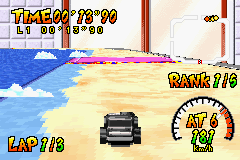
Visually, Hot Wheels – Burnin’ Rubber captures the bright, cartoonish style typical of Hot Wheels, with lively colors and backgrounds that pop on the GBA’s limited palette. The track designs are simple but diverse enough to keep races feeling fresh. Its pixel art style ensures smooth animations without slowing down gameplay, so action stays fast-paced and responsive. The presentation emphasizes clarity, so players can easily read the track layout and spot upcoming hazards.
The progression system encourages replaying races to beat your times, with the challenge of improving those results and unlocking new vehicles and tracks. The short session lengths make it easy to jump back in, and the simple mechanics mean you can start racing right away. Without the fuss of complicated upgrades or unlocks, the focus stays on skill and timing, giving each race a new chance to improve.
Strategy and Tips
Start by mastering each track’s layout and timing your jumps and turns carefully. Consistent acceleration and knowing when to brake can shave seconds off your time. Use checkpoints to learn where mistakes happen and refine your route. Replaying tracks to memorize tricky sections will help you improve faster.
- Focus on smooth control rather than aggressive driving to avoid crashes that cost time.
- Try different vehicles to find one that suits your racing style.
- Look for shortcuts or better lines to complete laps faster.
- Stay calm during jumps and avoid oversteering, which can cause crashes or slow you down.
- Use restart options to try again quickly without losing momentum.
Quick Questions
How do I start a race?
Just pick a track or mode, select your vehicle, and hit start to begin racing.
What’s a common mistake for beginners?
Many new players tend to oversteer during jumps or turns, which can lead to crashes. Practicing smooth, controlled inputs helps prevent that.
Can I play Hot Wheels – Burnin’ Rubber on mobile or touch devices?
Since it runs on this browser emulator, it works well on touch devices, with controls optimized for taps and swipes, so you can enjoy it on mobile platforms too.
Hot Wheels – Burnin’ Rubber offers quick, fun racing focused on timing and control. Its lively visuals and simple gameplay make it a good choice for casual players looking for a retro GBA experience right in their browser.
Related games: you can also try Barbie and The Magic of Pegasus (E)(Rising Sun) and Advance Guardian Heroes (J)(Caravan), or browse all other games in the Game Boy Advance category.
How to Play Hot Wheels – Burnin’ Rubber (E)(Lightforce)?
Race along colorful tracks, avoid obstacles, and beat your best times by mastering turns and jumps. Win races to unlock new vehicles and tracks, aiming for the fastest finish each session.
Game Controls
Arrow keys control the vehicle; other keys handle acceleration, braking, and jumps.
You may be interested in:
-
 Game Boy Advance
♥ 2
Zooo (J)(Rising Sun)
Game Boy Advance
♥ 2
Zooo (J)(Rising Sun) -
 Game Boy Advance
♥ 4
Zooo (E)(Trashman)
Game Boy Advance
♥ 4
Zooo (E)(Trashman) -
 Game Boy Advance
♥ 2
ZooCube (U)(Mode7)
Game Boy Advance
♥ 2
ZooCube (U)(Mode7) -
 Game Boy Advance
♥ 1
ZooCube (E)(Blizzard)
Game Boy Advance
♥ 1
ZooCube (E)(Blizzard) -
 Game Boy Advance
♥ 1
Zone of the Enders – The Fist of Mars (U)(Mode7)
Game Boy Advance
♥ 1
Zone of the Enders – The Fist of Mars (U)(Mode7) -
 Game Boy Advance
♥ 1
Zone of the Enders – The Fist of Mars (E)(Cezar)
Game Boy Advance
♥ 1
Zone of the Enders – The Fist of Mars (E)(Cezar) -
 Game Boy Advance
♥ 1
Zoku Bokura no Taiyou – Taiyou Shounen Django (J)(Independent)
Game Boy Advance
♥ 1
Zoku Bokura no Taiyou – Taiyou Shounen Django (J)(Independent) -
 Game Boy Advance
♥ 7
Zoku Bokura no Taiyou – Taiyou Shounen Django (J)(Caravan)
Game Boy Advance
♥ 7
Zoku Bokura no Taiyou – Taiyou Shounen Django (J)(Caravan)
Comments (0)
No comments yet. Be the first to comment!