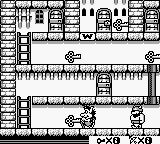
Hugo (Europe)
0 1 0
Getting Into Hugo
Hugo (Europe) is a classic Game Boy action game that delivers simple, fast-paced gameplay. You control the main character as he moves through levels filled with obstacles and enemies, trying to reach the end while collecting items along the way. Since it’s from the Game Boy era, it relies on quick reactions and recognizing patterns, making each play feel like a race against time and hazards.
Playing Hugo usually means exploring horizontally scrolling environments, jumping over gaps, dodging enemy attacks, and sometimes solving basic platforming challenges. It’s designed for short, focused sessions—great for picking up and playing whenever you want. There aren’t complex story branches or multiple modes; instead, each level is a contained challenge that tests your timing and awareness. The levels are short enough that restarting after a mistake is quick, encouraging you to keep trying to improve your run.
Standout Features
Visually, Hugo captures the pixel art style typical of the Game Boy, with clear sprite design and simple backgrounds that keep the action easy to follow. The game’s progression is straightforward: finish each level to move on, with no branching paths or unlockables that might complicate things. This makes it accessible for new players, yet still offers enough challenge to stay interesting through repeated attempts.
Replay value comes from mastering levels and beating your previous times or scores. Because it encourages quick retries after mistakes, players often try to sharpen their reflexes and memorize enemy patterns. While it’s a single-player game, the challenge of each level provides motivation to keep practicing, especially for those who enjoy honing their skills in classic action games.
Strategy and Tips
If you’re new to Hugo, start by learning enemy movement patterns and level layouts. Patience and good timing are essential for avoiding hazards and overcoming obstacles efficiently.
- Watch enemy behavior before making your move—rushing can lead to mistakes.
- Practice your jumps and timing to clear gaps smoothly; mistimed jumps are often the reason for failures.
- Go back to earlier levels to improve your speed, as mastering basics makes later challenges easier.
- Look out for collectible items; they can boost your score or serve as helpful points of reference.
- Don’t get discouraged by setbacks—each retry helps you learn more about enemy patterns and level design.
Quick Questions
How do I get started with Hugo?
Just press start once the game loads in your browser, and you’ll be able to control Hugo through the levels using the on-screen prompts.
What’s a common mistake for beginners?
Many players rush through levels without paying attention to enemy patterns, which often leads to quick failures. Take your time, watch what enemies do, and plan your moves accordingly.
Can I play Hugo on mobile or touchscreen devices?
Yes, since it runs in your browser, it works well on mobile devices with touch controls, making it easy to practice on the go.
Hugo offers a straightforward, action-packed experience rooted in classic Game Boy gameplay. Its simple mechanics and challenging levels make it a good pick for anyone who enjoys quick reflex tests and nostalgic platforming, all playable directly in your browser without any downloads or setups.
Related games: you can also try Blues Brothers, The – Jukebox Adventure (Europe) and Battle of Olympus, The (Europe) (En,Fr,De,Es,It), or browse all other games in the Game Boy category.
How to Play Hugo (Europe)?
Guide Hugo through levels by running, jumping, and avoiding enemies to reach the end. Collect items and improve your time with quick reactions and memorized patterns.
Game Controls
Arrow keys control movement; specific keys handle jumping and actions as mapped in the emulator.








Comments (0)
No comments yet. Be the first to comment!