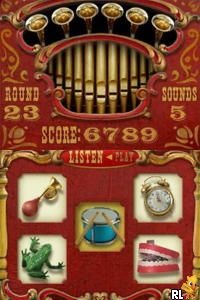
I Spy Fun House (Europe) (En,Fr,De,It,Nl)
0 1 0
I Spy Fun House (Europe) (En,Fr,De,It,Nl) is a nostalgic pick from the Nintendo DS lineup, featuring a collection of visual puzzles that test your eye for detail. Its bright, colorful style creates a playful atmosphere, inviting players into a whimsical house full of hidden objects and little surprises. Designed for short, satisfying sessions, this classic from the Nintendo DS era emphasizes observation and pattern recognition, making it a good choice for casual gaming right in your browser.
Step Into the World of I Spy Fun House
The visuals are lively and cheerful, with a cartoon-like look that keeps things light and friendly. Each scene shows a cluttered room filled with various items, shapes, and colors that invite careful inspection. The sound design is simple but effective, with cheerful melodies and subtle effects that add to the playful feel without becoming overwhelming. It’s like flipping through a vibrant picture book or a toy-filled playroom, encouraging curiosity as you explore every corner.
As you move through the game, environments change from living rooms and kitchens to bedrooms and attics, each packed with objects arranged to catch your eye. The interface is straightforward, with touch controls suited for the Nintendo DS’s dual screens. The top screen shows the scene, while the bottom provides clues or a list of items to find. Its design is accessible for players of all ages, balancing clarity with a whimsical tone that keeps you focused on the hunt for hidden objects.
How the Gameplay Hooks You
The main idea is examining busy scenes and finding specific items within a set time, encouraging quick thinking and attention to detail. Each level presents a new challenge, gradually getting trickier, but the pacing stays steady, so you don’t feel overwhelmed. Your goal is to find all the objects on the list, which often means scanning carefully and noticing subtle differences or hidden spots.
The game moves forward by completing scenes one after another, with each find unlocking the next. Short levels make it easy to play in quick bursts, and the variety of scenes keeps things fresh. As you play, you’ll sharpen your observation skills, with a gentle difficulty curve that suits both newcomers and puzzle fans alike.
Pro Tips for I Spy Fun House
Starting with less busy scenes can help build confidence before tackling the more crowded rooms.
- Check the edges and corners of scenes—objects often hide there.
- Use the clues on the bottom screen to narrow your search if you get stuck.
- Take your time—rushing can cause you to miss small or partially hidden objects.
- Practice quick recognition by scanning areas systematically instead of random searching.
- Remember, some objects may blend into the background or be partially hidden—look carefully.
Frequently Asked Questions
Is I Spy Fun House good for short sessions?
Definitely. Its quick levels and simple mechanics make it easy to enjoy in brief bursts between other activities.
Does it get boring over time?
The core gameplay stays the same, but the variety of scenes and increasing difficulty help keep things interesting, especially for casual players.
Can I play I Spy Fun House on mobile or offline?
This version runs in your browser, so you don’t need to download anything. It’s handy for quick access on any device with internet.
Playing I Spy Fun House offers a straightforward puzzle experience that rewards sharp eyes and patience. Its colorful scenes and simple gameplay make it a good pick for anyone looking for a quick, engaging distraction that echoes classic hidden object games. You can enjoy this browser version anytime you have a few free moments, no fuss involved.
Related games: you can also try 007 – Ein Quantum Trost (Germany) and Hannah Montana (Europe) (En,Fr,De,Es,It,Nl), or browse all other games in the Nintendo DS category.
How to Play I Spy Fun House (Europe) (En,Fr,De,It,Nl)?
Find specific objects in busy scenes by clicking on them within a time limit. Complete each level to unlock the next and improve your observation skills.
Game Controls
Use the keyboard to navigate and click on objects; arrow keys for movement and Enter or space to select.
You may be interested in:
-
 Nintendo DS
♥ 1
Casper’s Scare School – Classroom Capers (USA)
Nintendo DS
♥ 1
Casper’s Scare School – Classroom Capers (USA) -
 Nintendo DS
♥ 1
Zunou Nouryoku Koujou Machine – Touch de Zunoo DS (Japan)
Nintendo DS
♥ 1
Zunou Nouryoku Koujou Machine – Touch de Zunoo DS (Japan) -
 Nintendo DS
♥ 1
Zunou ni Asekaku Game Series! Vol. 1 – Cool 104 Joker & Setline (Japan)
Nintendo DS
♥ 1
Zunou ni Asekaku Game Series! Vol. 1 – Cool 104 Joker & Setline (Japan) -
 Nintendo DS
♥ 9
Zuma’s Revenge (USA)
Nintendo DS
♥ 9
Zuma’s Revenge (USA) -
 Nintendo DS
♥ 1
Zubo (USA) (En,Fr,Es)
Nintendo DS
♥ 1
Zubo (USA) (En,Fr,Es) -
 Nintendo DS
♥ 1
Zubo (Europe) (En,Fr,De,Es,It,Nl,Sv)
Nintendo DS
♥ 1
Zubo (Europe) (En,Fr,De,Es,It,Nl,Sv) -
 Nintendo DS
♥ 1
Zorro – Quest for Justice (USA) (En,Fr,De,Es,It)
Nintendo DS
♥ 1
Zorro – Quest for Justice (USA) (En,Fr,De,Es,It) -
 Nintendo DS
♥ 1
Zorro – Quest for Justice (Europe) (En,Fr,De,Es,It)
Nintendo DS
♥ 1
Zorro – Quest for Justice (Europe) (En,Fr,De,Es,It)
Comments (0)
No comments yet. Be the first to comment!