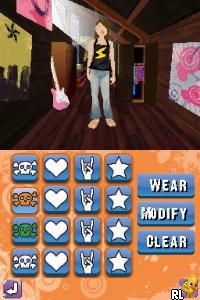
Imagine – Music Fest (USA) (En,Fr)
0 2 0
Imagine – Music Fest (USA) (En,Fr) is a Nintendo DS classic blending rhythm gameplay with musical simulation. As a game from the Nintendo DS era, it provides a simple and engaging way to enjoy music-themed fun on your portable device. Its design focuses on easy-to-understand mechanics that appeal to a wide range of players, whether you’re into music, casual gaming, or both. Playing without needing extra downloads, you can experience this nostalgic title right in your browser, highlighting the portability and straightforwardness that many Nintendo DS games are known for.
The core of Imagine – Music Fest is about rhythm and timing. You interact by tapping, pressing, or holding buttons in sync with musical cues that pop up on the screen. The gameplay involves matching beats accurately to move through different tracks, with visual and audio feedback guiding you along. Success unlocks new songs and challenges, encouraging you to keep practicing your timing and aim for better scores. The mechanics are designed to be easy to pick up, focusing on maintaining rhythm rather than complex controls, making it suitable for all skill levels. You can enjoy quick sessions or longer plays depending on what you’re after.
In terms of modes and levels, the game offers a fair amount of variety for a Nintendo DS rhythm title. It features multiple song-based levels, each with its own rhythm pattern and difficulty curve. As you progress, the tracks get faster or require more precise timing. While it doesn’t include a sprawling story or campaign, the range of songs and difficulty options give casual players plenty to explore and improve upon. Replayability is built in—try to beat your previous scores or unlock extra content through consistent play. Different difficulty settings also make sure both newcomers and seasoned rhythm fans find something to enjoy.
Winning at Imagine – Music Fest comes down to accuracy and patience. The game rewards staying in sync and punishes mistimed inputs. To do well, focus on listening closely to the beat and reacting quickly. Here are some tips:
- Start with the easiest difficulty to get comfortable with the rhythm patterns.
- Watch for visual cues like flashing prompts or moving indicators to anticipate beats.
- Keep your movements steady; rushing or hesitating can throw off your timing.
- Replay tracks to memorize patterns and sharpen your timing skills.
- Take breaks if you notice frequent mistakes—refocus before trying again.
- Stay relaxed during play; tension can make timing harder.
People often ask about the game’s difficulty progression and replay value. Some common questions include:
How does the difficulty change as I go along?
The game slowly ramps up the challenge by introducing faster rhythms and more complex beat patterns, helping you improve your timing over time.
Are there different modes?
Mostly, it’s about the single rhythm-matching mode, centered on song levels. While there aren’t separate gameplay styles, the variety of songs and difficulty levels keep things interesting.
Will I want to keep playing this?
If you enjoy fine-tuning your timing, unlocking new songs, or beating your high scores, chances are you’ll come back. Its simplicity and gradual difficulty make it easy to get hooked on replaying.
This classic Nintendo DS game, now playable straight in your browser, offers a straightforward yet satisfying musical challenge. Fans of rhythm games or casual music titles will find it a compact experience that’s easy to pick up repeatedly for its rhythmic fun and song diversity.
Related games: you can also try 7 Wonders II (Europe) (En,Fr) and Horrid Henry – Missions of Mischief (Europe) (En,Fr,De,Es,It), or browse all other games in the Nintendo DS category.
How to Play Imagine – Music Fest (USA) (En,Fr)?
Tap, press, or hold keys in time with the musical cues to match the beats. Aim for accuracy to unlock new songs and improve your score across different difficulty levels.
Game Controls
Arrow keys and spacebar are used to interact with the game, acting as the buttons for gameplay.
You may be interested in:
-
 Nintendo DS
♥ 1
Casper’s Scare School – Classroom Capers (USA)
Nintendo DS
♥ 1
Casper’s Scare School – Classroom Capers (USA) -
 Nintendo DS
♥ 1
Zunou Nouryoku Koujou Machine – Touch de Zunoo DS (Japan)
Nintendo DS
♥ 1
Zunou Nouryoku Koujou Machine – Touch de Zunoo DS (Japan) -
 Nintendo DS
♥ 1
Zunou ni Asekaku Game Series! Vol. 1 – Cool 104 Joker & Setline (Japan)
Nintendo DS
♥ 1
Zunou ni Asekaku Game Series! Vol. 1 – Cool 104 Joker & Setline (Japan) -
 Nintendo DS
♥ 9
Zuma’s Revenge (USA)
Nintendo DS
♥ 9
Zuma’s Revenge (USA) -
 Nintendo DS
♥ 1
Zubo (USA) (En,Fr,Es)
Nintendo DS
♥ 1
Zubo (USA) (En,Fr,Es) -
 Nintendo DS
♥ 1
Zubo (Europe) (En,Fr,De,Es,It,Nl,Sv)
Nintendo DS
♥ 1
Zubo (Europe) (En,Fr,De,Es,It,Nl,Sv) -
 Nintendo DS
♥ 1
Zorro – Quest for Justice (USA) (En,Fr,De,Es,It)
Nintendo DS
♥ 1
Zorro – Quest for Justice (USA) (En,Fr,De,Es,It) -
 Nintendo DS
♥ 1
Zorro – Quest for Justice (Europe) (En,Fr,De,Es,It)
Nintendo DS
♥ 1
Zorro – Quest for Justice (Europe) (En,Fr,De,Es,It)
Comments (0)
No comments yet. Be the first to comment!