Imagine – Sweet 16 (USA) (En,Fr,Es)
0 1 0
Imagine – Sweet 16 (USA) (En,Fr,Es) is a classic Nintendo DS game that captures the casual and creative spirit of the handheld console. It’s easy to pick up, with simple gameplay that appeals to fans of life simulation and dress-up styles. Designed for quick sessions and accessible fun, it’s perfect if you’re after a light, engaging experience without complicated mechanics or steep learning curves. Running directly in your browser, it offers the familiar charm of the Nintendo DS era without requiring downloads or installations.
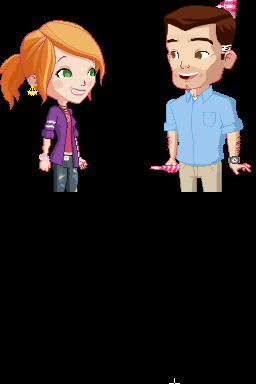
The game puts you in the role of a young girl preparing for her sweet sixteen celebration. It combines dress-up, styling, and social simulation elements, letting players customize outfits, plan parties, and interact with virtual friends. Imagine – Sweet 16 provides a relaxed space where you can experiment with fashion and social scenarios, highlighting creativity and personal expression. The interface is simple, with intuitive touch controls that make navigating menus and selecting options feel natural, echoing the original DS experience.
What keeps players coming back is the focus on customization and personal style. You can choose from a variety of clothing, accessories, and hairstyles to create a look that’s all your own. The game features different themes and events, encouraging repeated visits to try out new styles for various occasions. The social simulation aspect—interacting with friends and planning your party—adds a layer of depth, making each session feel fresh as you explore different outfits and event ideas. Its straightforward goals and satisfying visual changes make it easy to play again and again.
Options like diverse wardrobe choices and the ability to style your character in different ways boost replay value. The open-ended nature means there’s no fixed ending—players can experiment freely, mixing and matching outfits and social scenarios. This freedom to customize, along with a variety of mini-events, keeps the game interesting over multiple sessions. Since it’s a Nintendo DS classic running in your browser, you can enjoy it instantly without any setup, perfect for quick play or longer creative sessions.
Handy Tips
- Save your favorite outfits often to compare styles or switch between looks easily.
- Try different color schemes and accessories to develop your signature style.
- Use social features to unlock new clothing items or themes by interacting with friends.
- Pay attention to event prompts; dressing appropriately can unlock special rewards.
- Don’t hesitate to experiment with unusual combinations—creativity is part of the fun.
- Watch for new mini-games or activities that pop up during different parties or events.
Player FAQ
Is Imagine – Sweet 16 easy for younger players to pick up?
Yes, its simple touch controls and straightforward dress-up gameplay make it accessible for younger players, especially those who enjoy fashion and social simulation.
Can I play Imagine – Sweet 16 offline or only on this site?
Since it runs directly in your browser, you can enjoy the game without an internet connection. It’s a straightforward way to experience this nostalgic title anytime.
Is Imagine – Sweet 16 suitable for players unfamiliar with the Nintendo DS style?
Absolutely. The interface mimics the DS’s touch controls, which are intuitive and easy to learn, making it a good choice for newcomers who want a casual, creative game.
Imagine – Sweet 16 offers a charming look at life simulation from the Nintendo DS era. Its focus on fashion and social interaction makes it a relaxing yet rewarding game to revisit. Play it here and explore a variety of styling options in a nostalgic browser-based format.
Related games: you can also try BFF TV (Europe) (En,Fr,De,Es,It) and Dragon Ball Z – Bukuu Ressen (Japan), or browse all other games in the Nintendo DS category.
How to Play Imagine – Sweet 16 (USA) (En,Fr,Es)?
Customize outfits and plan social events for a sweet 16 party by selecting clothing, accessories, and styles. Interact with friends to unlock new items and create unique looks for different occasions.
Game Controls
Arrow keys for navigation; Enter to select; on-screen buttons mapped to keyboard keys.
You may be interested in:
-
 Nintendo DS
♥ 1
Casper’s Scare School – Classroom Capers (USA)
Nintendo DS
♥ 1
Casper’s Scare School – Classroom Capers (USA) -
 Nintendo DS
♥ 1
Zunou Nouryoku Koujou Machine – Touch de Zunoo DS (Japan)
Nintendo DS
♥ 1
Zunou Nouryoku Koujou Machine – Touch de Zunoo DS (Japan) -
 Nintendo DS
♥ 1
Zunou ni Asekaku Game Series! Vol. 1 – Cool 104 Joker & Setline (Japan)
Nintendo DS
♥ 1
Zunou ni Asekaku Game Series! Vol. 1 – Cool 104 Joker & Setline (Japan) -
 Nintendo DS
♥ 9
Zuma’s Revenge (USA)
Nintendo DS
♥ 9
Zuma’s Revenge (USA) -
 Nintendo DS
♥ 1
Zubo (USA) (En,Fr,Es)
Nintendo DS
♥ 1
Zubo (USA) (En,Fr,Es) -
 Nintendo DS
♥ 1
Zubo (Europe) (En,Fr,De,Es,It,Nl,Sv)
Nintendo DS
♥ 1
Zubo (Europe) (En,Fr,De,Es,It,Nl,Sv) -
 Nintendo DS
♥ 1
Zorro – Quest for Justice (USA) (En,Fr,De,Es,It)
Nintendo DS
♥ 1
Zorro – Quest for Justice (USA) (En,Fr,De,Es,It) -
 Nintendo DS
♥ 1
Zorro – Quest for Justice (Europe) (En,Fr,De,Es,It)
Nintendo DS
♥ 1
Zorro – Quest for Justice (Europe) (En,Fr,De,Es,It)
Comments (0)
No comments yet. Be the first to comment!