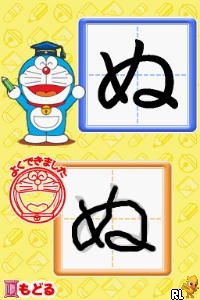
Kaite Oboeru – Doragana (Japan)
0 1 0
Kaite Oboeru – Doragana (Japan) is a straightforward Nintendo DS game that centers around language learning. Its simple mechanics mean you can pick it up and start playing without needing any prior knowledge of Japanese. Playing it directly in your browser gives you quick access to a nostalgic feeling of the handheld console, without any downloads required. It’s a good choice for those who want to reinforce basic vocabulary or are starting to learn Japanese in a relaxed way.
What Is Kaite Oboeru – Doragana?
Kaite Oboeru – Doragana is a game focused on writing and recognizing Japanese words. It blends puzzle and memorization elements, encouraging players to practice characters and vocabulary by writing or selecting the correct options on the screen. The interface is minimal, with an emphasis on repetition and recall, making it accessible no matter your skill level.
During gameplay, you’ll see prompts asking you to write or pick the right character or word. The levels get a little tougher as you progress, helping improve reading and writing skills through simple exercises that rely on memorization. The quiet, focused vibe makes it suitable for quick practice or longer study sessions.
What Keeps You Coming Back
One reason many keep returning to Kaite Oboeru – Doragana is its focus on repetition, which helps embed vocabulary in your memory. Its sparse interface helps you stay focused on writing and recognition tasks. The game includes multiple rounds or levels, so you can aim to get better over time, adding a bit of challenge and replay value.
The variety of prompts and the gradual increase in difficulty make it engaging. Since it runs right in your browser, you can easily revisit it for short practice or longer study sessions. Whether you’re brushing up on your Japanese or just testing your recognition skills, it’s a handy way to fit some quick practice into your day.
Handy Tips
If you’re just starting out, go for the easier levels to get comfortable with how it works. Practice regularly to help your recognition improve faster. Pay attention to characters and their stroke order if shown, as it can help with writing speed. Use the feedback from the game to learn from your mistakes and focus on characters that give you trouble. Remember, steady progress is the goal, so don’t rush through the levels.
- Take short breaks between sessions to keep your mind fresh and help retention.
- If you get stuck, revisit earlier levels to strengthen your memory before moving on.
- Look for patterns in the prompts to recognize characters more quickly.
- Use this as a supplement to actual language study for better results.
Player FAQ
Is Kaite Oboeru – Doragana easy for beginners?
Yes, it’s designed to be simple enough for newcomers and learners of Japanese. Its mechanics are straightforward, with no prior experience needed.
Can kids enjoy this game?
Definitely. Its focus on basic writing and recognition makes it suitable for young learners, especially those starting out with Japanese characters.
Do I need an internet connection to play?
Once loaded in your browser, it doesn’t require an internet connection. It’s perfect for quick practice anywhere, anytime.
Kaite Oboeru – Doragana offers a clear, practical way to practice Japanese characters and vocabulary. Its simple design helps you stay focused on learning, making it useful whether you’re studying seriously or just casually testing your skills. Playing in your browser makes it easy to get started whenever you want.
Related games: you can also try Enchanted (Europe) (En,Fr,De,Es,It,Nl) and Galactic Taz Ball (USA) (En,Fr,Es,Pt), or browse all other games in the Nintendo DS category.
How to Play Kaite Oboeru – Doragana (Japan)?
Read the prompts to write or select the correct Japanese characters or words. Practice repeatedly to improve your reading and writing skills through simple exercises.
Game Controls
Use the keyboard to select options or type characters; arrow keys and Enter handle navigation and confirmation.
You may be interested in:
-
 Nintendo DS
♥ 1
Casper’s Scare School – Classroom Capers (USA)
Nintendo DS
♥ 1
Casper’s Scare School – Classroom Capers (USA) -
 Nintendo DS
♥ 1
Zunou Nouryoku Koujou Machine – Touch de Zunoo DS (Japan)
Nintendo DS
♥ 1
Zunou Nouryoku Koujou Machine – Touch de Zunoo DS (Japan) -
 Nintendo DS
♥ 1
Zunou ni Asekaku Game Series! Vol. 1 – Cool 104 Joker & Setline (Japan)
Nintendo DS
♥ 1
Zunou ni Asekaku Game Series! Vol. 1 – Cool 104 Joker & Setline (Japan) -
 Nintendo DS
♥ 9
Zuma’s Revenge (USA)
Nintendo DS
♥ 9
Zuma’s Revenge (USA) -
 Nintendo DS
♥ 1
Zubo (USA) (En,Fr,Es)
Nintendo DS
♥ 1
Zubo (USA) (En,Fr,Es) -
 Nintendo DS
♥ 1
Zubo (Europe) (En,Fr,De,Es,It,Nl,Sv)
Nintendo DS
♥ 1
Zubo (Europe) (En,Fr,De,Es,It,Nl,Sv) -
 Nintendo DS
♥ 1
Zorro – Quest for Justice (USA) (En,Fr,De,Es,It)
Nintendo DS
♥ 1
Zorro – Quest for Justice (USA) (En,Fr,De,Es,It) -
 Nintendo DS
♥ 1
Zorro – Quest for Justice (Europe) (En,Fr,De,Es,It)
Nintendo DS
♥ 1
Zorro – Quest for Justice (Europe) (En,Fr,De,Es,It)
Comments (0)
No comments yet. Be the first to comment!