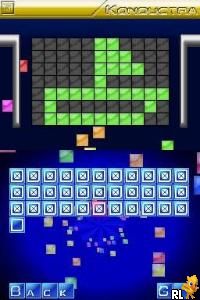
Konductra (USA)
0 1 0
Konductra (USA) is a puzzle game originally made for the Nintendo DS. It stands out with its gameplay, which involves building pathways and placing tiles carefully. As a title from the Nintendo DS years, it combines simple rules with more challenging levels, offering a satisfying experience for puzzle lovers. The main focus is on creating efficient routes and making the most of limited space, making it unique among similar games of its time.
Konductra: Gameplay Overview
The game revolves around fitting tiles to connect points on each level. You get a grid filled with different tiles, each with its own connection points, and your job is to rotate and place them so the routes are smooth. Success depends on planning ahead because poor placement can block future moves or stop you from completing the path.
As you progress, levels become more complex, requiring better planning and faster decisions. The game rewards spatial awareness and pattern recognition. When you successfully connect routes, you earn points and unlock the next challenges.
Modes, Levels and Progression
This game offers a series of increasingly difficult levels that introduce new challenges and mechanics. While it doesn’t have multiple modes, its structure encourages players to keep trying, as each level brings a fresh layout and new puzzles to solve. The difficulty ramps up gradually, pushing you to refine your strategies and aim for higher scores.
The progression system is designed to test your skills over many stages, with levels becoming more intricate and time limits tighter. Though the exact number of levels isn’t specified, the variety and difficulty ensure there’s always something new to learn and master.
Winning Strategies
Success depends on careful planning and smart tile placement. Start with the tightest spots on the grid to avoid dead ends later. It’s usually best to build the main route first, then fill in the other connections. Think ahead about your moves to prevent blocking yourself.
- Rotate tiles to connect paths efficiently and avoid dead ends.
- Think several steps ahead, especially on tougher levels.
- Use edges and corners wisely to make connecting routes easier.
- Focus on establishing the main pathways early, then add supporting routes.
- Keep track of the tiles you have and where their connection points are to avoid getting stuck.
Common Questions About Konductra
Question?
How does the difficulty change from level to level?
As you go on, puzzles get more complex, demanding better planning and quicker decisions. Early levels serve as a gentle introduction, but later ones push your spatial skills more.
Question?
Are there multiple game modes or just one main way to play?
Konductra mainly offers one core mode focused on solving route puzzles. The replay value comes from trying to beat your previous scores or mastering the layouts, rather than from different modes or storylines.
Question?
How long does a typical game take?
It depends on your skill and the puzzle’s difficulty. Early levels tend to be quick, but more complex ones might take a few minutes. The game is good for short sessions, encouraging you to try again and improve each time.
Playing Konductra in your browser gives you instant access to this puzzle without needing extra downloads. Its straightforward rules and growing difficulty make it appealing for puzzle fans who enjoy a thoughtful challenge. The focus on spatial reasoning and planning keeps things interesting, making Konductra a memorable choice among puzzle games from the Nintendo DS era.
Related games: you can also try Kimi no Tame Nara Shineru (Japan) (En,Ja) and Imagine – Master Chef (USA) (En,Fr,De,Es,It), or browse all other games in the Nintendo DS category.
How to Play Konductra (USA)?
Place and rotate tiles to connect points on the grid, creating efficient routes to complete each level. Plan your moves carefully to avoid blocking future paths and progress through increasingly challenging puzzles.
Game Controls
Arrow keys move the cursor; space or Enter rotates tiles; mouse clicks select and place tiles.
You may be interested in:
-
 Nintendo DS
♥ 1
Casper’s Scare School – Classroom Capers (USA)
Nintendo DS
♥ 1
Casper’s Scare School – Classroom Capers (USA) -
 Nintendo DS
♥ 1
Zunou Nouryoku Koujou Machine – Touch de Zunoo DS (Japan)
Nintendo DS
♥ 1
Zunou Nouryoku Koujou Machine – Touch de Zunoo DS (Japan) -
 Nintendo DS
♥ 1
Zunou ni Asekaku Game Series! Vol. 1 – Cool 104 Joker & Setline (Japan)
Nintendo DS
♥ 1
Zunou ni Asekaku Game Series! Vol. 1 – Cool 104 Joker & Setline (Japan) -
 Nintendo DS
♥ 9
Zuma’s Revenge (USA)
Nintendo DS
♥ 9
Zuma’s Revenge (USA) -
 Nintendo DS
♥ 1
Zubo (USA) (En,Fr,Es)
Nintendo DS
♥ 1
Zubo (USA) (En,Fr,Es) -
 Nintendo DS
♥ 1
Zubo (Europe) (En,Fr,De,Es,It,Nl,Sv)
Nintendo DS
♥ 1
Zubo (Europe) (En,Fr,De,Es,It,Nl,Sv) -
 Nintendo DS
♥ 1
Zorro – Quest for Justice (USA) (En,Fr,De,Es,It)
Nintendo DS
♥ 1
Zorro – Quest for Justice (USA) (En,Fr,De,Es,It) -
 Nintendo DS
♥ 1
Zorro – Quest for Justice (Europe) (En,Fr,De,Es,It)
Nintendo DS
♥ 1
Zorro – Quest for Justice (Europe) (En,Fr,De,Es,It)
Comments (0)
No comments yet. Be the first to comment!