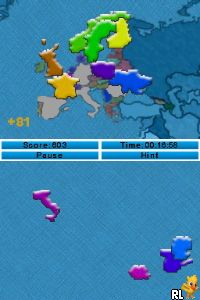
Learn Geography (USA) (En,Fr,Es)
0 1 0
Learn Geography (USA) (En,Fr,Es) is a classic Nintendo DS game that helps you get a better grasp of U.S. geography through interactive play. It’s great for students, teachers, or anyone curious about the states, cities, and landmarks across the country. Because it runs straight in your browser on this site, you don’t need to download anything. That makes it easy to jump in for quick learning sessions whenever it suits you.
Getting Into Learn Geography
The main idea behind Learn Geography is to identify different places on a map—states, cities, landmarks—using quizzes and interactive features. When you start, you’ll see a map of the U.S. with prompts asking you to find specific locations. The game offers various modes, like multiple-choice questions or drag-and-drop puzzles, so you can choose what fits your style.
Most sessions involve picking a quiz type—like naming all the states or finding the biggest cities. The game keeps track of your progress and gives immediate feedback, so you can learn from your mistakes. The interface is simple and straightforward, with clear instructions and easy controls, making it accessible whether you’re just starting out or more experienced. You can replay quizzes to improve your scores or focus on areas where you want to get better, making it flexible for casual play or more focused study.
Standout Features
Visually, Learn Geography is straightforward, with clean maps and minimal clutter. The focus is on clarity, so you can quickly understand prompts and respond. The game introduces increasing difficulty levels, starting with basic state recognition and moving toward questions about capitals, landmarks, or geographic features. This approach helps reinforce what you learn as you go along.
It’s easy to keep coming back because of the different modes and quizzes, which keep things interesting without feeling repetitive. The game tracks your best scores, encouraging you to do better each time. Covering a wide range of geographic topics related to the USA, it’s useful for revisiting and sharpening your knowledge or even challenging friends. Its simplicity means you can jump in for a quick session or spend longer periods studying.
Strategy and Tips
To get the most out of Learn Geography, start by familiarizing yourself with the map. Quick recognition of shapes and locations helps boost your scores.
- Begin with easier quizzes to build confidence before trying more complex ones.
- Pay attention to the shapes of states and their positions on the map to improve your geographical intuition.
- Use the feedback after each question to learn from your mistakes and remember correct answers.
- Practice regularly in short sessions to strengthen your memory without getting tired.
- Switch between different quiz modes to develop a well-rounded understanding of U.S. geography.
Quick Questions
How do I get started if I’m new to the game?
Just pick a quiz mode and start clicking on the map or choosing options. It’s designed to be easy for beginners.
What’s a common mistake new players make?
Many confuse the shapes or locations of states, so taking a moment to study the map first can help avoid errors.
Can I play Learn Geography on mobile or touch devices?
Since it runs in your browser, it generally works well with touchscreens, making it simple to use on tablets or smartphones.
Learn Geography offers a straightforward way to learn about U.S. geography with quizzes that are easy to navigate. Its simple design and variety of modes make it a handy tool for anyone wanting to boost their regional knowledge directly in their browser.
Related games: you can also try Imagine – Ballet Star (USA) (En,Fr,De,Es,It,Nl) and Kou-chan no Shiawase! Kantan! Oryouri Recipe (Japan), or browse all other games in the Nintendo DS category.
How to Play Learn Geography (USA) (En,Fr,Es)?
Identify U.S. states, cities, or landmarks on the map by answering quizzes and puzzles. Use prompts to select or drag options, and improve your score with each attempt.
Game Controls
Arrow keys move the cursor; Enter confirms selections; mouse is not used.
You may be interested in:
-
 Nintendo DS
♥ 1
Casper’s Scare School – Classroom Capers (USA)
Nintendo DS
♥ 1
Casper’s Scare School – Classroom Capers (USA) -
 Nintendo DS
♥ 1
Zunou Nouryoku Koujou Machine – Touch de Zunoo DS (Japan)
Nintendo DS
♥ 1
Zunou Nouryoku Koujou Machine – Touch de Zunoo DS (Japan) -
 Nintendo DS
♥ 1
Zunou ni Asekaku Game Series! Vol. 1 – Cool 104 Joker & Setline (Japan)
Nintendo DS
♥ 1
Zunou ni Asekaku Game Series! Vol. 1 – Cool 104 Joker & Setline (Japan) -
 Nintendo DS
♥ 9
Zuma’s Revenge (USA)
Nintendo DS
♥ 9
Zuma’s Revenge (USA) -
 Nintendo DS
♥ 1
Zubo (USA) (En,Fr,Es)
Nintendo DS
♥ 1
Zubo (USA) (En,Fr,Es) -
 Nintendo DS
♥ 1
Zubo (Europe) (En,Fr,De,Es,It,Nl,Sv)
Nintendo DS
♥ 1
Zubo (Europe) (En,Fr,De,Es,It,Nl,Sv) -
 Nintendo DS
♥ 1
Zorro – Quest for Justice (USA) (En,Fr,De,Es,It)
Nintendo DS
♥ 1
Zorro – Quest for Justice (USA) (En,Fr,De,Es,It) -
 Nintendo DS
♥ 1
Zorro – Quest for Justice (Europe) (En,Fr,De,Es,It)
Nintendo DS
♥ 1
Zorro – Quest for Justice (Europe) (En,Fr,De,Es,It)
Comments (0)
No comments yet. Be the first to comment!