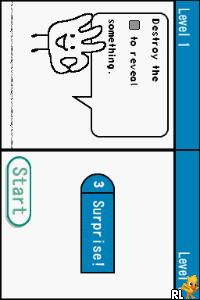
Left or Right – Ambidextrous Challenge (Europe) (En,Fr,De,Es,It)
0 1 0
Left or Right – Ambidextrous Challenge (Europe) (En,Fr,De,Es,It) is a game that tests how well you can manage two tasks at once. Originally made for the Nintendo DS, you can now play it directly in your browser with an emulator. What makes this title stand out is its focus on coordinating both hands at the same time—a challenge that keeps players on their toes. It’s a simple idea but surprisingly tough, perfect if you want a quick mental workout or just some fun with friends.
Left or Right – Ambidextrous Challenge: Gameplay Overview
The main idea is to control two things at once, often needing quick decisions and precise timing. You’ll see two streams of input—one for each hand—each controlling different parts of the game. The goal is to stay balanced and accurate, avoiding mistakes that end the game or cost you points. The game uses the DS’s dual screens and touch controls, encouraging better hand coordination.
The controls are straightforward, so it’s easy to pick up. As you move through levels, the tasks get faster or more complex, requiring sharper reflexes. Progressing means completing levels that challenge your ability to synchronize your hands under pressure. Successfully finishing one unlocks the next, which tend to be trickier.
Modes, Levels and Progression
The game mainly focuses on completing levels that increase in difficulty. Each stage introduces new patterns or timing challenges, making sure you stay on your toes. While it doesn’t have a story or multiple paths, the sense of achievement comes from beating tough levels and improving your skills over time.
It’s designed for quick sessions or trying to beat your best scores. The simple setup makes it easy to jump in and start playing, and the gradual difficulty encourages continuous improvement. Replay value comes from trying to complete levels faster or score higher, making it good for casual play or friendly competitions.
Winning Strategies
Focus on smooth, steady movements instead of rushing. Practice each pattern slowly to get a feel for the timing before speeding up. Staying calm helps keep your accuracy high as things get more intense. Watch for visual cues that tell you when to switch or act.
- Start slow to learn the patterns, then increase your speed gradually.
- Breathe steadily to stay relaxed during tough moments.
- If you’re having trouble, concentrate on one hand at a time.
- Use quick, small movements rather than long, deliberate ones.
- Anticipate upcoming challenges instead of reacting at the last second.
Common Questions About Left or Right – Ambidextrous Challenge
How does the difficulty change as I go forward?
The game gets faster and more complex with each level. Early stages are easy enough, but later ones push even experienced players to stay coordinated under tight time limits.
Are there different modes or difficulty levels?
The game mainly has one mode that involves progressing through levels. Each new stage adds new challenges, but there aren’t separate difficulty settings. The increasing complexity naturally makes it harder as you go.
How much replay value does it have?
You can keep trying to improve your timing, beat higher scores, or finish levels quicker. Its simple mechanics make it easy to jump back in, whether for a quick challenge or to compete with friends locally.
Left or Right – Ambidextrous Challenge offers a straightforward yet tough experience perfect for quick, skill-based play. Its focus on coordination and quick reactions makes it a fun way to test your dexterity, now available to play free in your browser.
Related games: you can also try Ice Age 3 – Dawn of the Dinosaurs (Europe) (Fr,Nl) and Best of Board Games DS (Europe) (En,Fr,De,Es,It,Pt), or browse all other games in the Nintendo DS category.
How to Play Left or Right – Ambidextrous Challenge (Europe) (En,Fr,De,Es,It)?
Control two streams of inputs simultaneously to complete levels by matching patterns and timing. Stay focused, avoid mistakes, and improve your coordination to advance through increasing challenges.
Game Controls
Use the keyboard's arrow keys and other mapped keys to emulate the DS controls; follow on-screen prompts.
You may be interested in:
-
 Nintendo DS
♥ 1
Casper’s Scare School – Classroom Capers (USA)
Nintendo DS
♥ 1
Casper’s Scare School – Classroom Capers (USA) -
 Nintendo DS
♥ 1
Zunou Nouryoku Koujou Machine – Touch de Zunoo DS (Japan)
Nintendo DS
♥ 1
Zunou Nouryoku Koujou Machine – Touch de Zunoo DS (Japan) -
 Nintendo DS
♥ 1
Zunou ni Asekaku Game Series! Vol. 1 – Cool 104 Joker & Setline (Japan)
Nintendo DS
♥ 1
Zunou ni Asekaku Game Series! Vol. 1 – Cool 104 Joker & Setline (Japan) -
 Nintendo DS
♥ 9
Zuma’s Revenge (USA)
Nintendo DS
♥ 9
Zuma’s Revenge (USA) -
 Nintendo DS
♥ 1
Zubo (USA) (En,Fr,Es)
Nintendo DS
♥ 1
Zubo (USA) (En,Fr,Es) -
 Nintendo DS
♥ 1
Zubo (Europe) (En,Fr,De,Es,It,Nl,Sv)
Nintendo DS
♥ 1
Zubo (Europe) (En,Fr,De,Es,It,Nl,Sv) -
 Nintendo DS
♥ 1
Zorro – Quest for Justice (USA) (En,Fr,De,Es,It)
Nintendo DS
♥ 1
Zorro – Quest for Justice (USA) (En,Fr,De,Es,It) -
 Nintendo DS
♥ 1
Zorro – Quest for Justice (Europe) (En,Fr,De,Es,It)
Nintendo DS
♥ 1
Zorro – Quest for Justice (Europe) (En,Fr,De,Es,It)
Comments (0)
No comments yet. Be the first to comment!