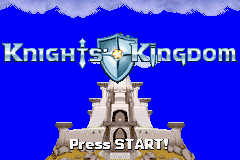
Lego 2 in 1 – Bionicle and Knights Kingdom (E)(Supplex)
0 4 0
Lego 2 in 1 – Bionicle and Knights Kingdom (E)(Supplex) is a classic Game Boy Advance game that combines two Lego-themed adventures into one package. If you enjoy Lego’s imaginative worlds, this game offers a simple platformer experience rooted in the GBA’s gaming era. Its straightforward mechanics and nostalgic feel make it a good choice for those who like light, accessible action on their portable devices. Since it runs directly in your browser, you can jump right in without any downloads or setups.
Getting Into Lego 2 in 1 – Bionicle and Knights Kingdom
The game has two campaigns, each with its own levels and goals. In each, you control a Lego character moving through side-scrolling stages filled with obstacles, enemies, and items to collect. The gameplay focuses on jumping, dodging hazards, and reaching the end of each level. You complete levels, gather points or collectibles, and unlock new stages or secrets. Levels are short—usually a few minutes each—making it easy to fit into a quick gaming session or play on the go. The mechanics are simple, emphasizing fun platforming and exploration rather than complexity.
You switch between the two themes—Bionicle and Knights Kingdom—which have different looks and sets of levels. Progress in one doesn’t affect the other, so you can focus on mastering each separately. Replaying levels to find hidden items or improve your time adds to the fun, especially since some levels have secret areas or multiple paths.
Standout Features
The visuals are pixel art typical of GBA titles, with bright sprites and simple backgrounds that evoke the Lego worlds well. The character animations for jumping and moving are clear and lively. Levels are designed to be engaging but not overly complicated, so it’s easy to pick up and play.
Progression involves completing levels in each theme, with chances to revisit stages for better scores or secrets. While the story isn’t deep, unlocking new levels and exploring different routes keep things interesting. Both modes offer enough variety to come back to, whether to improve times or find hidden items. Since it’s emulated in your browser, you can try it multiple times without hassle, making it perfect for casual, pick-up-and-play gaming.
Strategy and Tips
Getting started is easy—just pick a mode and start playing. To do well, focus on timing your jumps carefully and watching enemy patterns. Exploring each level thoroughly helps find hidden items and secret paths.
- Practice timing your jumps to avoid falling or hitting obstacles.
- Explore each level carefully to find hidden items or alternate routes.
- Try to finish levels quickly if you want to improve your score.
- Make use of any power-ups or bonuses to make levels easier or unlock content faster.
- Revisit completed levels to discover secrets or boost your performance.
- If you get stuck, experiment with different routes—sometimes the less obvious path is the way to go.
Quick Questions
How do I start playing Lego 2 in 1 – Bionicle and Knights Kingdom?
The game runs straight in your browser, so you just pick it from the list and start playing right away—no downloads needed.
What’s a common mistake for beginners?
Many new players rush through levels without paying attention to enemy patterns or exploring enough, which can lead to missed secrets or unnecessary failures.
Can I play this on my mobile or touch device?
Yes, since it works in your browser, you can play it on mobile devices with touch controls. Using a keyboard or gamepad might make it easier, though.
Lego 2 in 1 – Bionicle and Knights Kingdom offers simple, fun platforming based on Lego’s creative worlds. Its easy mechanics and quick levels make it accessible for all ages, and since it runs in your browser, you can enjoy these classic Lego adventures whenever the mood strikes.
Related games: you can also try BB Ball (J)(Caravan) and Hot Wheels – World Race (E)(Supplex), or browse all other games in the Game Boy Advance category.
How to Play Lego 2 in 1 – Bionicle and Knights Kingdom (E)(Supplex)?
Control a Lego character to run, jump, and dodge through side-scrolling levels in two different themes, completing objectives and collecting items to unlock new stages.
Game Controls
Arrow keys for movement; specific action buttons mapped to keyboard keys.
You may be interested in:
-
 Game Boy Advance
♥ 2
Zooo (J)(Rising Sun)
Game Boy Advance
♥ 2
Zooo (J)(Rising Sun) -
 Game Boy Advance
♥ 4
Zooo (E)(Trashman)
Game Boy Advance
♥ 4
Zooo (E)(Trashman) -
 Game Boy Advance
♥ 2
ZooCube (U)(Mode7)
Game Boy Advance
♥ 2
ZooCube (U)(Mode7) -
 Game Boy Advance
♥ 1
ZooCube (E)(Blizzard)
Game Boy Advance
♥ 1
ZooCube (E)(Blizzard) -
 Game Boy Advance
♥ 1
Zone of the Enders – The Fist of Mars (U)(Mode7)
Game Boy Advance
♥ 1
Zone of the Enders – The Fist of Mars (U)(Mode7) -
 Game Boy Advance
♥ 1
Zone of the Enders – The Fist of Mars (E)(Cezar)
Game Boy Advance
♥ 1
Zone of the Enders – The Fist of Mars (E)(Cezar) -
 Game Boy Advance
♥ 1
Zoku Bokura no Taiyou – Taiyou Shounen Django (J)(Independent)
Game Boy Advance
♥ 1
Zoku Bokura no Taiyou – Taiyou Shounen Django (J)(Independent) -
 Game Boy Advance
♥ 7
Zoku Bokura no Taiyou – Taiyou Shounen Django (J)(Caravan)
Game Boy Advance
♥ 7
Zoku Bokura no Taiyou – Taiyou Shounen Django (J)(Caravan)
Comments (0)
No comments yet. Be the first to comment!