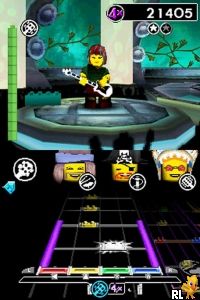
LEGO Rock Band (Europe) (En,Fr,De,Es,It,Da)
0 1 0
LEGO Rock Band (Europe) (En,Fr,De,Es,It,Da) is a music rhythm game that mixes colorful LEGO visuals with familiar band simulation gameplay. Originally made for the Nintendo DS, this handheld classic offers a simple but fun experience that encourages cooperative play and features well-known tunes. Its bright graphics and easy controls make it suitable for all ages, especially families looking for a music game you can play right in your browser without downloading anything.
LEGO Rock Band: Gameplay Overview
The game uses the Nintendo DS’s touchscreen and buttons to mimic playing in a band. Players choose instruments or roles—like vocals, guitar, or drums—and follow prompts on the screen that match musical beats. The main idea is to keep good timing and rhythm, with notes popping up on the screen that players need to tap or press at just the right moment. The goal is to hit the notes correctly to keep the performance going and score higher.
It encourages multiplayer, so several players can join in on different instruments. The gameplay is simplified to suit the handheld device, making it easy for beginners but still offering enough challenge for rhythm game fans. You progress by completing songs and unlocking new tracks or features, which adds a sense of achievement and variety.
Modes, Levels and Progression
The game has a simple setup centered around playing a selection of songs, many of which are family-friendly tunes everyone will recognize. Progress depends on successfully completing tracks, with difficulty rising as players get better at timing and coordination. It doesn’t have complex story modes or detailed level designs, but its variety of songs and the satisfaction of improving scores keep it interesting for multiple sessions.
You can choose quick play or multiplayer options, which makes the game flexible. While it doesn’t have elaborate branching paths or unlockable worlds, the focus on rhythm and the LEGO style gives enough to keep players engaged. Its straightforward approach makes it good for casual gaming, especially for younger players or those new to music games.
Winning Strategies
Focus on keeping your timing consistent. Staying calm and attentive makes a difference.
- Watch the prompts on the screen and anticipate notes to stay accurate.
- If playing with others, communicate to coordinate better.
- Practice the trickier songs to get familiar with their rhythms.
- Use feedback and scores to spot where you can improve your timing.
- Keep your hand steady and avoid rushing through parts to maintain the rhythm and boost your score.
Common Questions About LEGO Rock Band
How does difficulty change as you play?
The challenge ramps up gradually by adding more complicated rhythms and faster notes as you finish songs, but it stays accessible for casual players.
Are there other modes or levels besides the main songs?
Mostly, it’s about performing songs. There aren’t big story modes or unlockable levels, but replaying songs and trying to improve scores keeps things interesting.
How long does a typical session last?
A song usually takes around two or three minutes, making it easy to fit into short gaming sessions. The overall playtime depends on how many songs you choose to do, with replaying encouraging better scores and unlocking content.
LEGO Rock Band is a friendly rhythm game that fits well within its platform’s limits. Its simple gameplay and playful LEGO look make it a good pick for anyone after a light musical challenge. Playing it in your browser means you can enjoy this nostalgic game without any hassle or downloads.
Related games: you can also try 4 Elements (Europe) (Fr,Nl) and Left Brain, Right Brain 2 (Europe) (En,Fr,De), or browse all other games in the Nintendo DS category.
How to Play LEGO Rock Band (Europe) (En,Fr,De,Es,It,Da)?
Follow on-screen prompts to tap or press keys at the right time, matching musical beats to play instruments and keep the performance going. Complete songs to score points and unlock new tracks.
Game Controls
Arrow keys and spacebar control movement and actions; use keyboard to hit notes as they appear.
You may be interested in:
-
 Nintendo DS
♥ 1
Casper’s Scare School – Classroom Capers (USA)
Nintendo DS
♥ 1
Casper’s Scare School – Classroom Capers (USA) -
 Nintendo DS
♥ 1
Zunou Nouryoku Koujou Machine – Touch de Zunoo DS (Japan)
Nintendo DS
♥ 1
Zunou Nouryoku Koujou Machine – Touch de Zunoo DS (Japan) -
 Nintendo DS
♥ 1
Zunou ni Asekaku Game Series! Vol. 1 – Cool 104 Joker & Setline (Japan)
Nintendo DS
♥ 1
Zunou ni Asekaku Game Series! Vol. 1 – Cool 104 Joker & Setline (Japan) -
 Nintendo DS
♥ 9
Zuma’s Revenge (USA)
Nintendo DS
♥ 9
Zuma’s Revenge (USA) -
 Nintendo DS
♥ 1
Zubo (USA) (En,Fr,Es)
Nintendo DS
♥ 1
Zubo (USA) (En,Fr,Es) -
 Nintendo DS
♥ 1
Zubo (Europe) (En,Fr,De,Es,It,Nl,Sv)
Nintendo DS
♥ 1
Zubo (Europe) (En,Fr,De,Es,It,Nl,Sv) -
 Nintendo DS
♥ 1
Zorro – Quest for Justice (USA) (En,Fr,De,Es,It)
Nintendo DS
♥ 1
Zorro – Quest for Justice (USA) (En,Fr,De,Es,It) -
 Nintendo DS
♥ 1
Zorro – Quest for Justice (Europe) (En,Fr,De,Es,It)
Nintendo DS
♥ 1
Zorro – Quest for Justice (Europe) (En,Fr,De,Es,It)
Comments (0)
No comments yet. Be the first to comment!