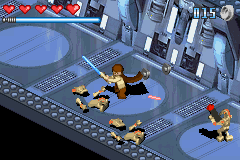
Lego Star Wars (J)(Caravan)
0 14 0
Lego Star Wars (J)(Caravan) is a classic Game Boy Advance game that mixes action, adventure, and platforming within a universe many players recognize. It combines LEGO humor with the well-known setting of the Star Wars saga, offering a family-friendly experience that focuses on exploration, combat, and puzzle-solving on the go. As a Game Boy Advance title, it reflects the design ethos of the handheld era and provides a nostalgic entry point into the LEGO Star Wars series.
Lego Star Wars: Gameplay Overview
In Lego Star Wars, players take control of different characters from the saga, each with abilities suited for platforming and fighting. The game’s main loop involves exploring levels, battling enemies, solving puzzles, and collecting LEGO studs to unlock new characters or content. Its mechanics are straightforward, with controls that suit players of all ages, yet it rewards careful exploration and smart use of character skills.
The levels are designed like side-scrolling platformers, with action sequences and puzzle elements. Players move through environments inspired by the movies, battling foes and avoiding obstacles. The design encourages replaying levels to find secrets or choose different characters to reach areas that were previously inaccessible.
Modes, Levels and Progression
The game features levels based on the Star Wars story, each with its own environment and set of challenges. Progression is mostly linear but includes optional objectives, encouraging players to revisit levels with different characters or to hunt for hidden collectibles. It’s structured into manageable segments, fitting well into short gaming sessions.
Levels include space battles, land combat, and puzzles, all in LEGO style, adding a playful tone. The difficulty gradually increases to introduce new mechanics and challenges. Collecting LEGO studs and unlocking characters or extras adds depth and encourages replaying for full completion.
Winning Strategies
Exploring every part of each level lets you gather more studs and secrets. Switching characters to use their unique skills helps solve puzzles and find hidden areas.
- Collect studs regularly; they’re essential for unlocking characters and levels.
- Use character abilities wisely to solve puzzles—some areas need specific skills to access.
- Replay levels with different characters to uncover secrets you missed the first time.
- Watch for environmental clues that hint at hidden spots or shortcuts.
- Look for breakable objects or interactable elements that hold collectibles.
Common Questions About Lego Star Wars
How does the difficulty change as you go along?
It increases gradually, with puzzles becoming more complex and enemies tougher. Early levels are fairly simple, but later ones require better use of character abilities and precise timing.
Are there different modes or ways to replay levels?
While the story follows the movies, you can replay levels to find more collectibles, unlock characters, and explore alternate routes. Playing with different characters also offers new secrets and experiences.
How long does it usually take to finish the game?
You can complete the main story in a few hours, but finding all the studs and unlocking everything can take much longer. The game is designed to reward replaying for complete collection and unlocks.
This version of Lego Star Wars on the browser offers a portable, engaging take on the original, making it a nice addition to any collection of retro games. Its straightforward gameplay and nostalgic charm make it appealing for fans of LEGO and Star Wars alike.
Related games: you can also try Kelly Slater's Pro Surfer (U)(Mode7) and Kuru Kuru Kururin (E)(Mode7), or browse all other games in the Game Boy Advance category.
How to Play Lego Star Wars (J)(Caravan)?
Move through levels, battle enemies, solve puzzles, and collect LEGO studs to unlock characters and secrets. Switch characters to use their abilities and explore every area for full completion.
Game Controls
Arrow keys control movement; other keys handle jumping, attacking, and interacting.
You may be interested in:
-
 Game Boy Advance
♥ 2
Zooo (J)(Rising Sun)
Game Boy Advance
♥ 2
Zooo (J)(Rising Sun) -
 Game Boy Advance
♥ 4
Zooo (E)(Trashman)
Game Boy Advance
♥ 4
Zooo (E)(Trashman) -
 Game Boy Advance
♥ 2
ZooCube (U)(Mode7)
Game Boy Advance
♥ 2
ZooCube (U)(Mode7) -
 Game Boy Advance
♥ 1
ZooCube (E)(Blizzard)
Game Boy Advance
♥ 1
ZooCube (E)(Blizzard) -
 Game Boy Advance
♥ 1
Zone of the Enders – The Fist of Mars (U)(Mode7)
Game Boy Advance
♥ 1
Zone of the Enders – The Fist of Mars (U)(Mode7) -
 Game Boy Advance
♥ 1
Zone of the Enders – The Fist of Mars (E)(Cezar)
Game Boy Advance
♥ 1
Zone of the Enders – The Fist of Mars (E)(Cezar) -
 Game Boy Advance
♥ 1
Zoku Bokura no Taiyou – Taiyou Shounen Django (J)(Independent)
Game Boy Advance
♥ 1
Zoku Bokura no Taiyou – Taiyou Shounen Django (J)(Independent) -
 Game Boy Advance
♥ 7
Zoku Bokura no Taiyou – Taiyou Shounen Django (J)(Caravan)
Game Boy Advance
♥ 7
Zoku Bokura no Taiyou – Taiyou Shounen Django (J)(Caravan)
Comments (0)
No comments yet. Be the first to comment!