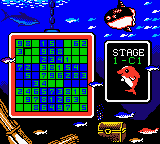
Luca no Puzzle de Daibouken! (Japan)
0 0 0
Luca no Puzzle de Daibouken! (Japan) is a charming puzzle game that was originally made for the Game Boy Color. Now, you can play it directly in your browser without any downloads needed. If you like classic handheld titles that test your problem-solving skills, this game provides a simple, engaging experience. Since it’s Japanese, some players might find the menus or instructions are in Japanese, so it’s good to keep that in mind. It’s a nice option for puzzle fans who want a nostalgic game that’s easy to get into, with no extra setup required.
Getting Into Luca no Puzzle de Daibouken!
The game is about solving puzzles by arranging or matching objects within a grid or pattern. You analyze the current puzzle, select the right pieces or moves, and try to clear levels or reach a goal. Each level comes with a set of objectives, and you need to think carefully to finish each one efficiently. As you progress, the levels get tougher, encouraging you to refine your strategies and speed up your solutions.
While playing, you’ll encounter different types of puzzles, but the core idea stays the same: identify the correct move, carry it out, and see what happens. The controls are simple, mainly focusing on selecting and moving pieces. Since it follows the style of the Game Boy Color, it’s best suited for short sessions, perfect for quick breaks or casual play. You can jump right in without needing lengthy tutorials or steep learning curves.
Standout Features
The visuals reflect the late 90s handheld style, with colorful pixel art that still looks charming in the browser emulator. Each puzzle is set against simple backgrounds that keep your focus on solving. As you work through the levels, the difficulty gradually increases, rewarding those who develop efficient strategies and adapt to new mechanics as they appear.
Replaying the game can be satisfying because of the increasing challenge and the desire to beat your best times or solve puzzles with fewer moves. While it doesn’t have multiple modes or endless levels, you can enjoy trying to improve your performance or complete all puzzles. It’s well-suited for quick, repeatable sessions, especially if you enjoy honing your puzzle skills or just relaxing with a classic Game Boy Color game in your browser.
Strategy and Tips
Getting started is easy, but thinking ahead really helps. Here are some tips:
- Before making a move, focus on what each puzzle requires you to do.
- Try to plan several moves in advance, especially on tougher levels.
- Look for patterns or sequences that can clear multiple pieces at once, saving moves and time.
- If you get stuck, go back and review your previous moves to see if a different approach could open new options.
- Watch the number of moves you use; fewer moves often mean a better score.
- Practice regularly to get familiar with different puzzle types and recognize solutions faster.
Quick Questions
Is Luca no Puzzle de Daibouken! suitable for beginners?
Yes, it’s easy at first but gets more challenging, so players new to puzzles can enjoy the early levels and build skills for the tougher ones.
How long does a typical game take?
Most levels can be finished in just a few minutes, making it good for quick breaks or casual play.
Can I play this on a mobile device with touch controls?
Even though it was made for the Game Boy Color, the browser version works well on touchscreens. You can tap and drag just like you would on a handheld console.
With its simple gameplay and nostalgic feel, Luca no Puzzle de Daibouken! offers a satisfying puzzle challenge you can enjoy right in your browser. Whether you’re just starting out or looking for a quick puzzle fix, it’s a solid choice for fans of classic handheld games.
Related games: you can also try Gex 3 – Deep Cover Gecko (Europe) (En,Fr,De,Es,It) and Diva Starz – Mall Mania (USA), or browse all other games in the Game Boy Color category.
How to Play Luca no Puzzle de Daibouken! (Japan)?
Arrange and match objects on the grid to complete puzzles and reach each level's goal. Plan your moves carefully to solve levels efficiently and improve your score.
Game Controls
Use arrow keys to move the cursor; press Enter to select or confirm actions.
You may be interested in:
-
 Game Boy Color
♥ 43
Zook Hero Z
Game Boy Color
♥ 43
Zook Hero Z -
 Game Boy Color
♥ 1
Zok Zok Heroes (Japan)
Game Boy Color
♥ 1
Zok Zok Heroes (Japan) -
 Game Boy Color
♥ 1
Zoids – Shirogane no Juukishin Liger Zero (Japan)
Game Boy Color
♥ 1
Zoids – Shirogane no Juukishin Liger Zero (Japan) -
 Game Boy Color
♥ 1
Zoids – Jashin Fukkatsu! Genobreaker Hen (Japan)
Game Boy Color
♥ 1
Zoids – Jashin Fukkatsu! Genobreaker Hen (Japan) -
 Game Boy Color
♥ 2
Zoboomafoo – Playtime in Zobooland (USA)
Game Boy Color
♥ 2
Zoboomafoo – Playtime in Zobooland (USA) -
 Game Boy Color
♥ 1
Zidane Football Generation (Europe) (En,Fr,De,Es,It)
Game Boy Color
♥ 1
Zidane Football Generation (Europe) (En,Fr,De,Es,It) -
 Game Boy Color
♥ 1
Zen-Nihon Shounen Soccer Taikai – Mezase Nihon Ichi! (Japan)
Game Boy Color
♥ 1
Zen-Nihon Shounen Soccer Taikai – Mezase Nihon Ichi! (Japan) -
 Game Boy Color
♥ 1
Zebco Fishing! (USA)
Game Boy Color
♥ 1
Zebco Fishing! (USA)
Comments (0)
No comments yet. Be the first to comment!