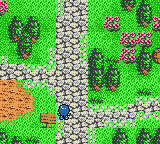
Lufia – The Legend Returns (USA)
0 2 0
Step Into the World of Lufia – The Legend Returns
Playing Lufia – The Legend Returns (USA) on this browser-based emulator brings a classic Game Boy Color adventure right into your browser window, blending nostalgia with accessible play. This role-playing game from the GBC era offers a trip back to turn-based battles, pixel art, and sprite-based environments that remind you of late 90s handheld gaming. Its pixel-perfect visuals and chiptune soundtrack create a mood of quiet exploration and adventure, inviting players to step into a fantasy realm filled with monsters, magic, and questing heroes.
The game’s atmosphere is rooted in its simple yet effective sprite work, with colorful environments hinting at dungeons, towns, and wilderness areas. While the graphics are limited by the Game Boy Color’s capabilities, they manage to convey a sense of charm and atmosphere that still feels inviting. The sound design, consisting of classic chiptune melodies, complements the visuals without overwhelming, fostering a calm but engaging vibe perfect for quick gaming sessions or longer explorations.
How the Gameplay Hooks You
The core gameplay loop is familiar: explore environments, participate in turn-based battles, gather items, and level up characters. Progression involves uncovering new areas, solving puzzles, and defeating tougher enemies. The pace encourages steady discovery, with new locations opening gradually as you move forward, giving a sense of purpose without feeling rushed.
Strategic thinking pays off during battles—timing attacks and managing inventory can turn tough fights in your favor. The progression system encourages trying different character setups and tactics, making each encounter meaningful. Since it runs smoothly on this emulator, you can enjoy a well-paced experience without long loading times, whether you’re playing briefly or for longer stretches.
Pro Tips for Lufia – The Legend Returns
Getting the most out of this classic means understanding its pacing and mechanics. Here are some quick tips:
- Save often, especially before entering new dungeons or difficult fights, to avoid losing progress.
- Mix up your party’s abilities by trying different character combinations for varied combat strategies.
- Explore every corner of towns and dungeons to find hidden items or shortcuts that can make your journey easier.
- Manage your inventory carefully—use items wisely and avoid hoarding them unnecessarily.
- Pay attention to enemy weaknesses; exploiting them can help you win tough fights.
- Take your time; rushing can lead to setbacks in a game that rewards careful planning.
Frequently Asked Questions
Does the game have a long story mode?
The game offers a moderate-length adventure with several locations to explore, suitable for shorter or longer play sessions depending on your pace.
Is Lufia – The Legend Returns good for new players or only RPG veterans?
The mechanics are straightforward, making it accessible for newcomers, but its strategic depth can keep seasoned players interested for longer.
Does the game get repetitive or does it stay interesting?
While some repetition is natural in traditional RPGs, the exploration, puzzles, and combat variety help keep things engaging throughout the journey.
Playing Lufia – The Legend Returns on this emulator lets you experience a well-crafted RPG classic straight in your browser. Its accessible gameplay, nostalgic graphics, and steady pacing make it a solid choice for fans of retro role-playing games anytime you want to enjoy a bit of nostalgia.
Related games: you can also try Kanji de Puzzle (Japan) and Hamster Club 2 (Japan), or browse all other games in the Game Boy Color category.
How to Play Lufia – The Legend Returns (USA)?
Explore towns and dungeons, battle enemies turn-by-turn, gather items, and level up your characters to progress through the story and defeat tougher foes.
Game Controls
Arrow keys move the character; Enter and other keys handle menu and action commands.
You may be interested in:
-
 Game Boy Color
♥ 43
Zook Hero Z
Game Boy Color
♥ 43
Zook Hero Z -
 Game Boy Color
♥ 1
Zok Zok Heroes (Japan)
Game Boy Color
♥ 1
Zok Zok Heroes (Japan) -
 Game Boy Color
♥ 1
Zoids – Shirogane no Juukishin Liger Zero (Japan)
Game Boy Color
♥ 1
Zoids – Shirogane no Juukishin Liger Zero (Japan) -
 Game Boy Color
♥ 1
Zoids – Jashin Fukkatsu! Genobreaker Hen (Japan)
Game Boy Color
♥ 1
Zoids – Jashin Fukkatsu! Genobreaker Hen (Japan) -
 Game Boy Color
♥ 2
Zoboomafoo – Playtime in Zobooland (USA)
Game Boy Color
♥ 2
Zoboomafoo – Playtime in Zobooland (USA) -
 Game Boy Color
♥ 1
Zidane Football Generation (Europe) (En,Fr,De,Es,It)
Game Boy Color
♥ 1
Zidane Football Generation (Europe) (En,Fr,De,Es,It) -
 Game Boy Color
♥ 1
Zen-Nihon Shounen Soccer Taikai – Mezase Nihon Ichi! (Japan)
Game Boy Color
♥ 1
Zen-Nihon Shounen Soccer Taikai – Mezase Nihon Ichi! (Japan) -
 Game Boy Color
♥ 1
Zebco Fishing! (USA)
Game Boy Color
♥ 1
Zebco Fishing! (USA)
Comments (0)
No comments yet. Be the first to comment!