Madagascar (I)(Independent)
0 6 0
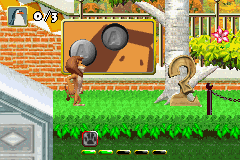
Madagascar (I)(Independent) is a classic Game Boy Advance game emulated in the browser, offering players a straightforward action and platformer experience. This title captures the feel of handheld gaming from the early 2000s, making it perfect for fans of simple yet engaging gameplay. Whether you’re feeling nostalgic or just curious about the GBA library, Madagascar provides quick platforming fun right in your browser without any downloads.
Getting Into Madagascar
At its heart, Madagascar is a side-scrolling action platformer. Players control characters from the popular animated series through levels filled with obstacles, enemies, and collectibles. The gameplay involves running, jumping, and avoiding hazards to move from one stage to the next. Each level has a clear start and finish, often requiring players to complete objectives or gather items to move forward.
The game begins with choosing a level, then guiding the character across the screen. Timing and accuracy matter, as players dodge enemies and environmental traps. Power-ups and hidden items are scattered throughout levels, encouraging exploration and replay. Designed for quick bursts of play, each stage offers a contained challenge that can be finished in just a few minutes.
Standout Features
The visuals stay true to the Game Boy Advance style, with colorful sprites and simple animations that remind you of early 2000s handheld games. The level design is accessible and straightforward, making it easy to pick up and enjoy without steep difficulty. Progression involves completing levels and unlocking new stages, giving a sense of achievement with each one. Since levels are short and mechanics are simple, it’s perfect for players who like quick gaming sessions.
Replay value comes from trying to beat your best times, finding all hidden items, or exploring different routes within levels. Although Madagascar doesn’t include complex upgrades or multiple game modes, the level-based setup offers enough variety for casual repeat play. Its familiar characters from the Madagascar franchise add a nostalgic touch, making it appealing to both fans and newcomers alike, offering a fun, accessible platforming experience.
Strategy and Tips
Getting the most out of Madagascar means paying attention to timing and level layouts. Try to memorize enemy patterns and safe routes to avoid mistakes. Collecting items often scores extra points or reveals secrets, so take your time exploring. Don’t rush—patience and careful jumps boost your chances of success. If you get stuck, replay levels to learn enemy placements and improve your timing. Keep an eye out for shortcuts or hidden areas that can help you finish levels faster.
- Practice your jumping timing to avoid falling or getting hit by enemies.
- Focus on collecting items in tricky spots for extra points.
- Explore each level thoroughly to find hidden paths or bonuses.
- Stay cautious rather than rushing to reduce mistakes.
- Aim to complete levels efficiently instead of just finishing them.
Quick Questions
How do I start playing Madagascar?
The game loads right in your browser, so just click to begin and pick your level. No extra setup needed.
What’s a common mistake new players make?
Many rush through levels without paying attention to enemy patterns or hazards, which can lead to unnecessary deaths. Taking your time helps a lot.
Can I play Madagascar on mobile or touch devices?
Yes, since it runs in your browser, it works well on smartphones and tablets without needing extra software.
Madagascar offers a simple platforming challenge that fits into quick gaming sessions. Its familiar characters and easy mechanics make it accessible, whether you’re revisiting childhood memories or trying out a GBA classic for the first time. The focus on action and exploration makes each session satisfying, even if it’s just for a few minutes.
Related games: you can also try Castlevania – Aria of Sorrow – Reaper's Reckoning and Golden Sun (G)(Koma), or browse all other games in the Game Boy Advance category.
How to Play Madagascar (I)(Independent)?
Control your character to run, jump, and avoid enemies through side-scrolling levels. Complete objectives and collect items to progress, aiming for quick, precise gameplay in each stage.
Game Controls
Arrow keys for movement; action buttons mapped to specific keys for jumping and interacting.
You may be interested in:
-
 Game Boy Advance
♥ 2
Zooo (J)(Rising Sun)
Game Boy Advance
♥ 2
Zooo (J)(Rising Sun) -
 Game Boy Advance
♥ 4
Zooo (E)(Trashman)
Game Boy Advance
♥ 4
Zooo (E)(Trashman) -
 Game Boy Advance
♥ 2
ZooCube (U)(Mode7)
Game Boy Advance
♥ 2
ZooCube (U)(Mode7) -
 Game Boy Advance
♥ 1
ZooCube (E)(Blizzard)
Game Boy Advance
♥ 1
ZooCube (E)(Blizzard) -
 Game Boy Advance
♥ 1
Zone of the Enders – The Fist of Mars (U)(Mode7)
Game Boy Advance
♥ 1
Zone of the Enders – The Fist of Mars (U)(Mode7) -
 Game Boy Advance
♥ 1
Zone of the Enders – The Fist of Mars (E)(Cezar)
Game Boy Advance
♥ 1
Zone of the Enders – The Fist of Mars (E)(Cezar) -
 Game Boy Advance
♥ 1
Zoku Bokura no Taiyou – Taiyou Shounen Django (J)(Independent)
Game Boy Advance
♥ 1
Zoku Bokura no Taiyou – Taiyou Shounen Django (J)(Independent) -
 Game Boy Advance
♥ 7
Zoku Bokura no Taiyou – Taiyou Shounen Django (J)(Caravan)
Game Boy Advance
♥ 7
Zoku Bokura no Taiyou – Taiyou Shounen Django (J)(Caravan)
Comments (0)
No comments yet. Be the first to comment!