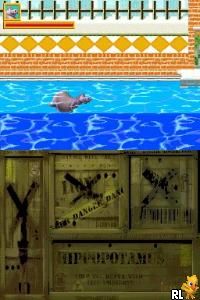
Madagascar (Spain)
0 1 0
Madagascar (Spain) is a classic Nintendo DS game that captures the lively spirit of the popular animated franchise through a side-scrolling platformer style. Originally designed for the Nintendo DS, this game offers a straightforward, family-friendly experience that appeals to fans of light action and colorful visuals. Its nostalgic design and accessible gameplay make it a solid choice for players seeking a casual adventure on the browser, with the game emulated directly on this site for instant play without any downloads.
Why Madagascar Is Worth Playing
This Nintendo DS classic stands out with its bright, cartoonish graphics that mimic the playful tone of the Madagascar movies. The visuals are simple but effective, with characters and environments animated in a blocky, charming style that feels right at home on the DS era. The game’s atmosphere is cheerful and lively, capturing the humor and energy of the film series while providing a clear, easy-to-follow progression that keeps players engaged. The soundtrack and sound effects complement this upbeat vibe, making each session feel like a mini-episode of the beloved franchise.
What keeps players coming back is its straightforward platforming mechanics and familiar characters, which encourage exploration and light puzzle-solving. The game isn’t overly complex—perfect for younger players or those wanting a relaxing experience—yet it offers enough variety in levels to prevent boredom. While it doesn’t push technical boundaries, Madagascar’s charm lies in its faithful adaptation of the franchise’s humor and colorful presentation, making every level feel like a new scene from the movies. Its simplicity ensures that even casual gamers can enjoy a quick session without frustration.
Tips to Get Ahead
Getting the most out of Madagascar involves understanding its straightforward mechanics and pacing. Here are some practical tips to improve your gameplay:
- Focus on collecting coins or items in each level to unlock extras or secrets; they’re often hidden in plain sight.
- Take your time exploring each environment; rushing can lead to unnecessary mistakes or missed opportunities.
- Pay attention to platforming patterns—timing your jumps precisely helps avoid enemies and hazards.
- Use character-specific abilities if available; some characters might have unique moves that make navigation easier.
- Practice levels if you get stuck; repeating sections can help you memorize enemy placements and obstacle timings.
- Keep an eye on your health or lives; conserving them ensures longer play sessions without having to restart frequently.
Things to Know Before You Start
How long does a typical Madagascar session last?
Most levels are short, usually taking just a few minutes to complete, making it ideal for quick gaming breaks or casual play sessions.
Is Madagascar suitable for all ages?
Yes, the game’s simple mechanics and cartoonish visuals make it accessible for children, but it also offers enough fun for older players who enjoy light platformers.
How difficult is Madagascar on the Nintendo DS?
The difficulty level is moderate, with some levels requiring patience and good timing, but it generally remains accessible thanks to its forgiving design and straightforward controls.
Playing Madagascar here means jumping into a colorful, easygoing platformer that captures the charm of the movie series. Its approachable gameplay and cheerful visuals make it a good pick for fans of light, casual gaming. Give it a try and see how your skills stack up in this animated adventure, all playable free in your browser.
Related games: you can also try Bleach – Dark Souls (USA) and Freddie Flintoff's Power Play Cricket (Europe), or browse all other games in the Nintendo DS category.
How to Play Madagascar (Spain)?
Move your character to collect items, avoid obstacles, and reach the end of each level. Explore, jump, and use character abilities to progress through colorful, animated environments inspired by the Madagascar movies.
Game Controls
Arrow keys control movement; action buttons are mapped to keyboard keys for jumping and interacting.
You may be interested in:
-
 Nintendo DS
♥ 1
Casper’s Scare School – Classroom Capers (USA)
Nintendo DS
♥ 1
Casper’s Scare School – Classroom Capers (USA) -
 Nintendo DS
♥ 1
Zunou Nouryoku Koujou Machine – Touch de Zunoo DS (Japan)
Nintendo DS
♥ 1
Zunou Nouryoku Koujou Machine – Touch de Zunoo DS (Japan) -
 Nintendo DS
♥ 1
Zunou ni Asekaku Game Series! Vol. 1 – Cool 104 Joker & Setline (Japan)
Nintendo DS
♥ 1
Zunou ni Asekaku Game Series! Vol. 1 – Cool 104 Joker & Setline (Japan) -
 Nintendo DS
♥ 9
Zuma’s Revenge (USA)
Nintendo DS
♥ 9
Zuma’s Revenge (USA) -
 Nintendo DS
♥ 1
Zubo (USA) (En,Fr,Es)
Nintendo DS
♥ 1
Zubo (USA) (En,Fr,Es) -
 Nintendo DS
♥ 1
Zubo (Europe) (En,Fr,De,Es,It,Nl,Sv)
Nintendo DS
♥ 1
Zubo (Europe) (En,Fr,De,Es,It,Nl,Sv) -
 Nintendo DS
♥ 1
Zorro – Quest for Justice (USA) (En,Fr,De,Es,It)
Nintendo DS
♥ 1
Zorro – Quest for Justice (USA) (En,Fr,De,Es,It) -
 Nintendo DS
♥ 1
Zorro – Quest for Justice (Europe) (En,Fr,De,Es,It)
Nintendo DS
♥ 1
Zorro – Quest for Justice (Europe) (En,Fr,De,Es,It)
Comments (0)
No comments yet. Be the first to comment!